Sample Business Case Implementation
The following examples show how different industries can use the CRM Module in UNICONNECT.AI™ to manage customer relationships, track activities, and improve communication.
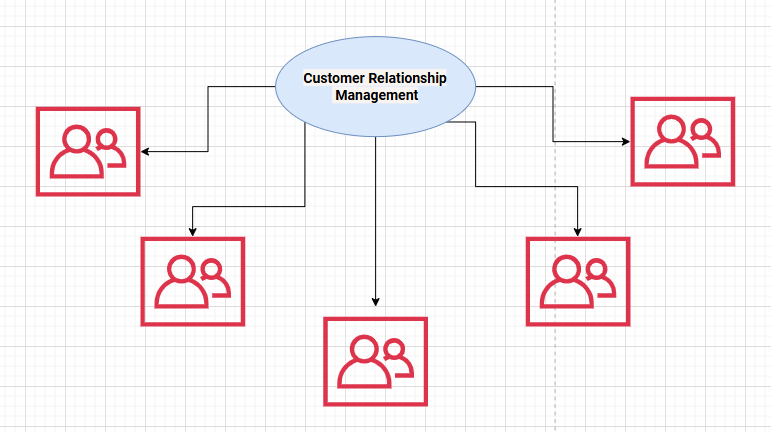
CRM Business Case Scenarios
1. Airline Customer Service Management
Modules: Contacts, Organizations, Tickets
Business Scenario (Standard Modules)
An airline wants to improve customer service response times and passenger satisfaction by centralizing all customer interactions in one platform.
How the Platform is Used
Contacts Module
- Stores passenger profiles including contact details.
- Maintains frequent flyer status.
- Keeps travel history and preferences.
| Column Name | Field Type | Description |
|---|---|---|
| Contact_ID | Sequence Field | Unique identifier for the passenger |
| First_Name | Short Text | Passenger first name |
| Last_Name | Short Text | Passenger last name |
| Passenger email address | ||
| Phone_Number | Phone Number | Contact phone number |
| Passport_Number | Number Integer | Passport identification |
| Nationality | Dropdown | Passenger nationality |
| Frequent_Flyer_ID | Short Text | Loyalty program membership ID |
| Loyalty_Tier | Enum | Membership level (Silver, Gold, Platinum) |
| Preferred_Seat_Type | Enum | Window / Aisle / Middle |
| Travel_History_Count | Number Integer | Number of previous flights |
| Preferred_Language | Enum | Communication language |
| Date_of_Birth | Date | Passenger DOB |
| Created_Date | Date | Record creation date |
Organizations Module
- Manages corporate travel partners.
- Stores travel agencies information.
- Maintains partner airline relationships.
| Column Name | Field Type | Description |
|---|---|---|
| Organization_ID | Sequence Field | Unique identifier for the organization |
| Organization_Name | Short Text | Name of the company, travel agency, or partner airline |
| Organization_Type | Enum | Type of organization (Corporate Client, Travel Agency, Partner Airline) |
| Industry | Short Text | Industry category of the organization |
| Contact_Person | Short Text | Primary contact person for the organization |
| Organization email address | ||
| Phone_Number | Phone Number | Organization contact number |
| Address | Long Text | Organization address |
| Country | Dropdown | Country where the organization is located |
| Contract_Start_Date | Date | Start date of partnership or agreement |
| Contract_End_Date | Date | End date of partnership or agreement |
| Service_Level | Enum | Service agreement level (Standard, Priority, Premium) |
| Status | Boolean | Current status of the organization (Active, Inactive) |
| Created_Date | Date | Record creation date |
Tickets Module Handles service requests such as:
- Flight delays
- Baggage issues
- Refund requests
- Seat change requests
- Loyalty program inquiries
| Column Name | Field Type | Description |
|---|---|---|
| Ticket_ID | Sequence Field | Unique identifier for the ticket |
| Ticket_Title | Short Text | Short description of the customer issue |
| Ticket_Type | Enum | Type of issue (Flight Delay, Baggage Issue, Refund Request, Seat Change, Loyalty Inquiry) |
| Contact_ID | Relationship with Ticket Module | Passenger associated with the ticket |
| Organization_ID | Relationship with Organization | Related organization such as corporate client or travel agency |
| Flight_Number | Short Text | Flight related to the service request |
| Booking_Reference | Short Text | Passenger booking reference number |
| Priority_Level | Enum | Priority of the request (Low, Medium, High, VIP) |
| Status | Enum | Current ticket status (Open, In Progress, Escalated, Resolved, Closed) |
| Assigned_Agent | Relationship User | Support agent handling the ticket |
| SLA_Deadline | Date Time | Time limit for resolving the ticket according to SLA |
| Created_Date | Date Time | Ticket creation date and time |
| Updated_Date | Date Time | Last update date and time |
| Resolution_Notes | Long Text | Details of the solution provided |
| Closed_Date | Date Time | Date when the ticket was closed |
What’s Next?
The table above explains the fields used in this module.
To start configuring these fields in your CRM system, proceed to the next guide.
( Configure Fields in the CRM Module)
Workflow Automation for SLA Management
Automation ensures service quality and faster response times.
Examples:
Automatic Ticket Assignment
- Tickets are automatically assigned to the correct support team based on issue category.
Priority Escalation
- VIP passengers → Immediate priority handling.
- Delayed baggage → Escalation if not resolved within 2 hours.
SLA Monitoring
- Reminder notifications when response time approaches SLA limits.
- Automatic escalation to supervisors if SLA is breached.
Customer Notifications
- Email or SMS notifications when ticket status changes.
Dashboards and Analytics
Managers can monitor:
- Average ticket resolution time
- SLA compliance rates
- Top complaint categories
- Support team performance
This helps airlines identify operational issues and improve passenger experience.
2. Real Estate Lead Management System
Modules: Leads, Opportunities, Contacts
Business Scenario (Standard Modules + Integrations)
A real estate company wants to increase sales conversion rates by managing property leads effectively and ensuring timely follow-ups.
How the Platform is Used
Leads Module Captures potential buyers from multiple sources such as:
- Website inquiries
- Social media campaigns
- Property exhibitions
- Agent referrals
| Column Name | Field Type | Description |
|---|---|---|
| Lead_ID | Sequence Field | Unique identifier for the lead |
| First_Name | Short Text | First name of the potential buyer |
| Last_Name | Short Text | Last name of the potential buyer |
| Lead email address | ||
| Phone_Number | Phone Number | Contact number of the lead |
| Lead_Source | Enum | Source of the lead (Website, Social Media, Property Exhibition, Agent Referral) |
| Interested_Property_Type | Enum | Type of property the lead is interested in (Apartment, House, Land, Commercial) |
| Budget_Range | Number | Estimated budget of the lead |
| Preferred_Location | Short Text | Preferred location for the property |
| Lead_Status | Enum | Current status of the lead (New, Contacted, Qualified, Converted, Lost) |
| Assigned_Agent | Relationship with User | Sales agent responsible for the lead |
| Follow_Up_Date | Date | Scheduled follow-up date |
| Notes | Long Text | Additional information or communication notes |
| Created_Date | Date | Record creation date |
Contacts Module
- Stores qualified buyer profiles.
- Maintains customer preferences such as budget and property type.
| Column Name | Field Type | Description |
|---|---|---|
| Contact_ID | Sequence Field | Unique identifier for the buyer profile |
| First_Name | Short Text | First name of the customer |
| Last_Name | Short Text | Last name of the customer |
| Customer email address | ||
| Phone_Number | Phone Number | Contact number of the buyer |
| Budget_Range | Number / Currency | Estimated budget for property purchase |
| Preferred_Property_Type | Enum | Property type preference (Apartment, House, Land, Commercial) |
| Preferred_Location | Short Text | Preferred location for the property |
| Buying_Purpose | Enum | Purpose of purchase (Investment, Personal Use, Rental) |
| Urgency_Level | Enum | Purchase urgency (Low, Medium, High, Immediate) |
| Assigned_Agent | Relationship with User | Sales agent responsible for the customer |
| Notes | Long Text | Additional preferences or discussion notes |
| Created_Date | Date | Record creation date |
Opportunities Module Tracks the sales journey from: Property Inquiry → Negotiation → Booking → Sale Closure.
| Column Name | Field Type | Description |
|---|---|---|
| Opportunity_ID | Sequence Field | Unique identifier for the opportunity |
| Opportunity_Name | Short Text | Name of the opportunity (e.g., Apartment Purchase – John Silva) |
| Contact_ID | Relationship with Contacts | Linked customer who is interested in the property |
| Lead_ID | Relationship with Leads | Source lead converted into this opportunity |
| Property_Name | Short Text | Name or identifier of the property |
| Property_Type | Enum | Type of property (Apartment, House, Land, Commercial) |
| Property_Location | Short Text | Location of the property |
| Budget | Number / Currency | Estimated budget or property value |
| Sales_Stage | Enum | Current stage of the sales process (Inquiry, Negotiation, Booking, Sale Closure) |
| Probability | Percentage | Likelihood of closing the deal |
| Expected_Close_Date | Date | Estimated date for completing the sale |
| Assigned_Agent | Relationship with User | Sales agent responsible for managing the opportunity |
| Notes | Long Text | Additional negotiation details or comments |
| Created_Date | Date | Record creation date |
Workflow Automation for Lead Follow-ups
Automation ensures no lead is missed.
Examples:
Automatic Lead Assignment
- Leads are assigned to agents based on location or property type.
Lead Qualification Workflow Leads are categorized based on:
- Budget range
- Property preference
- Urgency level
Follow-up Reminders
- System schedules automatic follow-up tasks.
- Alerts are triggered if agents fail to contact leads within a defined time.
Lead Nurturing Automation
- Automated email campaigns with property recommendations.
- Notifications for newly available properties matching customer preferences.
Dashboards and Analytics
Sales managers can monitor:
- Lead sources generating the highest conversions
- Sales pipeline progress
- Agent performance
- Lead-to-sale conversion rate
- Average sales cycle duration
This enables data-driven sales strategies and improves marketing ROI.
3. Elevator Service & Maintenance Management
Modules: Customers, Service Requests, Assets
Business Scenario (Standard Modules + Custom Modules)
An elevator service company needs to manage installations, maintenance schedules, and emergency repairs efficiently.
How the Platform is Used
Customers Module
- Manages building owners and property managers.
- Stores service contract details.
| Column Name | Field Type | Description |
|---|---|---|
| Customer_ID | Sequence Field | Unique identifier for the customer |
| Customer_Name | Short Text | Name of the building owner or property management company |
| Contact_Person | Short Text | Primary contact person responsible for maintenance coordination |
| Customer email address | ||
| Phone_Number | Phone Number | Contact phone number |
| Building_Name | Short Text | Name of the building where elevators are installed |
| Building_Address | Long Text | Full address of the building |
| Customer_Type | Enum | Type of customer (Building Owner, Property Manager, Facility Management Company) |
| Service_Contract_ID | Short Text | Identifier for the service contract |
| Contract_Start_Date | Date | Start date of the service agreement |
| Contract_End_Date | Date | End date of the service agreement |
| Service_Level | Enum | Service contract type (Basic, Standard, Premium) |
| Number_of_Elevators | Number Integer | Total elevators maintained under the contract |
| Assigned_Service_Manager | Relationship with User | Responsible service manager or account manager |
| Notes | Long Text | Additional information or service instructions |
| Created_Date | Date | Record creation date |
Assets Module Tracks each elevator unit including:
- Installation details
- Model and serial number
- Maintenance history
- Warranty information
| Column Name | Field Type | Description |
|---|---|---|
| Asset_ID | Sequence Field | Unique identifier for the elevator asset |
| Asset_Name | Short Text | Name or identifier of the elevator unit |
| Customer_ID | Relationship with Customers | Building owner or property manager associated with the elevator |
| Building_Name | Short Text | Name of the building where the elevator is installed |
| Installation_Date | Date | Date when the elevator was installed |
| Elevator_Model | Short Text | Model name or number of the elevator |
| Serial_Number | Short Text | Manufacturer serial number of the elevator |
| Manufacturer | Short Text | Elevator manufacturer company |
| Warranty_Start_Date | Date | Start date of the warranty period |
| Warranty_End_Date | Date | End date of the warranty period |
| Last_Maintenance_Date | Date | Date of the most recent maintenance service |
| Next_Maintenance_Date | Date | Scheduled date for the next preventive maintenance |
| Maintenance_Status | Enum | Current maintenance status (Active, Under Maintenance, Out of Service) |
| Asset_Status | Enum | Operational status of the elevator (Operational, Faulty, Retired) |
| Notes | Long Text | Additional information about the elevator unit |
| Created_Date | Date | Record creation date |
Service Requests Module Handles various service activities such as:
- Breakdown reports
- Routine maintenance visits
- Inspection requests
- Spare part replacements
| Column Name | Field Type | Description |
|---|---|---|
| Service_Request_ID | Sequence Field | Unique identifier for the service request |
| Request_Title | Short Text | Title or short description of the service request |
| Customer_ID | Relationship with Customers module | Building owner or property manager who reported the request |
| Asset_ID | Relationship with Assets module | Elevator unit related to the service request |
| Request_Type | Enum | Type of request (Breakdown Report, Routine Maintenance, Inspection, Spare Part Replacement) |
| Priority_Level | Enum | Priority level of the request (Low, Medium, High, Critical) |
| Request_Status | Enum | Current status (Open, Assigned, In Progress, Completed, Closed) |
| Reported_Date | Date | Date when the service request was created |
| Scheduled_Service_Date | Date | Planned date for technician visit |
| Assigned_Technician | Relationship with User module | Technician assigned to handle the request |
| Issue_Description | Long Text | Detailed explanation of the reported issue |
| Resolution_Notes | Long Text | Technician notes after completing the service |
| Spare_Parts_Used | Short Text | Spare parts replaced during service (if any) |
| Completion_Date | Date | Date when the service was completed |
| Created_Date | Date | Record creation date |
Workflow Automation for On-Time Service
Automation ensures maintenance schedules are followed and breakdowns are resolved quickly.
Examples:
Automatic Maintenance Scheduling
- Monthly or quarterly maintenance tasks are automatically generated.
Technician Assignment
- Technicians are assigned based on location and skillset.
Emergency Escalation
- If an elevator breakdown is reported, technicians receive immediate alerts.
Maintenance Reminders
- Notifications are sent before scheduled service visits.
Service Completion Workflow
- Technicians update job status through mobile devices.
- Customers automatically receive service reports after completion.
Dashboards and Analytics
Service managers can analyze:
- Number of service requests per building
- Technician response times
- Preventive vs corrective maintenance ratio
- Asset failure trends
- Contract compliance levels
This helps improve service reliability and reduce elevator downtime.