Preview Campaign Execution (Step-by-Step Guide)
1. Introduction
A Preview Campaign is used when calls must be handled carefully.
In this method, the system always connects the call to the agent first before calling the customer.
This ensures:
- The agent is ready
- The agent knows what to say
- The customer experience is better
2. What Happens in a Preview Campaign?
In simple terms:
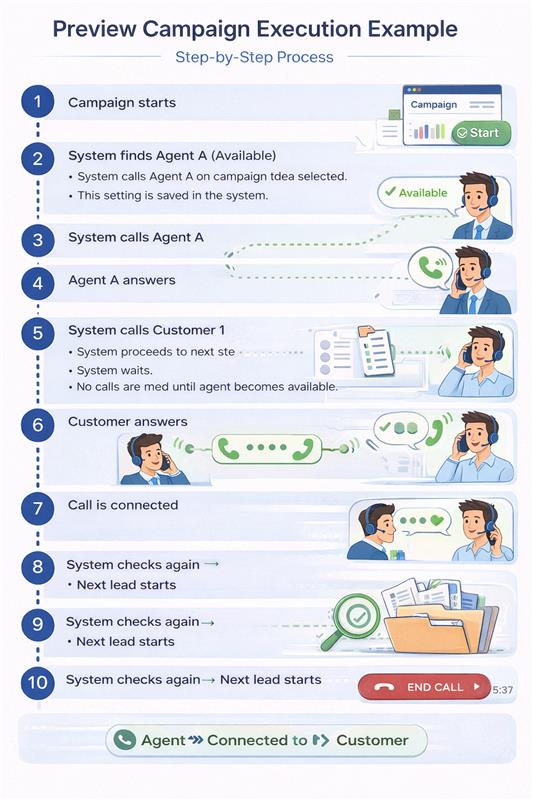
System calls Agent → Agent answers → System calls Customer → Both are connected
3. Step-by-Step Execution Flow
Step 1: Campaign is Created
- Campaign is created with Preview Dialer selected
- This setting is saved in the system
- Campaign summary will show Preview Dialer before starting
Step 2: Campaign is Started
- User clicks Start Campaign
- System begins processing leads
Step 3: System Finds an Available Agent
- System checks agent status
If Agent is Available:
- System proceeds to next step
If Agent is Not Available:
- System waits
- No calls are made until agent becomes available
Step 4: System Calls the Agent
- System automatically calls the assigned agent
- Agent must answer the call
Step 5: Agent Answers
If Agent Answers:
- System proceeds to call the customer
If Agent Does Not Answer:
- Call is skipped or retried based on retry settings
Step 6: System Calls the Customer
- After agent answers, system dials the customer
Step 7: Customer Answers
If Customer Answers:
- Call is connected between agent and customer
- Conversation starts
If Customer Does Not Answer:
- Call ends
- System will retry later (based on retry configuration)
Step 8: Move to Next Lead
- After call ends:
- System checks agent availability again
- Next lead is processed
4. Agent Behavior (Very Important)
-
Agent must be in Available status to receive calls
-
If agent is:
- Busy
- On another call
- In break / restricted status
System will:
- Wait
- Not assign new calls
5. Call Handling Application
Before starting the campaign, a call application must be selected.
Examples:
- Softphone
- Integrated Dialer
Behavior:
- All calls in the campaign will use the selected application
6. How System Controls Calls (Simple Explanation)
- System gives only one call at a time to an agent
- System checks if agent is ready before every call
- System does NOT overload the agent
This ensures:
- No missed calls
- Smooth execution
- Better performance
7. Simple Real-Life Example
8. Key Points to Remember
- Agent always receives the call first
- Customer is called only after agent answers
- Calls happen only when agent is ready
- System controls call flow automatically