Lead Module Configuration
1. Introduction
The Lead Module within Campaigns enables management of campaign-specific leads, including uploading, tracking, filtering, and monitoring lead statuses throughout the campaign lifecycle.
The Campaign Leads Module is dependent on the Campaign Module and is only accessible when the Campaign Module is active.
This setup includes:
- Activating the Campaign Module
- Accessing Leads via Campaign
- Managing leads within campaigns
2. Configuration Overview
| Step | Description |
|---|---|
| Step 1 | Activate Campaign Module |
| Step 2 | Access Campaign Leads |
| Step 3 | Manage Leads |
| Step 4 | Track Lead Status |
3. Module Configuration Activation
Step 1
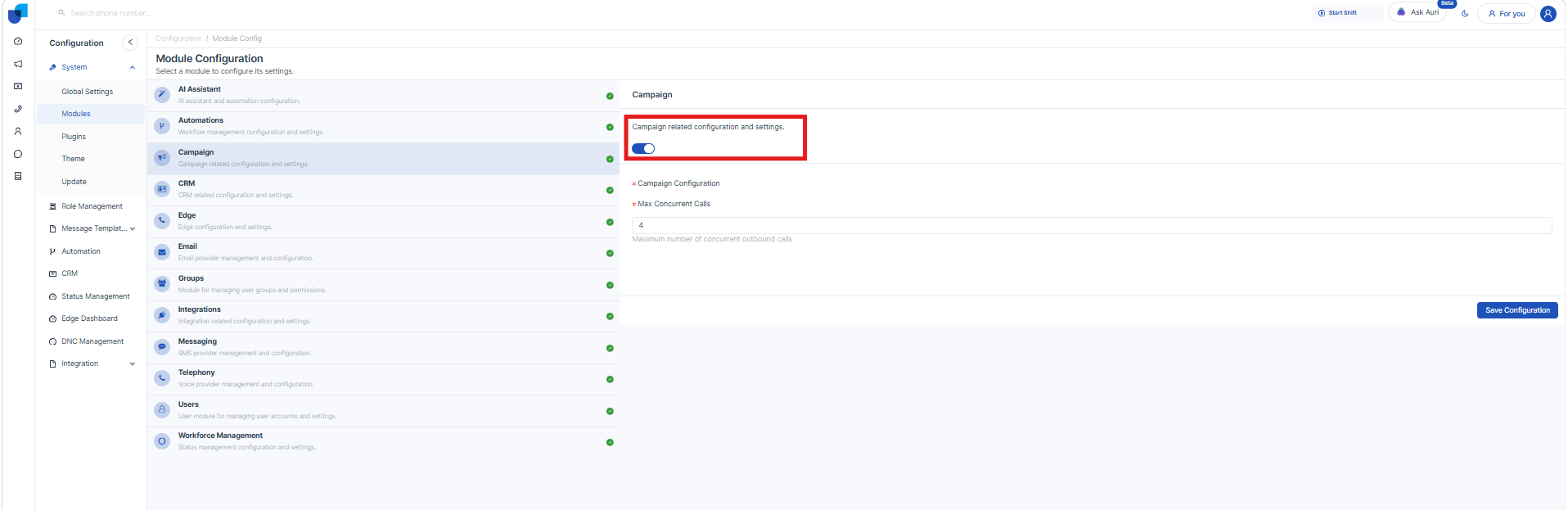
Navigation:
Configuration → Modules → Campaign
Description:
The Campaign Leads Module becomes available only when the Campaign Module is enabled.
Behavior:
- Leads Module is NOT displayed under CRM Modules
- Leads are accessible via:
Campaign → View Leads
Outcome:
- Lead management is enabled within campaigns
- Leads are linked directly to campaigns
4. Lead Management
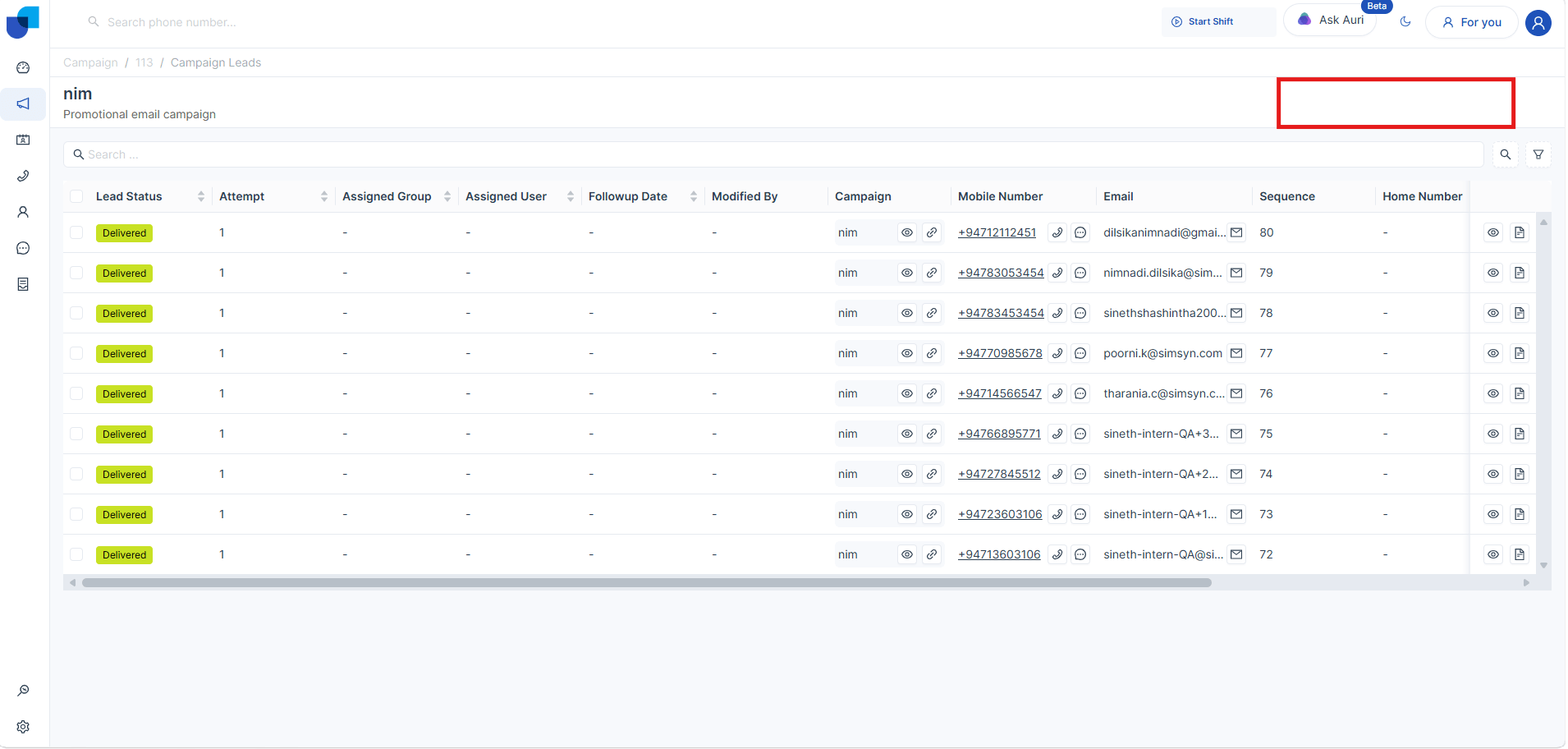
Overview:
All leads are displayed in a structured tabular format for easy tracking and management. If user need to add a new field user can get access with CRm module configuration Campaign Upload module field configure , same like CRM field configurations
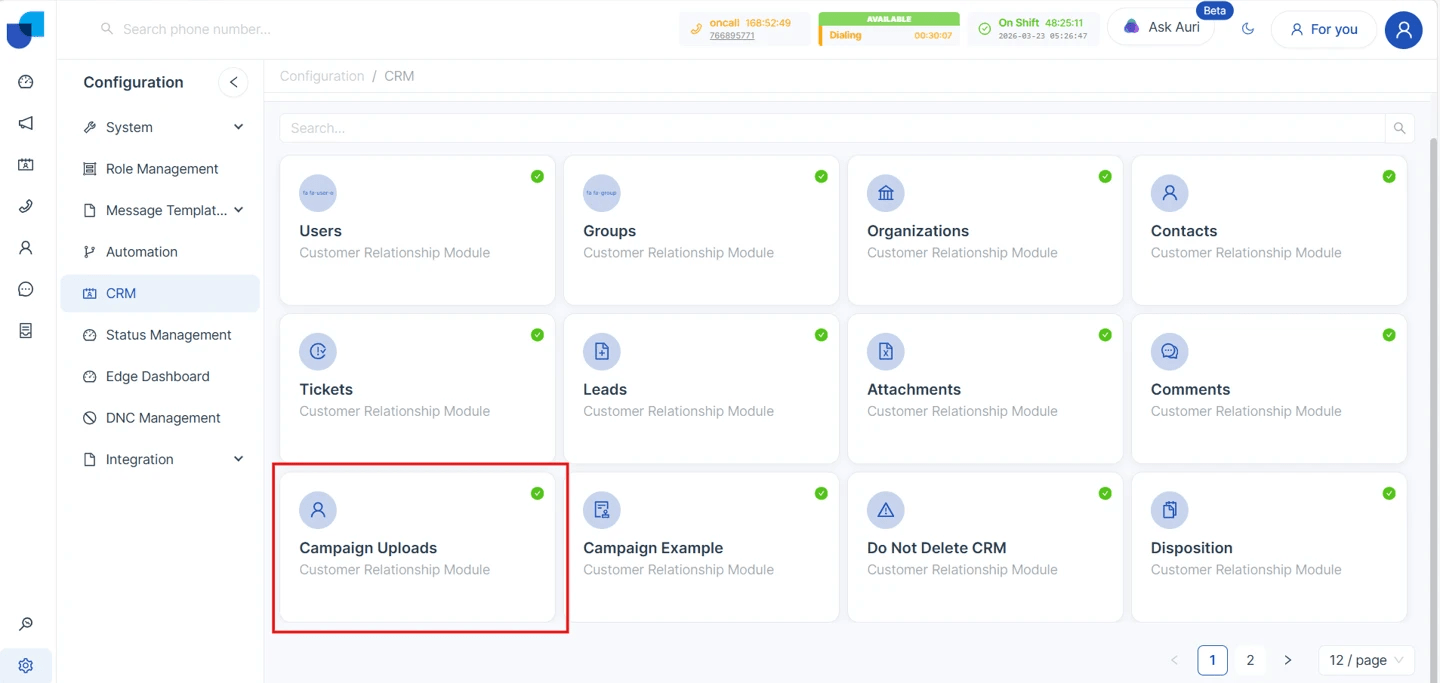
Fields Displayed:
- Name – Lead name
- Phone Number – Contact number
- Email – Email address
- Campaign Name – Associated campaign
- Lead Status – Current status of the lead
Behavior:
- Each lead is automatically linked using campaign_id
- Leads belong to a specific campaign and cannot exist independently
5. Lead Upload and Export
Lead Upload
Leads can be added into a campaign using supported methods such as file uploads or CRM modules.
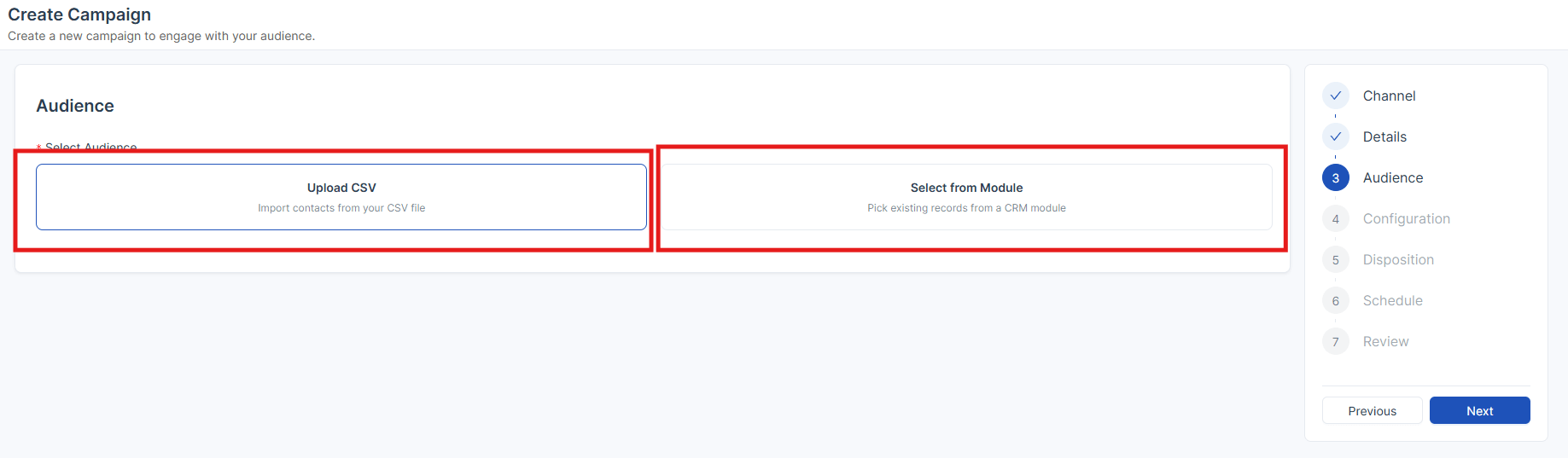
Behavior:
- Uploaded leads are automatically assigned to the selected campaign
- Leads will initially have a default status (e.g., Pending)
Export Leads
Navigation:
Campaign → View Leads
Description:
Allows exporting lead data for reporting or external usage.
6. Lead Status Management
Each lead progresses through different statuses during the campaign lifecycle.
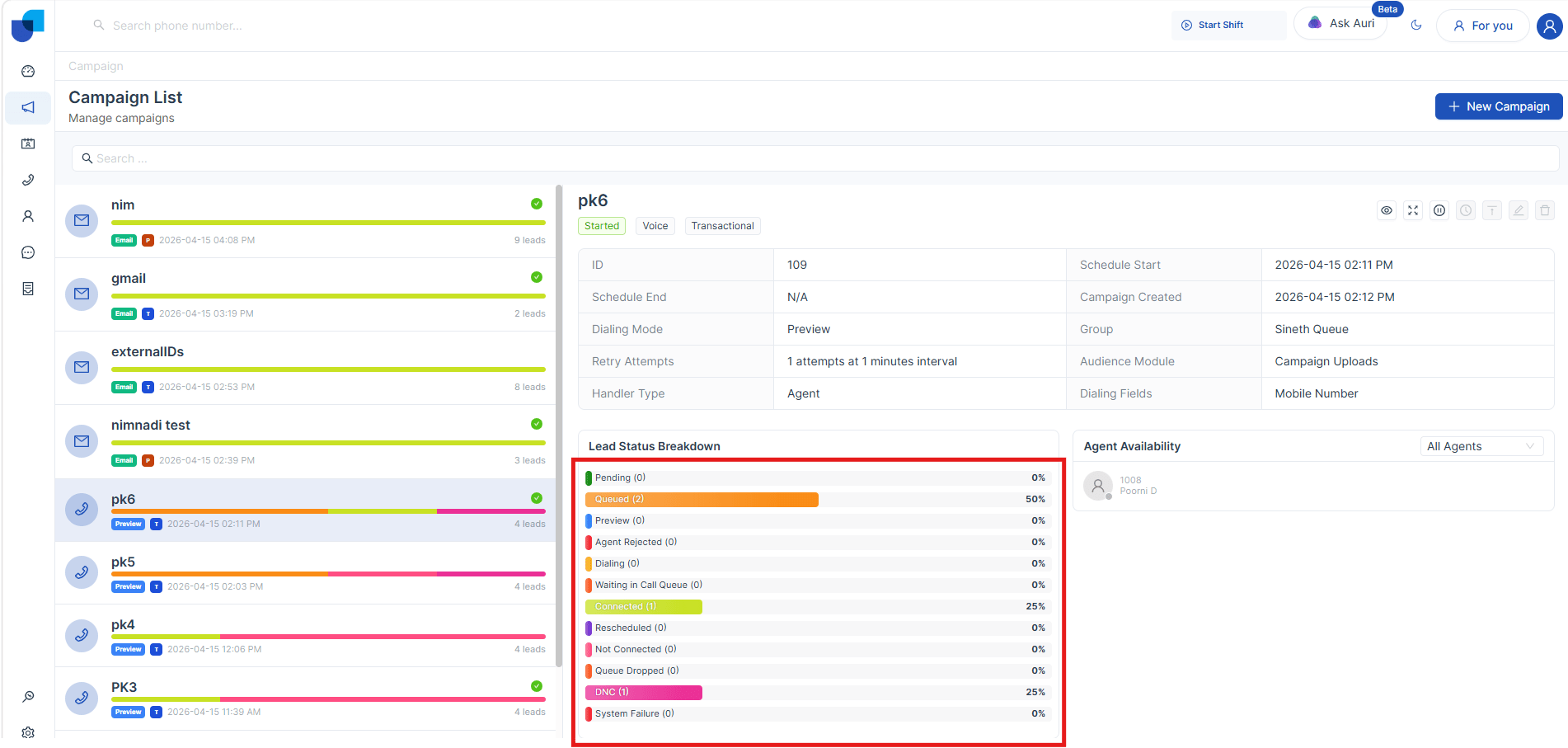
| Status | Description |
|---|---|
| Pending | Lead is uploaded but not yet queued for calling |
| Queued | Lead is added to dialing queue (Power Campaign) |
| Dialing | System is attempting to call the lead |
| Waiting in Call Queue | Lead is waiting for agent availability |
| Connected | Call successfully connected |
| Not Connected | Call attempt failed to connect |
| Rescheduled | Follow-up call is scheduled |
| DNC | Marked as Do Not Call |
| Archived | Lead removed manually or via duplicate handling |
| System Failure | System dropped the call without dialing |
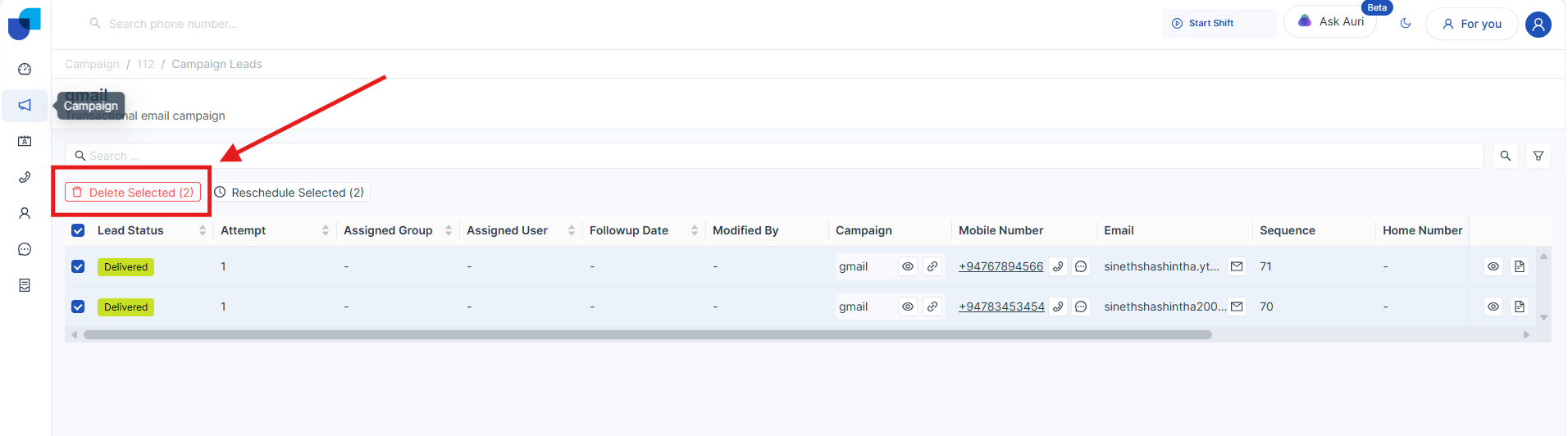
7. Lead Removal
Description:
Leads can be removed before campaign execution.
Behavior:
- Removed leads are NOT permanently deleted
- Status is updated to Archived
- Archived leads remain available for reference and reporting
8. Filtering and Sorting
Filtering Options:
Leads can be filtered based on:
- Lead Status
- Name
- Phone Number
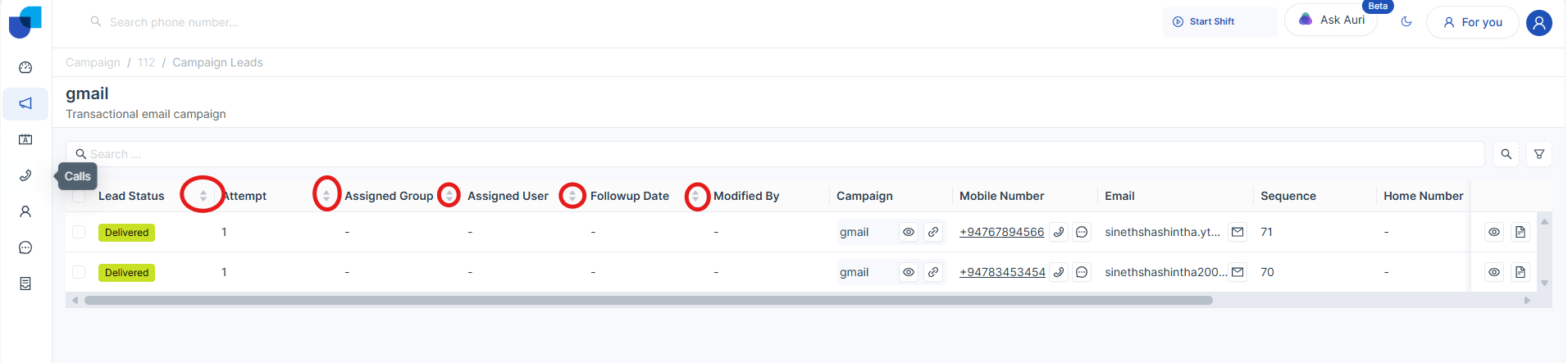
Sorting Options:
- Supports multi-level sorting
- Sorting order:
- Ascending (ASC)
- Descending (DESC)
- Multiple fields can be combined for advanced sorting
9. Module Restrictions
- The Lead Module cannot be deleted
- Leads are strictly tied to campaigns
- Direct access outside Campaign Module is not available