Auri AI Insight
Auri AI Insights
Auri is an AI‑powered assistant built and customized specifically for Uniconnect AI, designed to support users across the entire system. Within analytics, Auri acts as an intelligent insight layer that helps users explore and understand Uniconnect AI data quickly and naturally.
For analytics use cases, Auri enables users to interact with their data through simple, conversational queries and instantly receive meaningful insights, metrics, and summaries without navigating complex reporting interfaces.
How Auri Supports Analytics
While Auri supports multiple areas of Uniconnect AI, its analytics capabilities add unique value by simplifying how users access and interpret data.
- Conversational Data Access
Auri allows users to ask analytical questions in natural language, such as Show open ticket count. Auri understands the intent and retrieves the relevant data directly from Uniconnect AI.
- Faster Insight Discovery
Instead of manually building reports or dashboards, users can obtain immediate answers and visual summaries, significantly reducing the time needed to analyze operational data.
- On‑Demand Metrics and Summaries
Auri provides instant access to key metrics and aggregated values, helping users monitor performance, validate assumptions, and respond quickly to changes.
- Complement to Reports and Dashboards
Auri does not replace Uniconnect AI reports or dashboards. Instead, it complements them by enabling quick exploration and validation of data.
How to write a correct prompt
Auri is designed to understand and respond to natural language questions, making it easy to access insights across Uniconnect AI. To get the most accurate and meaningful analytics results, writing a clear and well‑structured prompt is highly recommended.
A well‑written prompt helps Auri correctly understand the user’s intent, identify the relevant data, and return precise insights. Clear prompts reduce ambiguity and improve the quality, speed, and relevance of the responses generated.
Guidelines for Writing Effective Prompts to Get Analytics
Be Clear About What You Want to Analyze
State exactly what metric or insight you are looking for. Clear prompts reduce ambiguity and help Auri focus on the correct data.
Use:
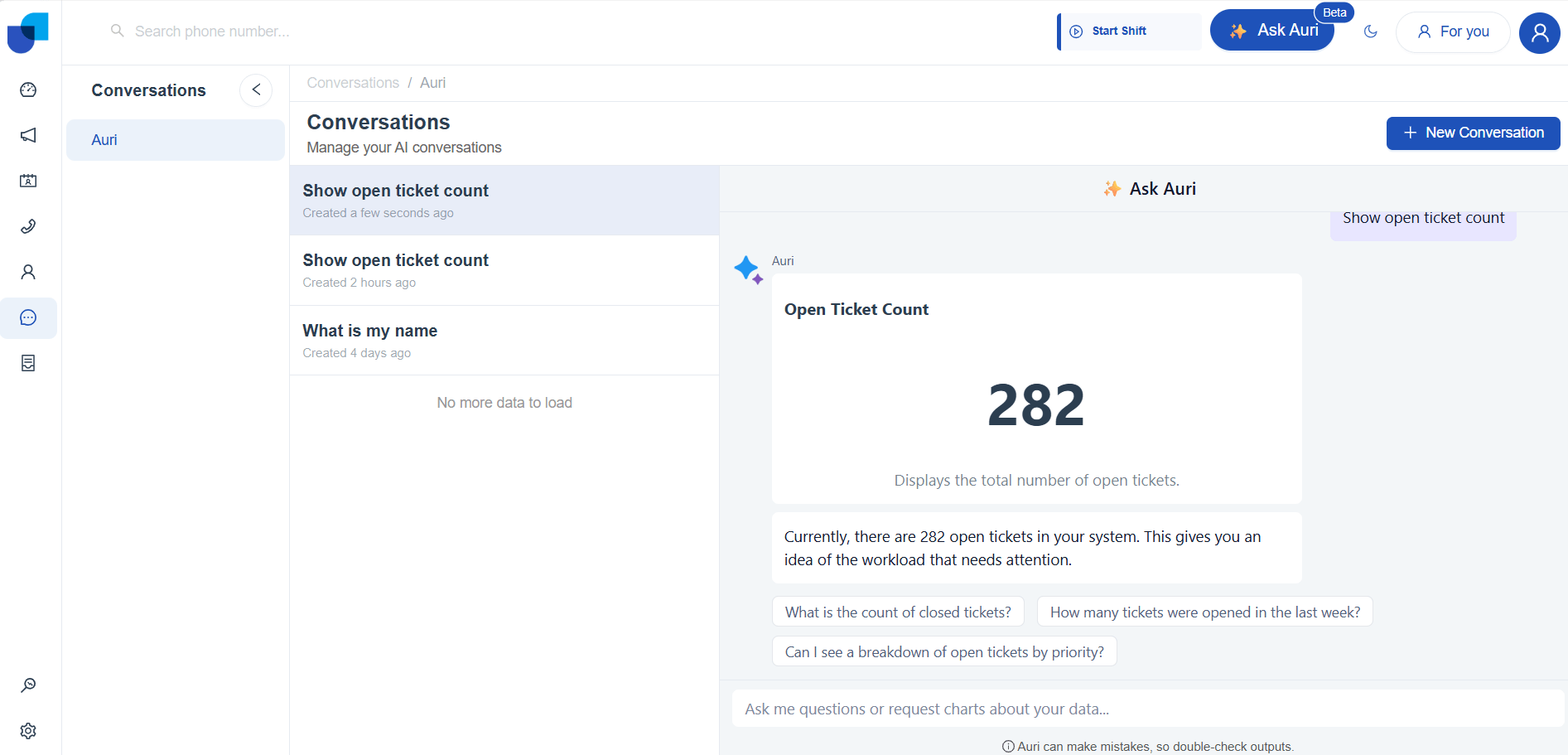
- Show Open ticket count
- Ticket count by status
Don't Use:
- Show ticket data
- Ticket information
Better Understand with an user scenario:
Include Context When Needed
Adding context such as time period, status, priority, or category helps narrow down results and improves accuracy.
Use:
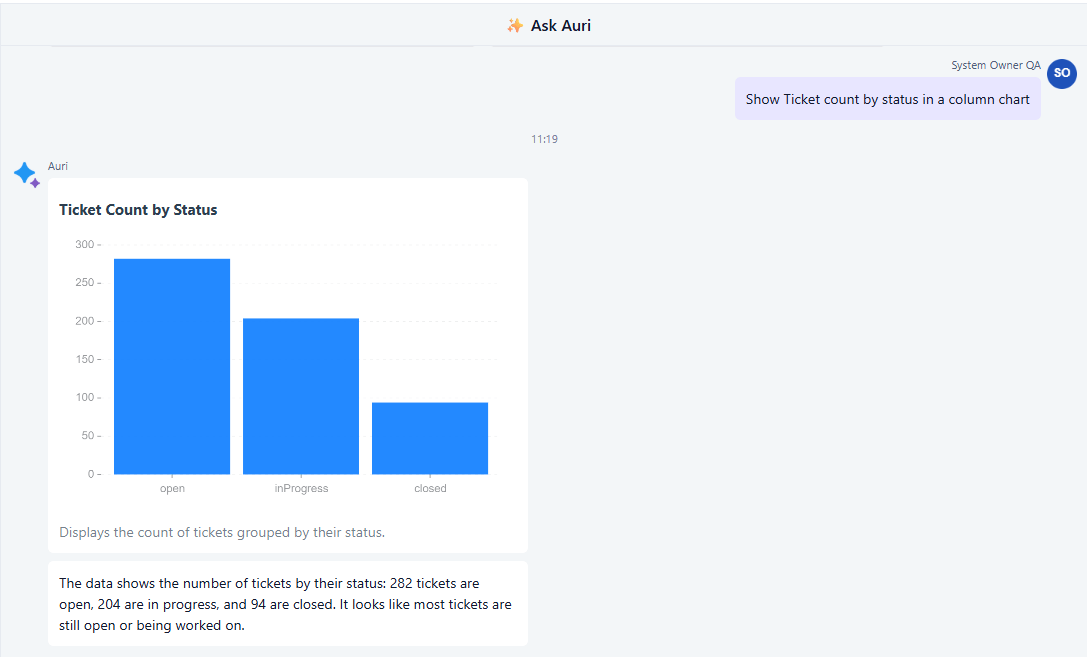
- Show Ticket count by status in a column chart
- Ticket count by priority this week
Don't Use:
- Show ticket count
- Ticket priority chart
Better Understand with an user scenario:
Ask one question at a time
Focusing on a single analytical request allows Auri to return a clear and focused response
Use:
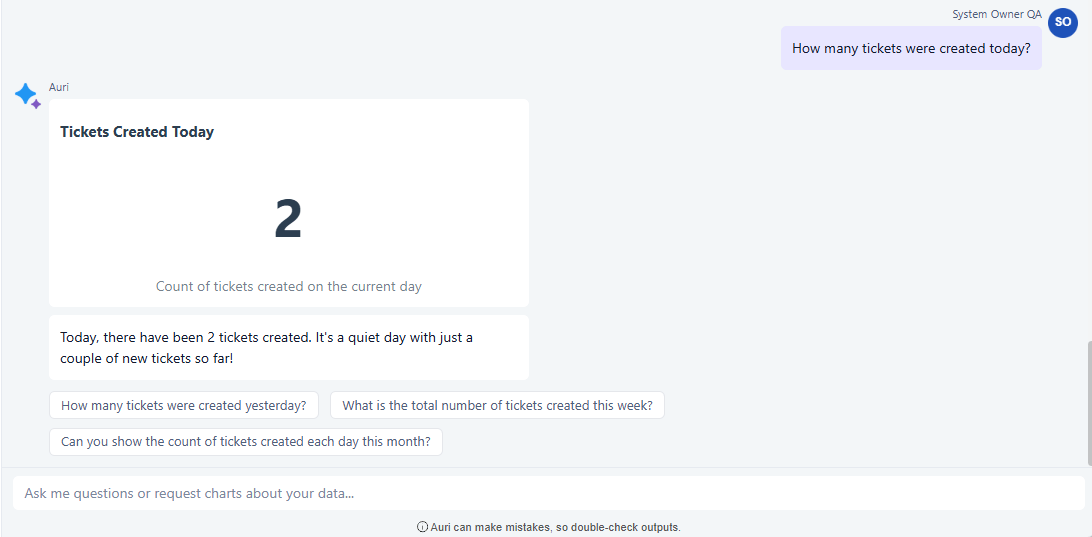
- How many tickets were created today?
- Ticket count by priority this week
Don't Use:
- Show open tickets, closed tickets, and SLA performance together
Better Understand with an user scenario:
Use Simple and natural language
Write prompts the way you would naturally ask a question. Simple language helps Auri interpret intent more effectively.
Use:
- How many tickets were created today?
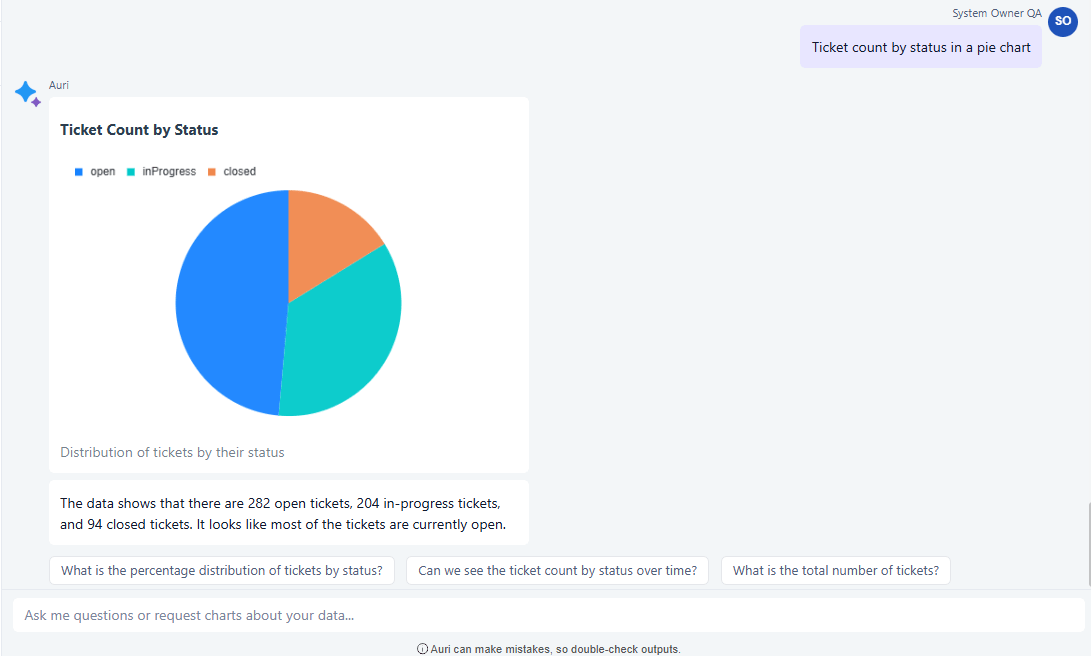
- Ticket count by status in a pie chart
Don't Use:
- Retrieve ticket statistics grouped by multiple attributes
Better Understand with an user scenario:
Add Time Filters for Trend Analysis
When analyzing trends or performance, specifying a time range makes insights more meaningful.
Use:
- In‑progress ticket trend for this month
- How many ticket were created today
Don't Use:
- Show ticket trend
- Ticket data chart
Better Understand with an user scenario:
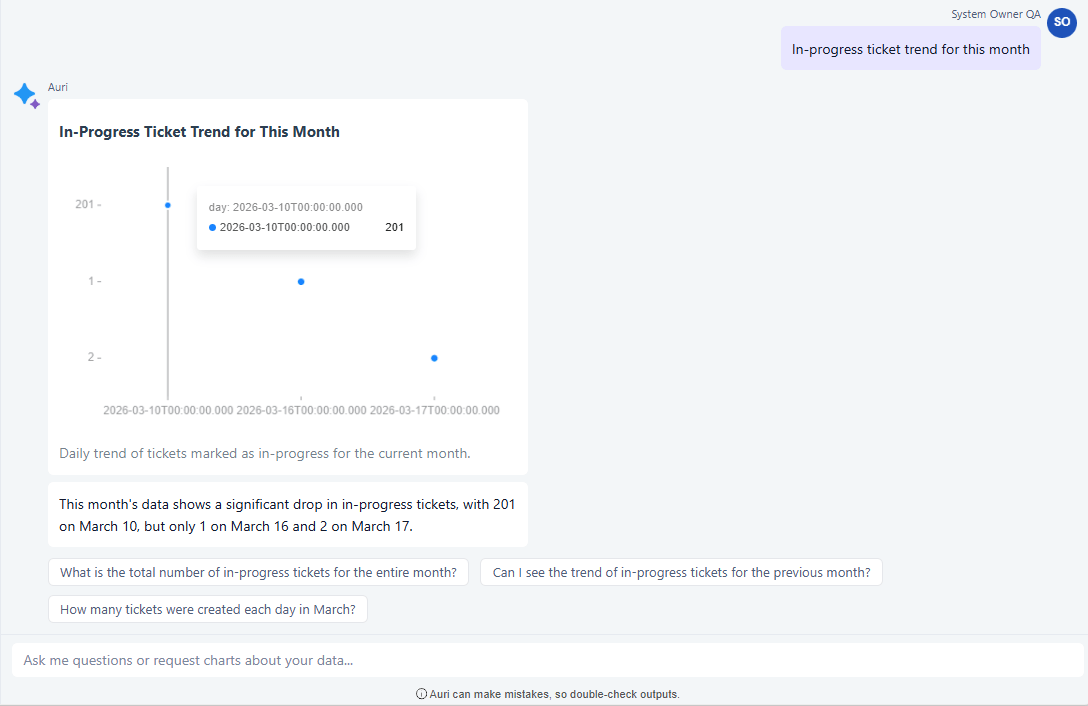
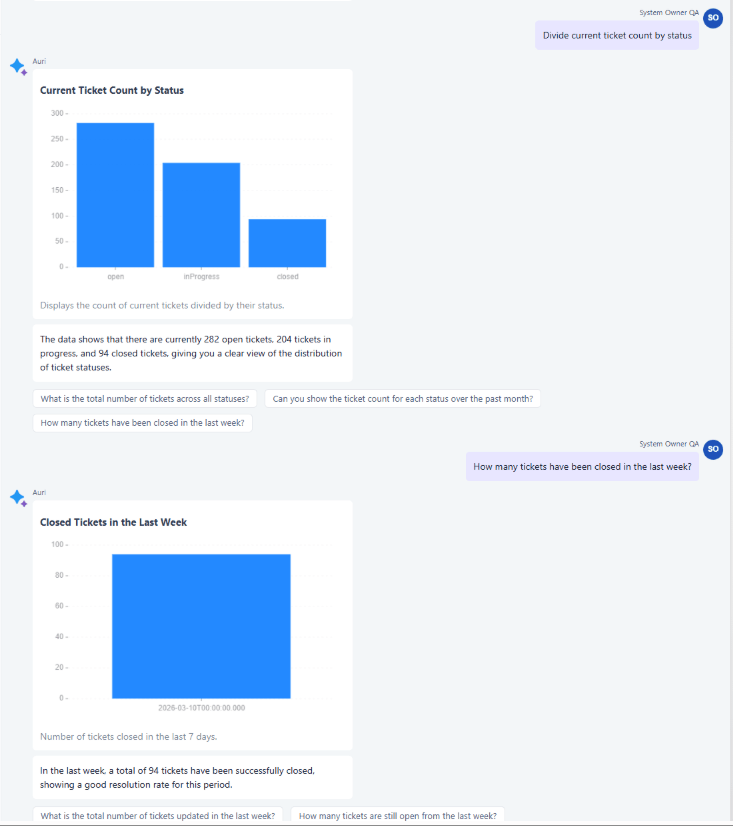
Start with simple questions and refine your analysis using Auri’s built‑in follow‑up questions
Start with simple questions and use the built‑in follow‑up questions suggested by Auri to refine analysis. These suggestions helps to explore deeper insights step by step by building on previous results.
[!IMPORTANT] Auri uses AI to generate analytics insights based on available Uniconnect AI data. While designed to be helpful and informative, the results may not always be fully accurate, and occasional inconsistencies may occur. Users should review insights carefully and validate important data when required.
Best Practices
- Ask clear and specific questions
- Check whether data is real-time or refreshed periodically.
- Validate results with dashboards or raw data before major decisions.
- Break complex questions into smaller steps.
- Don’t assume the Auri remembers context,restate key filters when needed.
- Specify the required visualization type when visual insights are needed.