Unified Agent Desktop
Introduction
The Edge Statistics Dashboard Widgets provide agents with real-time visibility into important operational metrics and performance indicators. These widgets help agents monitor key statistics related to CRM, telephony, and system activity directly within the Uniconnect AI Edge application. By presenting relevant data in an organized and visual format, the widgets allow agents to stay informed about ongoing operations without interrupting their workflow.
The widgets displayed in the Uniconnect AI Edge Dashboard are created and managed through the Edge Dashboard module in Uniconnect AI Platform.
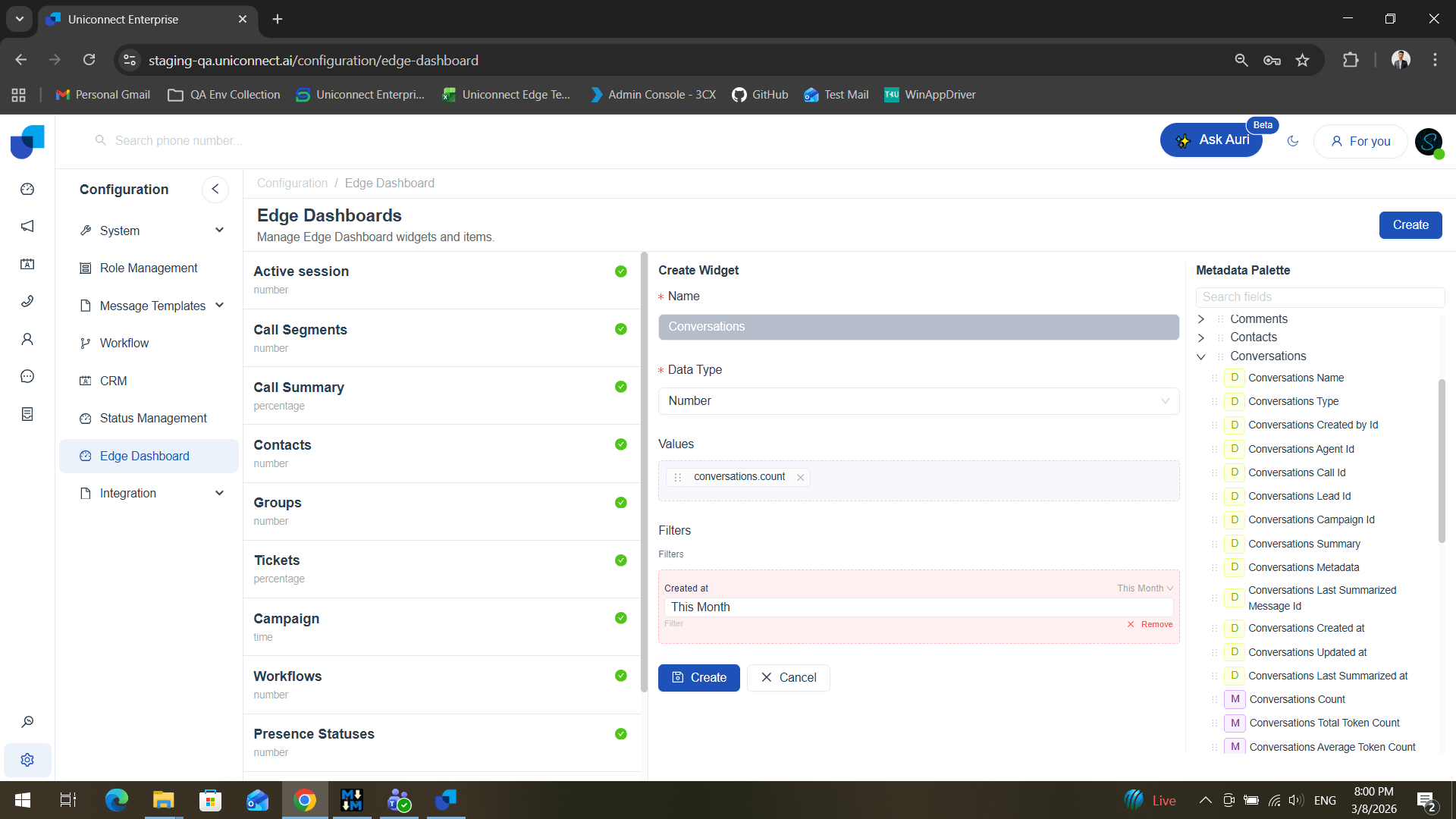
Administrators or authorized users can create and customize these widgets to display specific data points that are relevant to the organization’s operational needs. If a widget is no longer required, administrators also have the option to delete existing widgets by clicking on the widget.
This flexibility allows organizations to tailor the dashboard according to their monitoring and reporting requirements.
Once created, the widgets are automatically synchronized with the Edge application and become available for agents within their Unified Agent Desktop.
Dashboard Widgets in Uniconnect AI Edge Application
Within the Uniconnect AI Edge Softphone Interface, the created widgets appear below the main control panel.
Agents can use these widgets to monitor real-time operational data, such as CRM statistics, telephony related data, or other key performance indicators configured by the administrator.
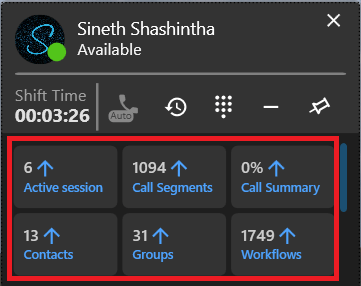
The information in these widgets is typically displayed in different formats, including Numerical Values, Percentages, or Time-based Metrics, allowing agents to easily interpret the data and monitor performance indicators in real time.
The widgets update dynamically, ensuring that agents always have access to the most recent data while handling calls or performing other tasks within the Edge application. This real-time visibility helps agents maintain better awareness of system activity and improves their ability to respond effectively to operational demands.
Call Pop-Up View
The Call Pop-Up feature provides agents with immediate access to detailed caller information whenever a call interaction occurs. When an inbound call is received or when an agent initiates an outbound call, a call details panel automatically appears in the screen.
The call pop-up presents important details related to the caller, such as contact information and other associated records available within the system. By presenting this information at the moment the call is initiated or received, the feature provides the agent with a 360 view of the caller, helping them better understand the caller’s background and respond more effectively to their request.
- The Call Pop-Up feature should be enabled through the Uniconnect AI Platform.
- The appropriate workflows must be created within the platform. These workflows define the conditions under which the call pop-up should appear, such as when an agent receives an incoming call or initiates an outbound call.
Once the relevant workflows are created and activated, the system automatically triggers the call pop-up in the Uniconnect AI
This real-time visibility enables agents to handle interactions more efficiently without the need to manually search for customer information during the call. As a result, agents can focus more on the conversation and provide a more personalized and informed response.