Release Notes & Roadmap
Release Notes
The current release of Uniconnect AI Edge introduces several new features, improvements, bug fixes, and known limitations compared to the previous version 1.0.0.9. This release focuses on strengthening the core communication capabilities, improving system stability, and enhancing the overall user experience.
Release notes are updated with every product release to ensure users and administrators are aware of system updates.
Current Release: Version 1.0.x
The current version of Uniconnect AI Edge focuses on establishing a robust foundation for unified telephony and CRM integration. This release introduces essential features that enable agents to efficiently manage communications, monitor operational data, and interact with customer information through a single interface.
Key Features in this Release
- Full Telephony Support
Supports both inbound and outbound call handling, along with advanced call management features such as Blind Transfer, Attended Transfer, and Conference Calls.
- Real-Time Dashboards
Offers synchronized statistics dashboard widgets that display operational data in real time. These widgets are powered by the Uniconnect AI Platform and help agents monitor key performance indicators.
- Advanced Authentication
Supports secure authentication using Uniconnect AI credentials and telephony credentials, along with Multi-Factor Authentication (MFA) for enhanced security.
- Workforce Management
Introduces integrated shift management that allows agents to start and end their shifts while automatically tracking shift duration. It also provides real-time monitoring of agent availability status.
- Productivity Tools
Adds productivity-enhancing features such as Auto-Answer for incoming calls, call history tracking for reviewing past communications, and Dock Mode, which allows the Edge application to run in a compact desktop view for easier access while multitasking.
[!NOTE] For more detailed information about the features, improvements, fixes and known issues included in this release, refer to the Uniconnect AI Edge Release Notes document.
To ensure proper functionality of the Uniconnect AI Edge application, the Uniconnect AI Platform must be updated to a compatible and up-to-date version. Running Edge with an outdated platform version may prevent certain features, integrations, or synchronization processes from functioning correctly. Therefore, it is recommended to update the Uniconnect AI Platform before deploying or upgrading the Edge application.
Updates
Updates for the Uniconnect AI Edge application are distributed through the Microsoft Store. When a new version of the application is released, users must manually download and install the update from the Microsoft Store to access the latest features, improvements, and bug fixes.
The Edge application does not install updates automatically. Therefore, users are required to periodically check the Microsoft Store for available updates and install them to ensure they are using the latest version of the application.
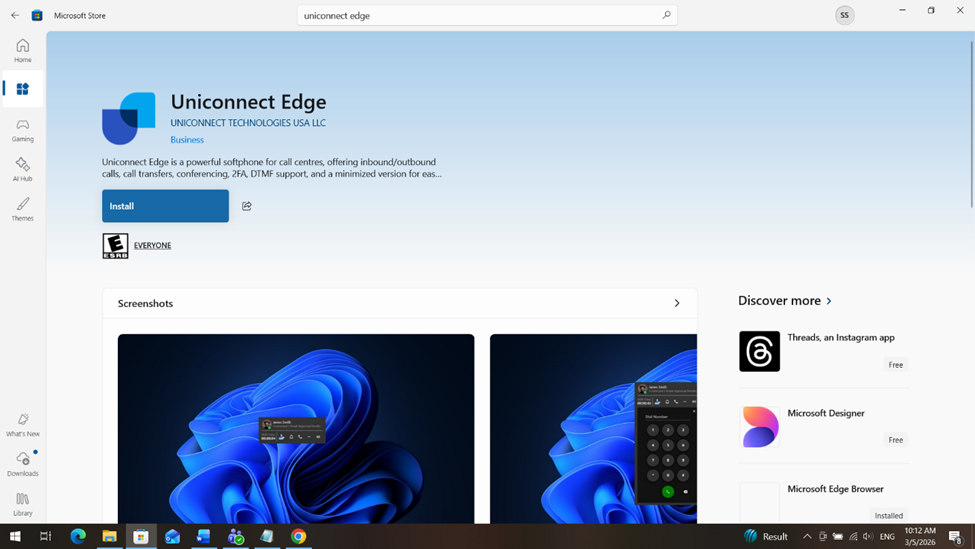
Keeping the application updated ensures better performance, improved stability, and access to newly introduced features.
Roadmap: Upcoming Enhancements
AI-Integrated Audio Enhancements
Integration of AI-driven audio processing capabilities such as Automatic Gain Control, Noise Cancellation, and Echo Cancellation to automatically optimize audio quality and enhance communication performance in Uniconnect AI Edge.