Power Campaign Execution
1. Introduction
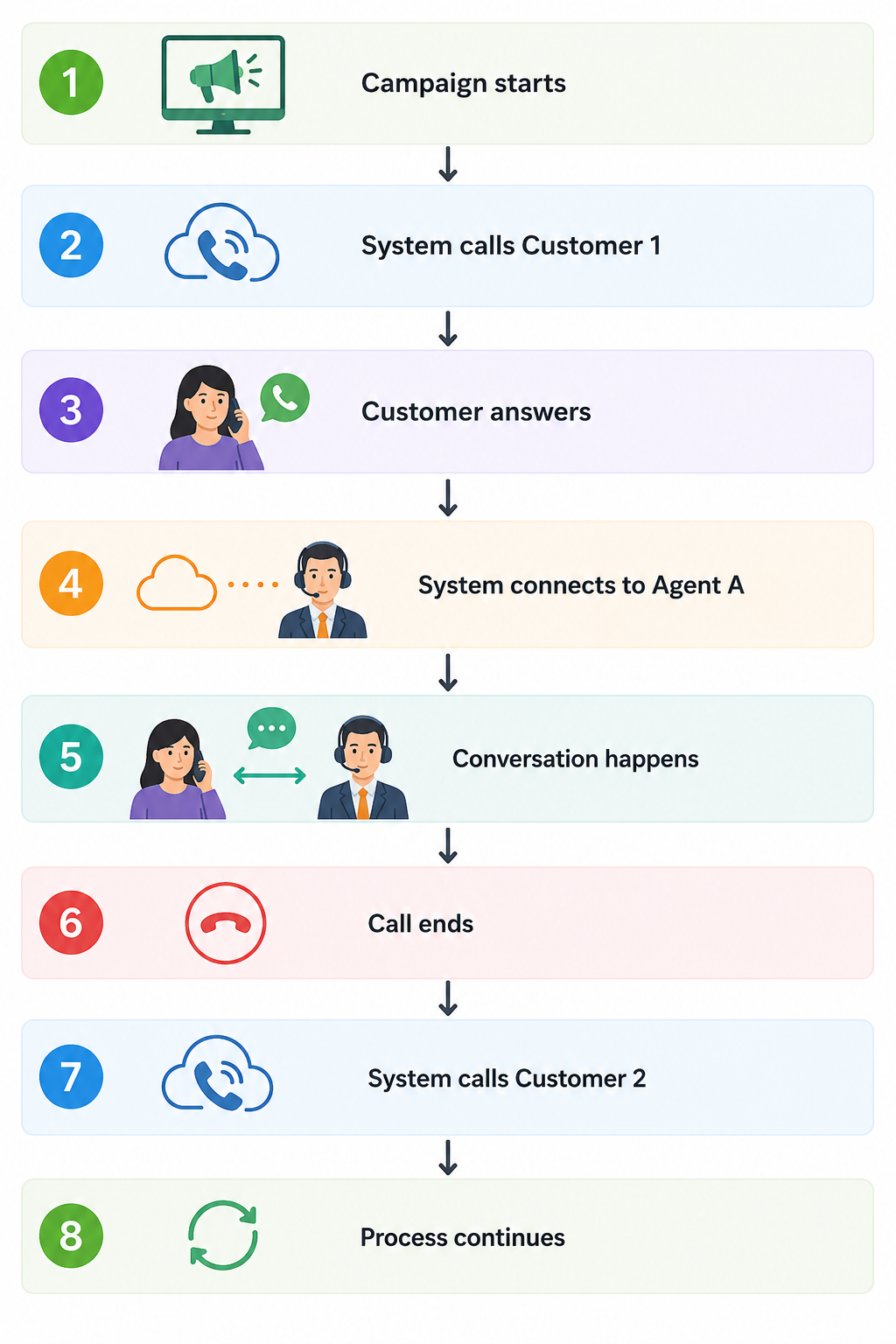
Power Campaign execution is designed for fast and bulk calling.
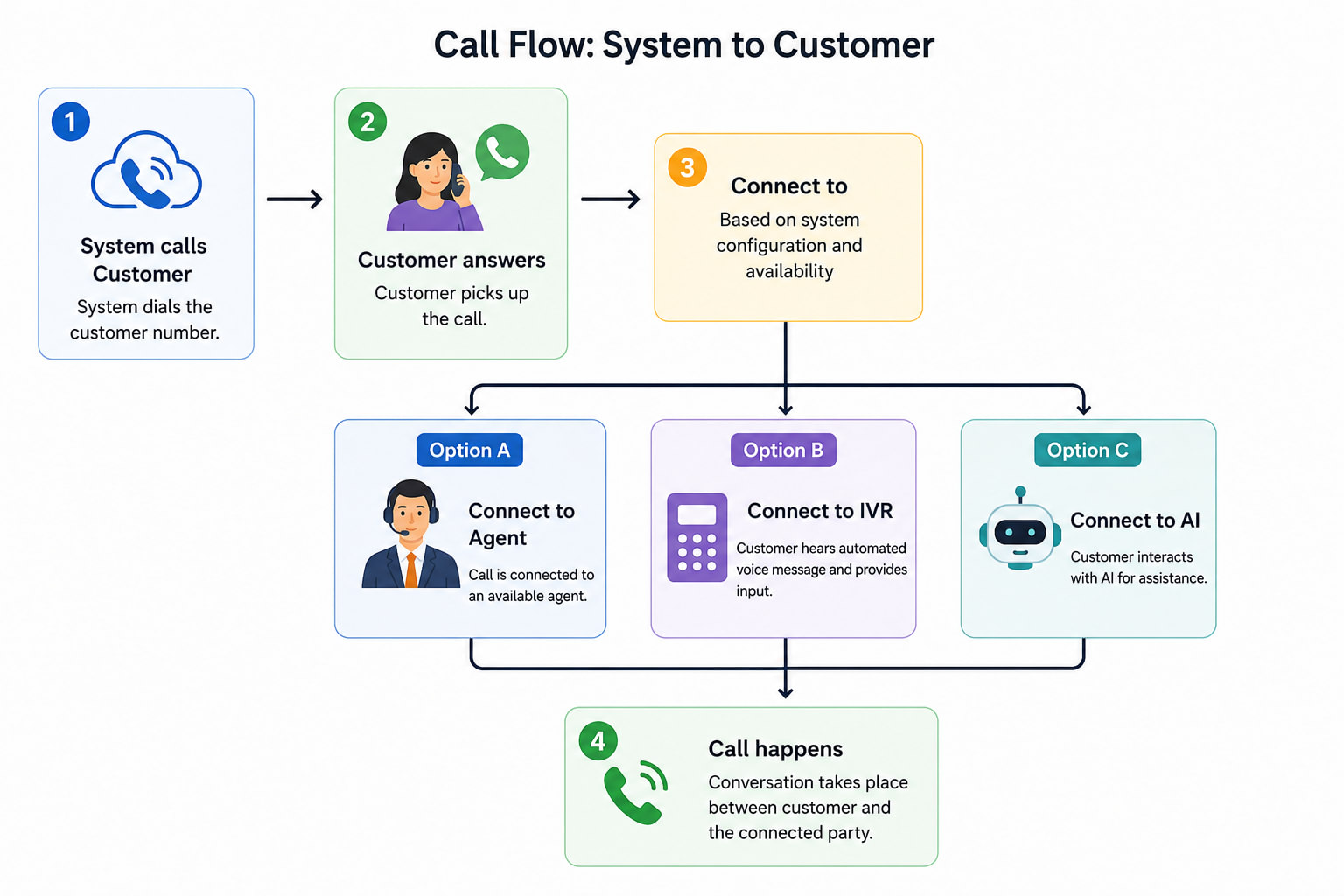
In this method, the system always calls the customer first, then connects the call to an agent, IVR, or AI.
2. What Happens in a Power Campaign
3. Step-by-Step Execution Flow
Step 1: Campaign Starts
- User clicks Start Campaign
- System begins processing leads
Step 2: System Selects a Lead
- System picks the next lead based on dialing order
- Phone number is selected from dialing fields
Step 3: System Calls the Customer
- Customer is called directly
- No agent involvement at this stage
Step 4: Customer Response
If Customer Answers:
- System proceeds to call handling
If Customer Does Not Answer:
- Call is marked as Not Connected
- System retries based on retry configuration
Step 5: Call Handling (Based on Configuration)
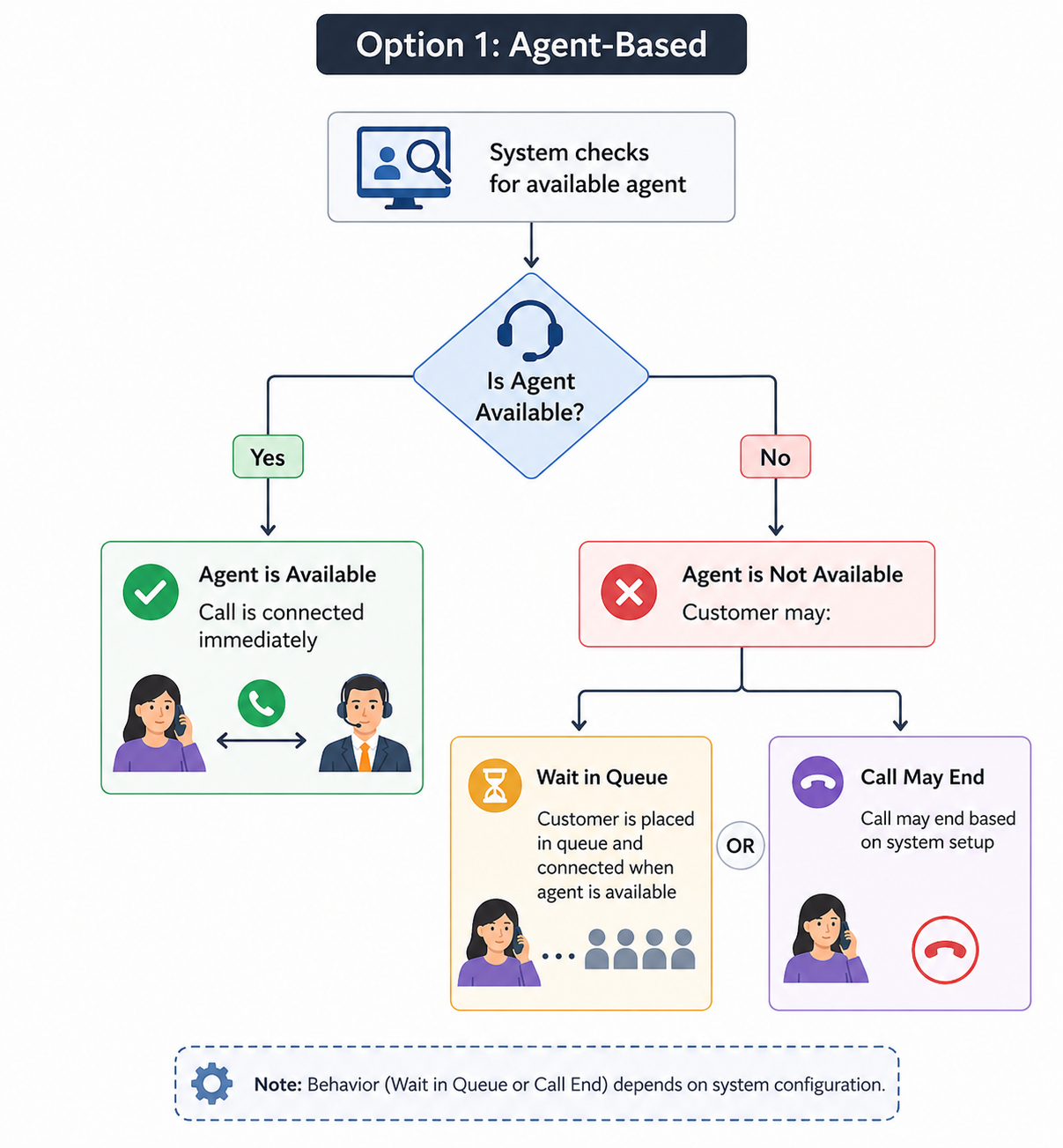
Option 1: Agent-Based
- System checks for available agent
If Agent is Available: - Call is connected immediately
If Agent is Not Available: - Customer may:
- Wait in queue OR
- Call may end (based on system setup)
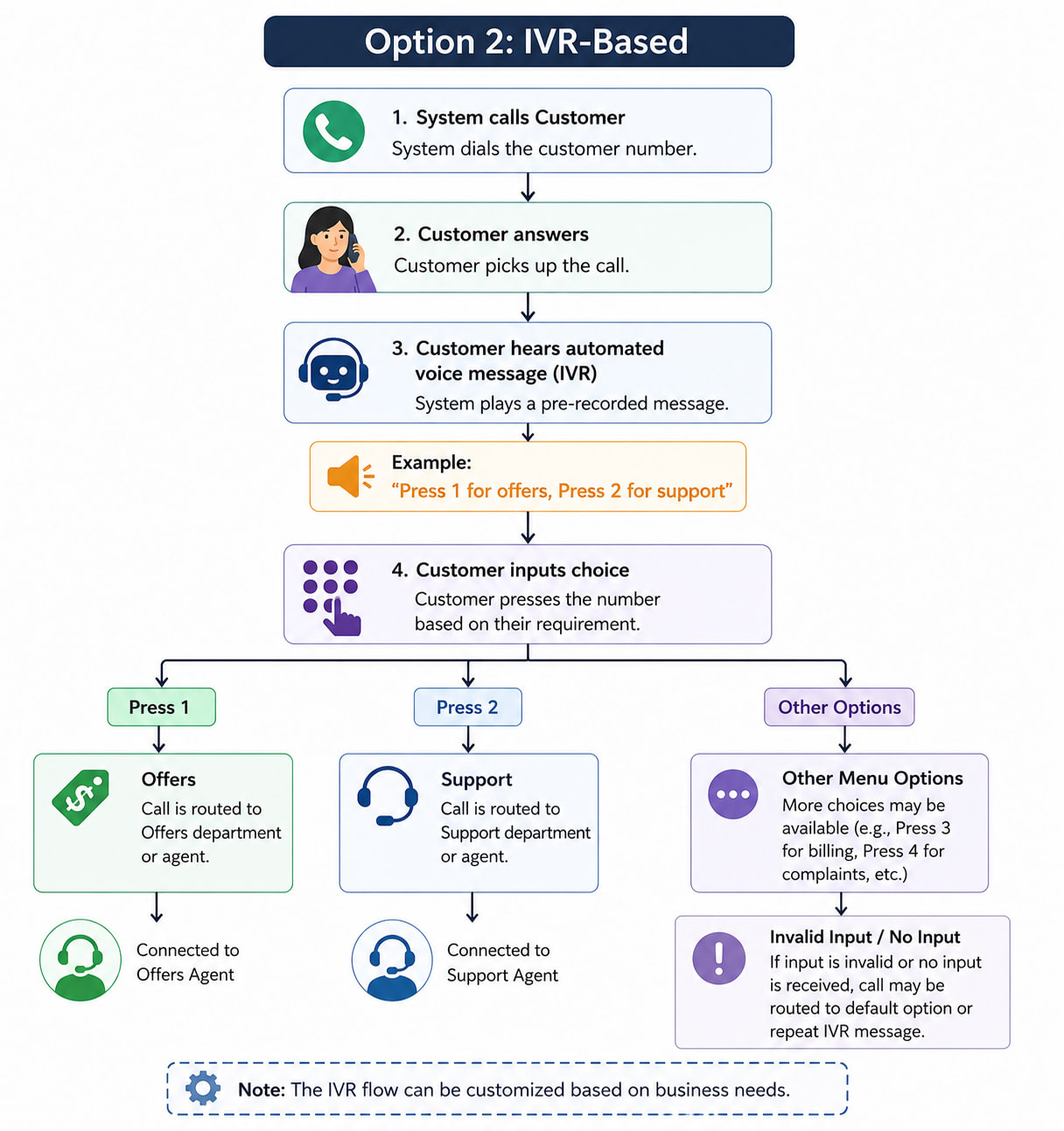
Option 2: IVR-Based
- Customer hears automated voice message
Example:
“Press 1 for offers, Press 2 for support”
Option 3: AI Agent
- AI system handles the conversation
- (Feature coming soon)
Step 6: Call Interaction
- Customer interacts with agent / IVR / AI
- Conversation or action takes place
Step 7: Call Ends
- Call is completed
- Outcome is recorded (Disposition if enabled)
Step 8: Retry Logic
- If call fails:
- System waits based on Retry Interval
- Retries until Max Retry Attempts reached
Step 9: Move to Next Lead
- System immediately selects next lead
- Process continues automatically
4. Agent Behavior
- Agents are involved only after customer answers
If agent is available: - Call is connected
If agent is busy: - Customer may wait or call may fail
5. Call Handling Application
Before campaign start:
- A call handling application must be selected
Examples:
- Softphone
- Integrated Dialer
Behavior:
- All calls use the selected application
6. System Behavior (Simple Explanation)
- System can call multiple customers at the same time
- Faster execution compared to Preview Campaign
- Designed for high-volume campaigns
7. Simple Real-Life Example