Workforce Permissions
Workforce Management
Decide who can edit statuses, force shifts and status changes, and answer requests.
Where to Set Them
- Open Configuration → User Management → Roles.
- Select a role.
- Expand Workforce Management. The group lists five permissions and shows how many are set.
- Set each permission and click Save.
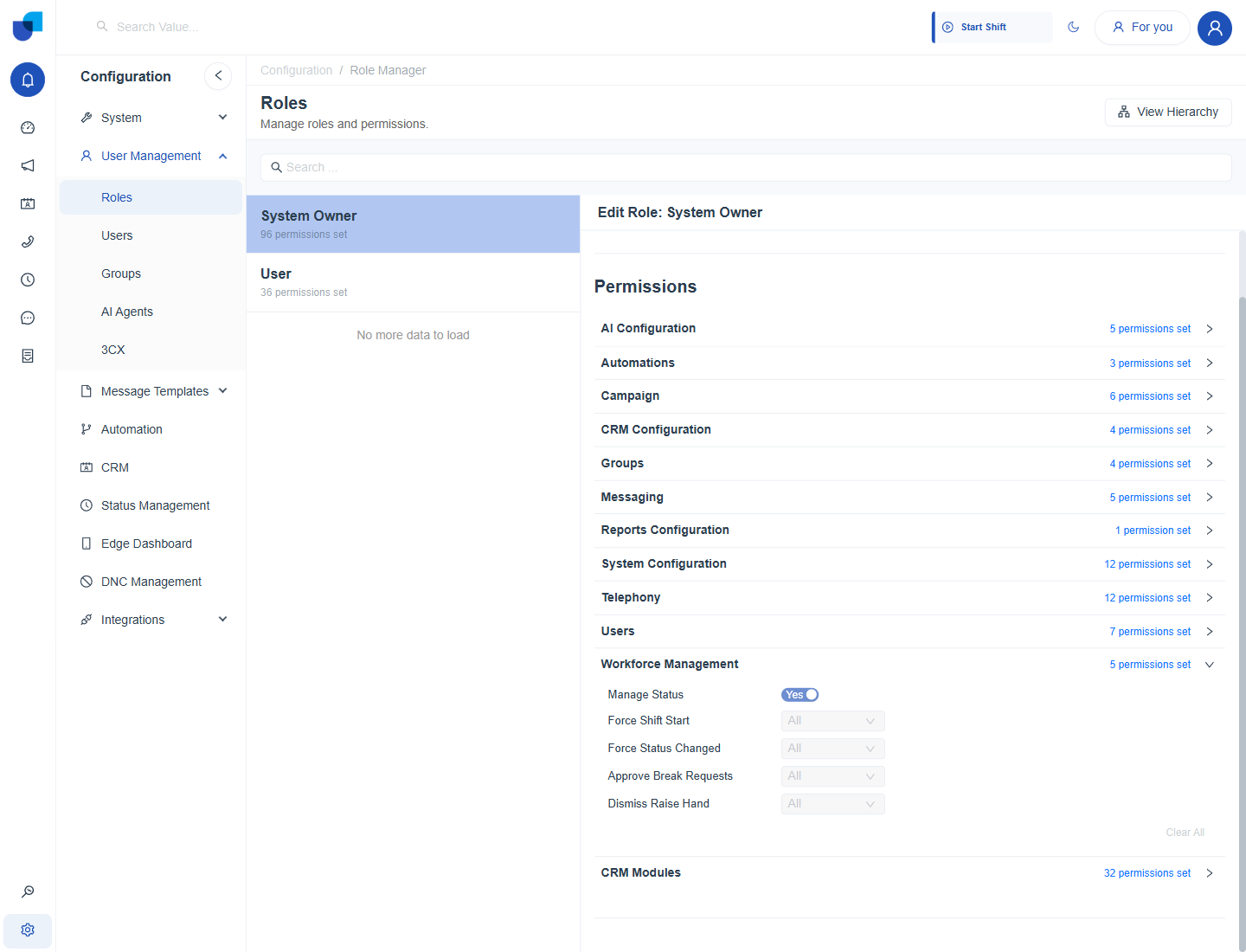
Figure 1. The Workforce Management group in the role editor, with its five permissions.
The Five Permissions
| Permission | Type | What it allows |
|---|---|---|
| Manage Status | Yes or No | Create, edit, deactivate and delete statuses in Status Management. |
| Force Shift Start | Scope | Start a shift for an agent from the Workforce Monitor. |
| Force Status Changed | Scope | Change an agent's presence status from the Workforce Monitor. |
| Approve Break Requests | Scope | Approve pending break and leave requests. |
| Dismiss Raise Hand | Scope | Dismiss raised hands from agents. |
Scope: Own, Group, All
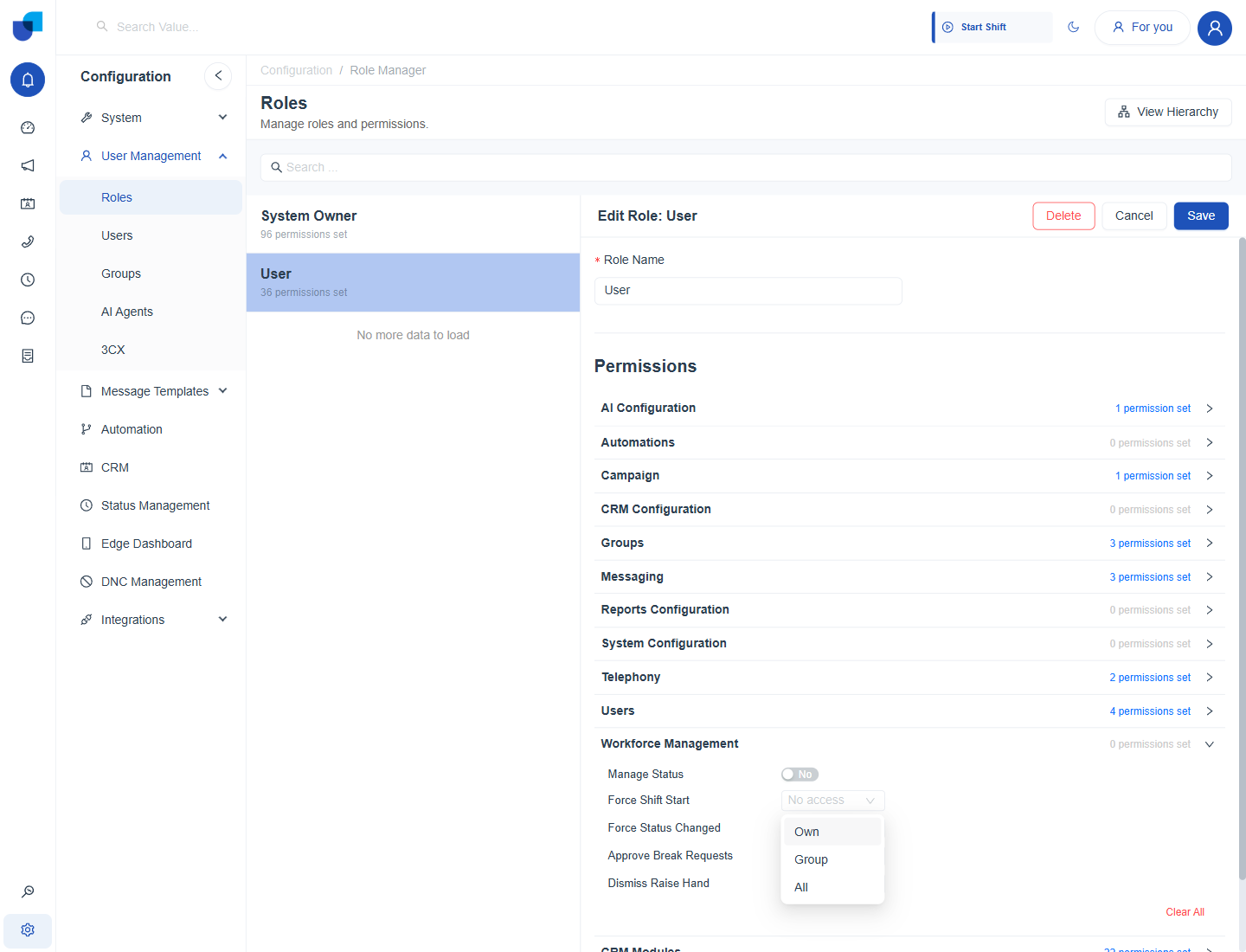
Figure 2. The scope list for a Workforce Management permission in the User role, with Own, Group and All as choices.
| Scope | Meaning |
|---|---|
| No access | The action is not available. |
| Own | The person can act only for themselves. |
| Group | The person can act for agents who share a group with them. |
| All | The person can act for every agent. |
Info: Clear All at the bottom of the group removes every Workforce Management permission from the role.
Important: Manage Status is a Yes or No switch, not a scope. A role that has it can edit, deactivate or delete any status, and a change to a status applies to every agent who uses it.
Related Permissions
- Groups. View, Create, Update and Delete Group govern changes made in the Manage Groups dialog.
- Users. Seven permissions cover creating, updating and deactivating users.
- Telephony. Permissions such as Make Outbound Calls decide whether the Make Call button works.
- Reports Configuration. Controls access to reports.
Example: A Supervisor Role
| Permission | User B, supervisor | User A, agent |
|---|---|---|
| Manage Status | No | No |
| Force Shift Start | Group | No access |
| Force Status Changed | Group | No access |
| Approve Break Requests | Group | No access |
| Dismiss Raise Hand | Group | No access |