How Recurring Schedule and Retry Work in a Campaign
1. Introduction
In a campaign, two important things control execution:
- Schedule → When the campaign runs
- Retry → What happens if a call fails
Both work together to automate the full campaign process.
2. How Recurring Schedule Works
Simple Idea
Recurring schedule tells the system when to run the campaign repeatedly.
Example
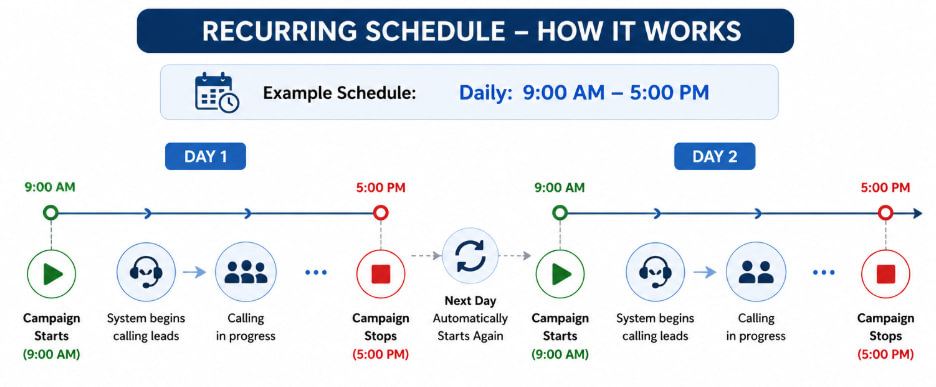
- Daily: 9:00 AM – 5:00 PM
What happens:
- At 9:00 AM → Campaign starts
- System begins calling leads
- At 5:00 PM → Campaign stops
- Next day at 9:00 AM → Campaign starts again automatically
Important Behavior
- Campaign runs only within defined time
- Outside that time → No calls are made
3. How Retry Works
Simple Idea
Retry tells the system what to do if a call is not successful.
Example
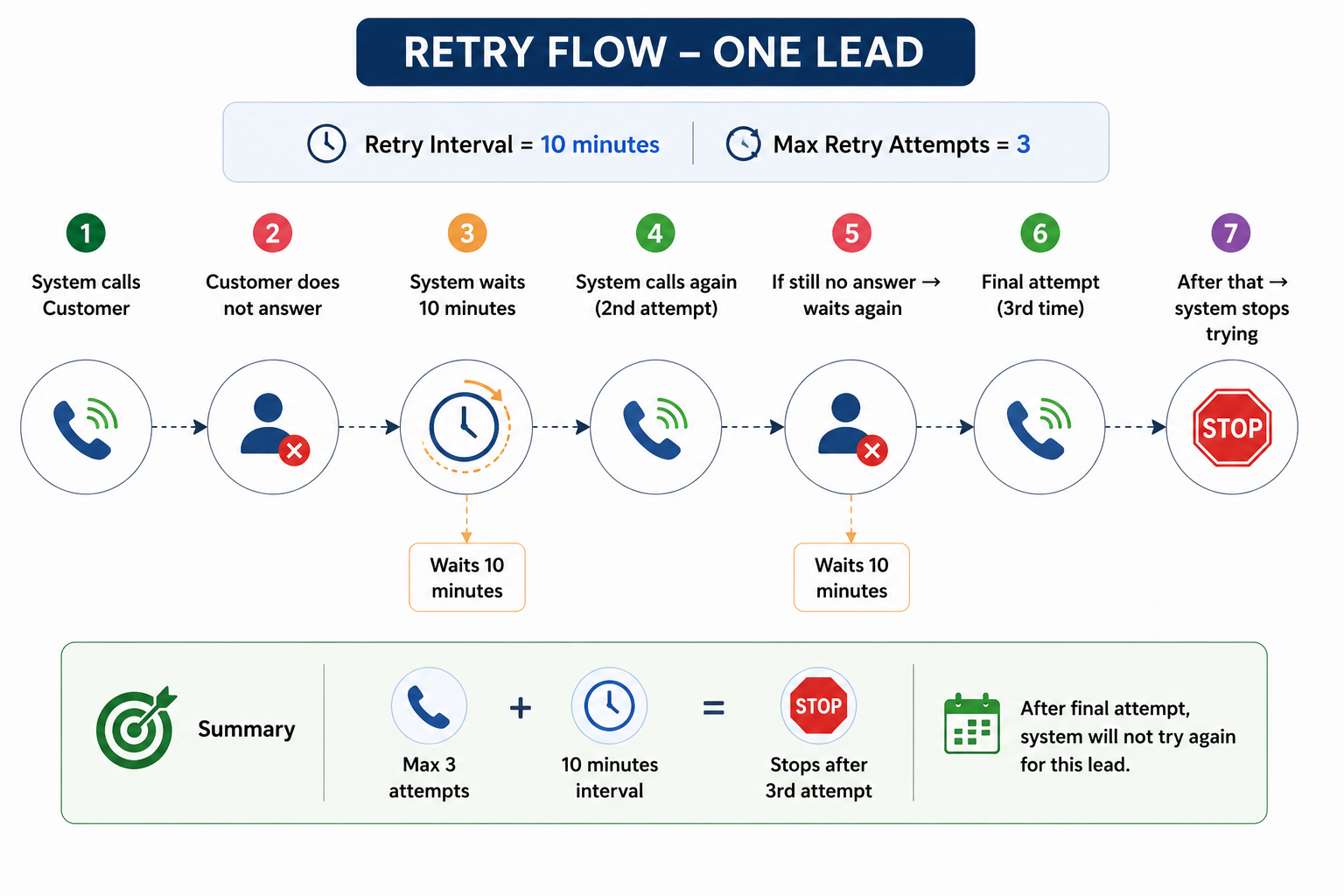
- Retry Interval = 10 minutes
- Max Retry Attempts = 3
What happens for one lead:
- System calls Customer
- Customer does not answer
- System waits 10 minutes
- System calls again (2nd attempt)
- If still no answer → waits again
- Final attempt (3rd time)
- After that → system stops trying
4. How Schedule + Retry Work Together
This is the most important part.
Example Scenario
Schedule: Daily (9:00 AM – 5:00 PM)
Retry: Every 10 minutes, Max 3 attempts
What happens:
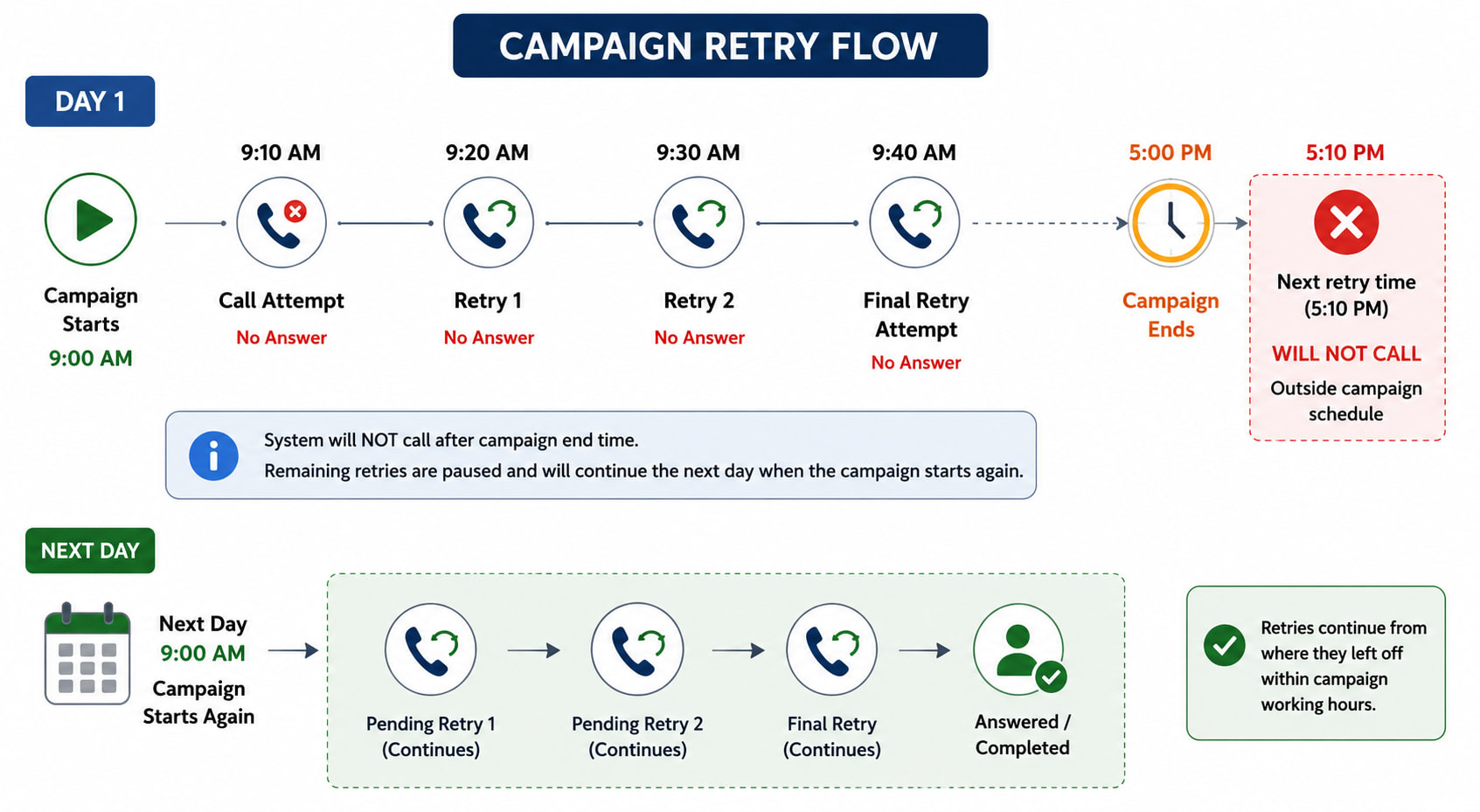
Day 1
- 9:00 AM → Campaign starts
- 9:10 AM → Call Customer A → No answer
- 9:20 AM → Retry 1
- 9:30 AM → Retry 2
If still not answered:
- 9:40 AM → Final attempt
If Time Exceeds Schedule
Example:
- Last retry is at 5:10 PM
Behavior:
- System will NOT call at 5:10 PM
- Because campaign ends at 5:00 PM
What Happens Next?
- Next day at 9:00 AM → Campaign starts again
- Remaining retries continue
5. Important Rules
- Calls happen only within schedule time
- Retry waits for defined interval
- Retry stops after max attempts
- If schedule ends → retry pauses
- Retry continues when schedule starts again