Status Call Handling
Agent Status Management
Decide what an agent can do with calls while in each status.
What Call Handling Controls
Every status has a Call Handling tab with three switches. Each can be ON, OFF or N/A. N/A leaves the setting as it is, so the status does not change it. The Available status is the working example: it keeps the agent logged in to queues and allows external calls.
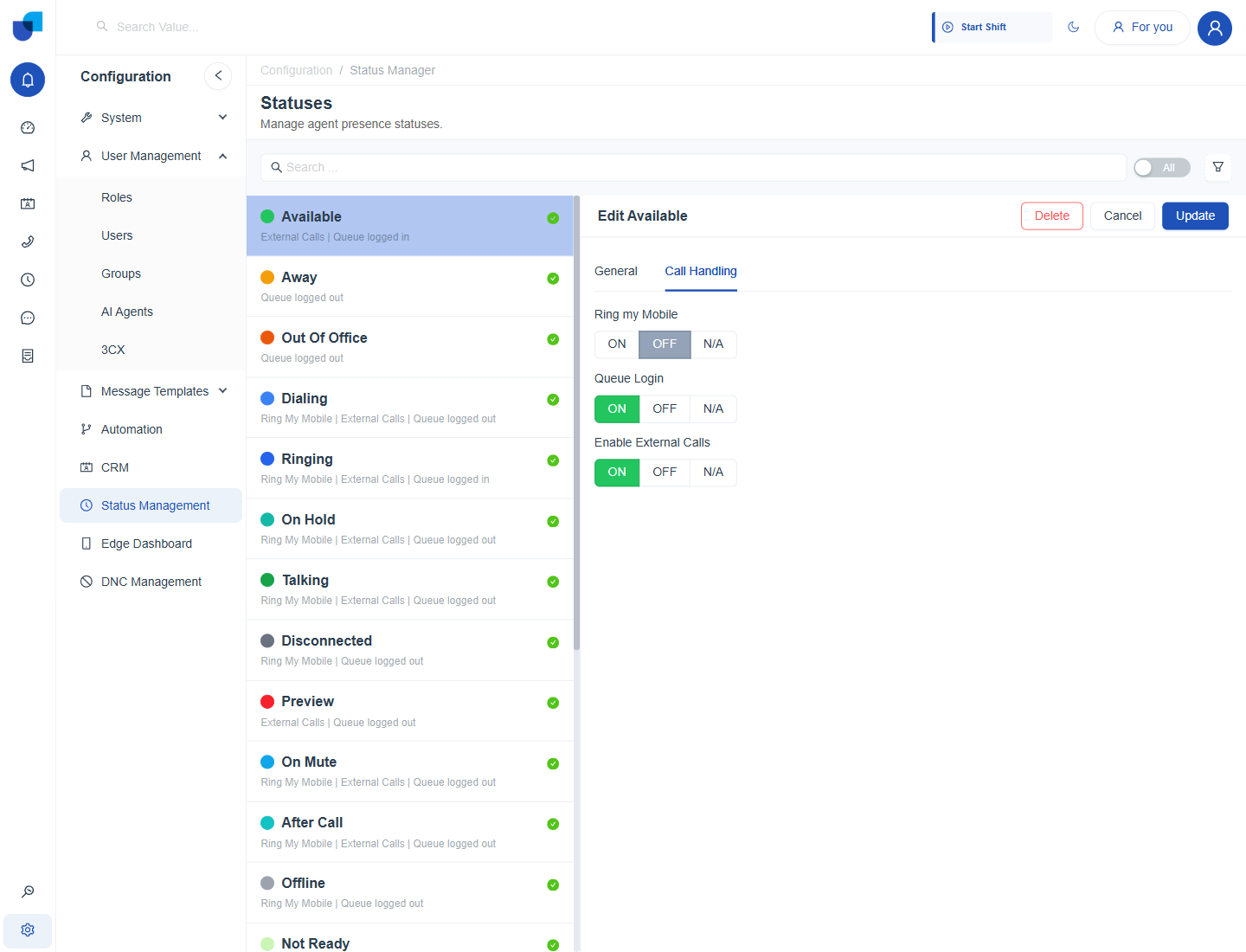
Figure 1. The Call Handling tab of the Available status with Queue Login and Enable External Calls on.
| Setting | When it is ON |
|---|---|
| Ring my Mobile | Calls to the agent's extension also ring the agent's mobile phone. |
| Queue Login | The agent is logged in to their call queues and receives queue calls. |
| Enable External Calls | The agent can place and receive external calls. Call icons beside phone numbers depend on this. |
Important: Queue Login decides whether an agent receives queue calls in a status. A break status that leaves it ON or N/A keeps the agent in the queue, so set it to OFF for every status in which calls should not arrive.
Reading the Status List
Under each status name the list shows a short summary, for example External Calls | Queue logged in for Available, or Queue logged out for Away. Use this summary to compare statuses at a glance before you change one.
Configure Call Handling
- Open Configuration → Status Management and select the status. For example, select Away.
- Open the Call Handling tab.
- Set Queue Login to OFF for Away. Away agents then stop receiving queue calls until they return to Available.
- Click Update.
Examples
| Status | Queue Login | External Calls | Reason |
|---|---|---|---|
| Available | ON | ON | The agent is ready for any call. |
| Lunch | OFF | OFF | No calls should reach an agent at lunch. |
| After Call | OFF | ON | The agent finishes notes but can still make a call back. |
| Coaching Session | OFF | OFF | The supervisor and agent should not be interrupted. |
Info: Statuses that come from the telephone system keep in step with it. See Status Management with 3CX for how the two sides match.