Configuring the Knowledge Base
Choose what Support Assistant can read when it answers or acts.
The Three Sources
The Knowledge Base tab sets what the agent can read. It has three independent sources, and each shows its own count.
| Source | What it is |
|---|---|
| CRM Modules | Any CRM module in the system, such as Contacts, Tickets, Leads or a custom module. |
| Web URLs | External web pages the agent can reference. |
| Documents | Uploaded files the agent can reference. |
Add CRM Modules
- Open the Knowledge Base tab and choose CRM Modules. A segmented control switches between CRM Modules, Web URLs and Documents.
- Find a module under Available CRM Modules. Use the search box, or Select All.
- Check it and click the right arrow to move it to Selected for Agent Training. Only modules in the right hand list are available to the agent.
- Click Update, or Save when creating.
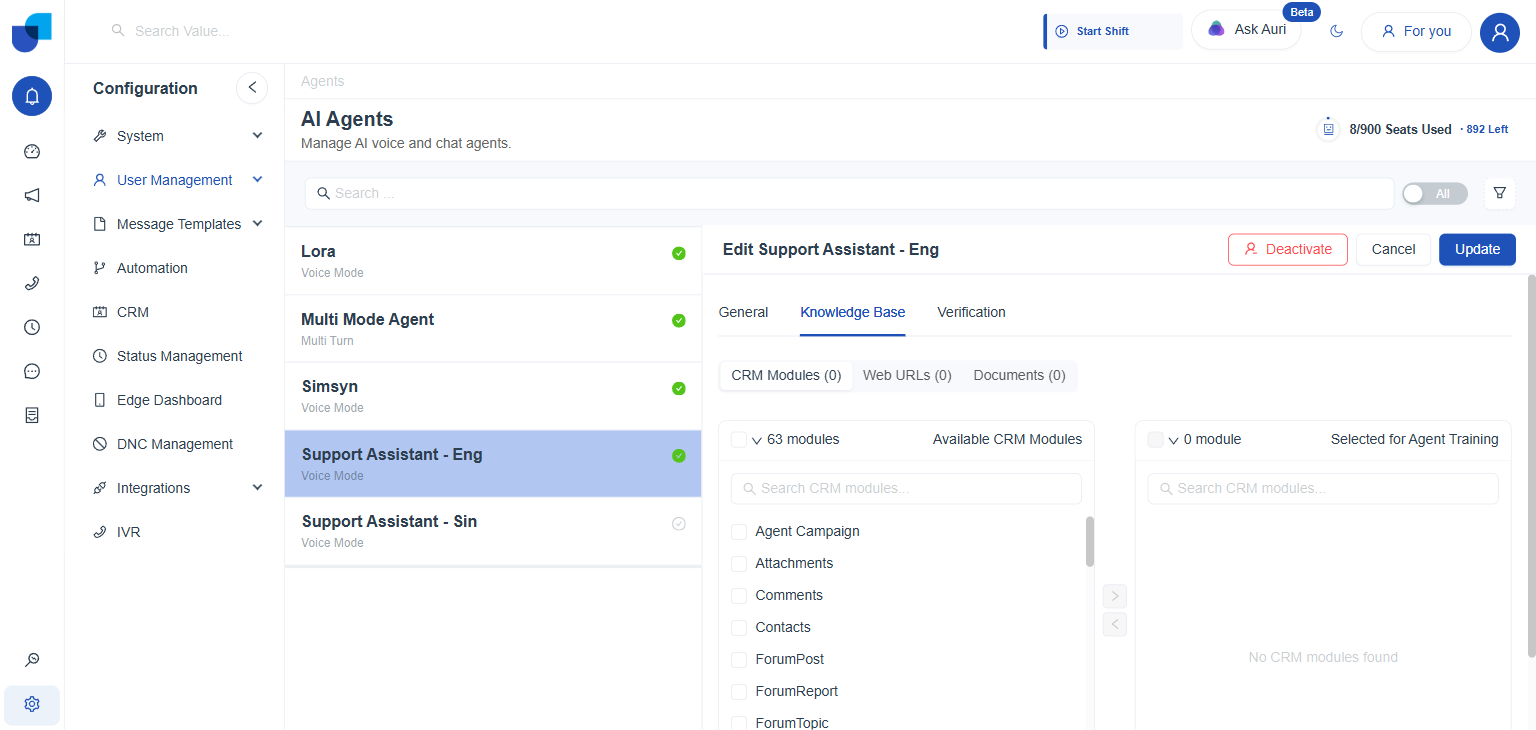
Figure 1. The Knowledge Base tab, with Available CRM Modules on the left and Selected for Agent Training on the right.
info
The Knowledge Base gives the agent information to read. It does not give the agent permission to change records. Creating or updating a module record needs the matching permission on the agent's Role. See Updating CRM Records and Fields.
Facts That Are Not in a Source
When reference facts such as plans and pricing are not given on the Knowledge Base tab, write them directly into the Prompt. See Recommended Prompt Structure.