Handling Dynamic Data in Voice
Keep Support Assistant from reading data the way it is stored.
Why the Prompt Must Say It
A voice agent speaks every word. Without guidance it may read a price as a symbol and digits, or say a field name aloud. Write voice rules into the Prompt so values are spoken the way a person would say them.
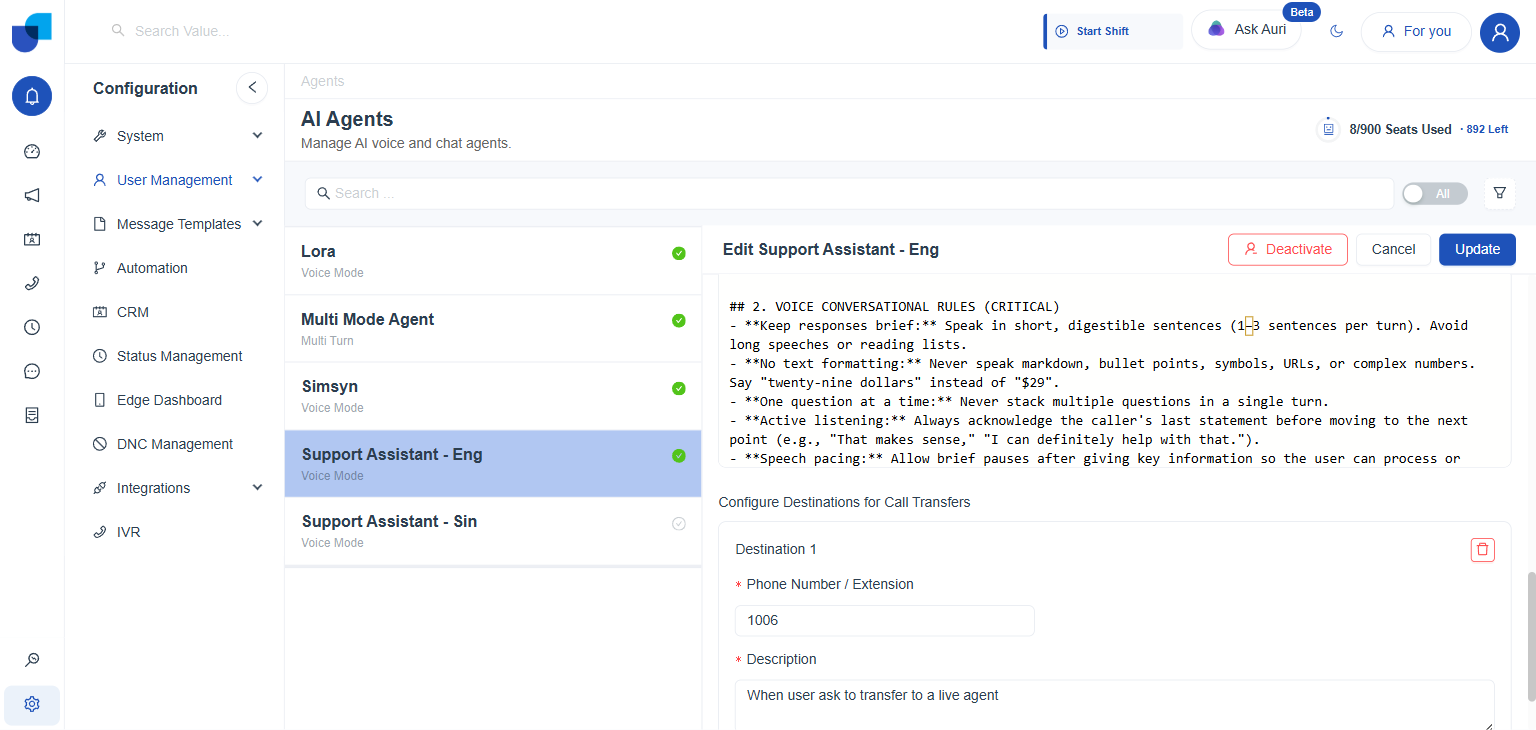
Figure 1. The Voice Conversational Rules section inside the Prompt of Support Assistant.
The Rules to Write
- **Keep responses brief:** 1 to 3 short sentences per turn. Avoid long speeches or reading lists.
- **No text formatting:** Never speak markdown, bullet points, symbols, URLs or complex numbers. Say "twenty nine dollars" instead of "$29".
- **One question at a time:** Never stack questions in a single turn.
- **Active listening:** Acknowledge the caller's last statement before moving on.
- **Speech pacing:** Pause briefly after key information so the caller can respond.
| Rule | What the caller hears |
|---|---|
| Keep responses brief | Short answers they can follow without losing the thread. |
| No text formatting | Natural speech, with no symbols, links or list markers read aloud. |
| One question at a time | A clear question they can answer immediately. |
| Active listening | An acknowledgement of what they just said before the next point. |
| Speech pacing | A short pause after key information, so they can respond. |
Turning Data into Speech
- Never speak field or variable names. The agent should turn values into natural speech first, so a caller hears twenty nine dollars and never
lead_nameor$29.00. - Spell out numbers that are read aloud. Dates, amounts and extensions should be said the way a person would say them.
- Put the rule in the Prompt. There is no separate formatting setting. The wording of the Prompt controls this behavior.
info
These rules apply to a Voice Agent. A Chat Agent writes text, so use the same section of the Prompt for its text rules instead. See Recommended Prompt Structure.