LDAP Authentication
The LDAP Authentication plugin lets people sign in to UNICONNECT AI with their directory account, instead of a separate password. It supports Active Directory and OpenLDAP. In the example, AUS Bank's staff already have accounts in the bank's Active Directory, and the plugin lets the collections team use them. The plugin is found under Configuration → System → Plugins, and it is off until it is turned on and saved.
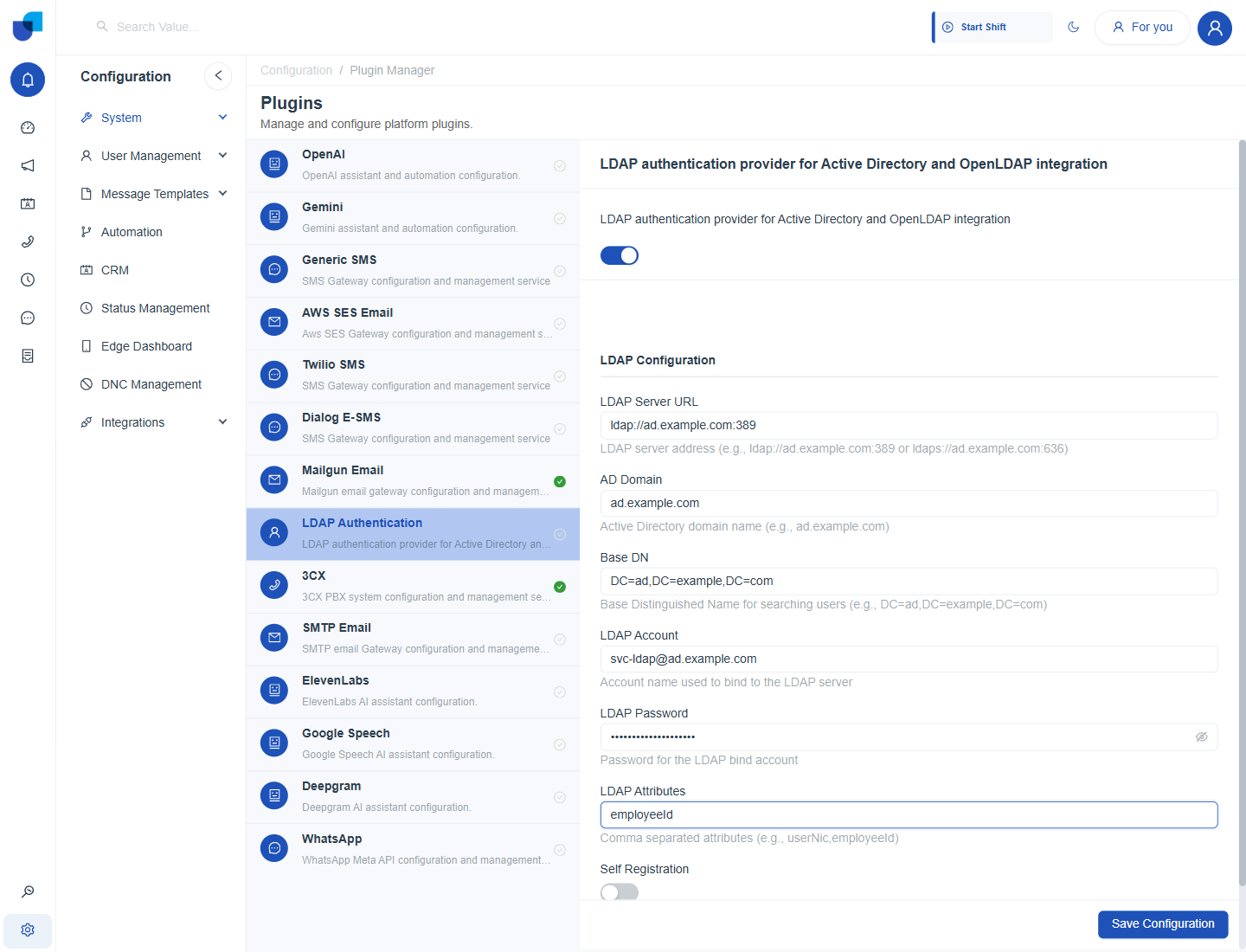
Figure 1. The LDAP Authentication plugin with its configuration fields. The values shown are placeholders.
Configuring the Plugin
- Open Configuration → System → Plugins and choose LDAP Authentication.
- Turn the plugin on. The LDAP Configuration fields appear.
- Enter the LDAP Server URL, the AD Domain and the Base DN. All three are required.
- Enter the account the plugin uses to connect to the directory. This is the LDAP Account and LDAP Password.
- Add any extra attributes and choose Self Registration.
- Click Save Configuration.
Field Reference
| Field | Purpose |
|---|---|
| LDAP Server URL | Required. The directory server address, over ldap or ldaps, for example ldap://ad.example.com:389 or ldaps://ad.example.com:636. |
| AD Domain | Required. The Active Directory domain name, for example ad.example.com. |
| Base DN | Required. The Base Distinguished Name used to search for users, for example DC=ad,DC=example,DC=com. |
| LDAP Account | The account name the plugin uses to connect to the LDAP server. |
| LDAP Password | The password of that connection account. |
| LDAP Attributes | Extra attributes to read from the directory, as a comma separated list, for example employeeId. |
| Self Registration | A switch that lets an LDAP user who signs in for the first time create their own account. |
Use ldaps, the secure form of the address, wherever the directory supports it.
The LDAP Account and its password are stored in the plugin. Use a dedicated account that can only search the directory, not a personal or administrator account. Managing plugins needs the Module and Plugin Configuration permission. See Integrations Permissions.
Turn Self Registration on only if every directory user should be able to reach UNICONNECT AI. Otherwise create the users first and leave it off.