API Documentation
UNICONNECT AI publishes its REST endpoints as a Swagger page titled CRM API Documentation. It follows OpenAPI 3.0 and is generated automatically for the CRM modules, so it always lists the endpoints that exist. Developers use it to see what a service account can call and to try requests.
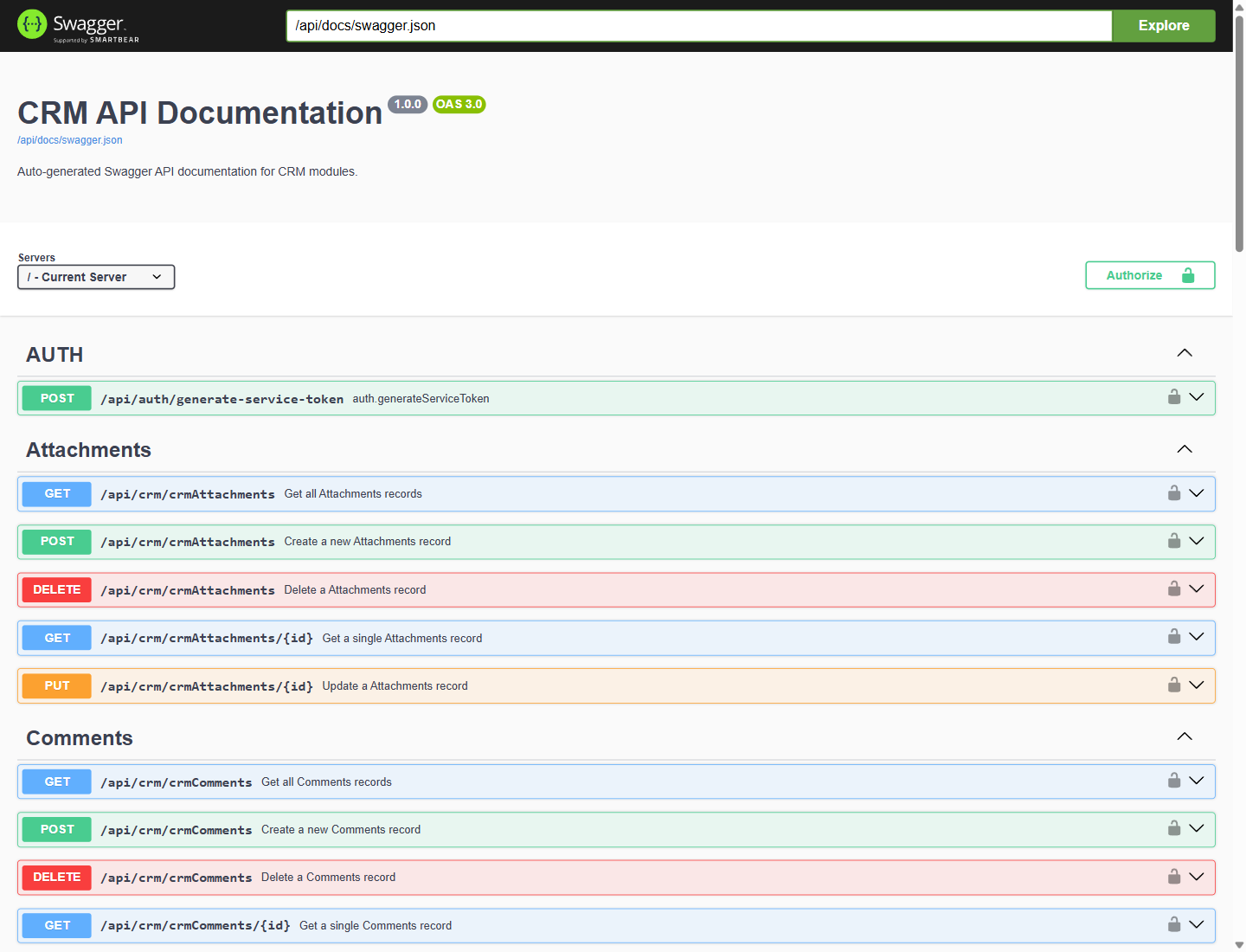
Figure 1. The CRM API Documentation page, with the token endpoint under Auth followed by the endpoints of each CRM module.
Opening the Page
Open /api/docs on your UNICONNECT AI address, or click View API Documentation in the REST help section of the Create Service Account form. The machine readable definition is available at /api/docs/swagger.json.
What the Page Lists
| Group | Endpoints |
|---|---|
| Auth | POST /api/auth/generate-service-token, which exchanges a Client ID and credential for a token. |
| Each CRM module | Get all records, Create a record, Delete a record, Get a single record by ID and Update a record by ID. For example /api/crm/crmLeads for the Leads module. |
Trying a Request
- Get a token. Use the token endpoint with a service account's Client ID and credential. See Connecting with REST APIs.
- Click Authorize and enter the token.
- Open an endpoint, click Try it out and run it.
Requests made from this page act on real records and use the permissions of the token's service account. Use a service account with a limited role while you explore.