Collections
What a Collection Is
A collection represents one outside system, for example PolicyHub KYC or a partner billing service. Everything set on the collection is shared by every API inside it: the base address, the headers, the parameters and the way to authenticate. Setting these once keeps each API short and means a change, such as a new token, is made in one place.
Creating a Collection
- Open Configuration → Integrations → API Integrations.
- Click Create. A New Collection form opens beside the list.
- Enter the Collection Name and the Base URL. Both are required.
- Add default headers and parameters if every API needs them.
- Choose the Auth Type and enter its details. Add collection scripts if the outside system needs a login step. See Collection Scripts and Authentication.
- Click Save.
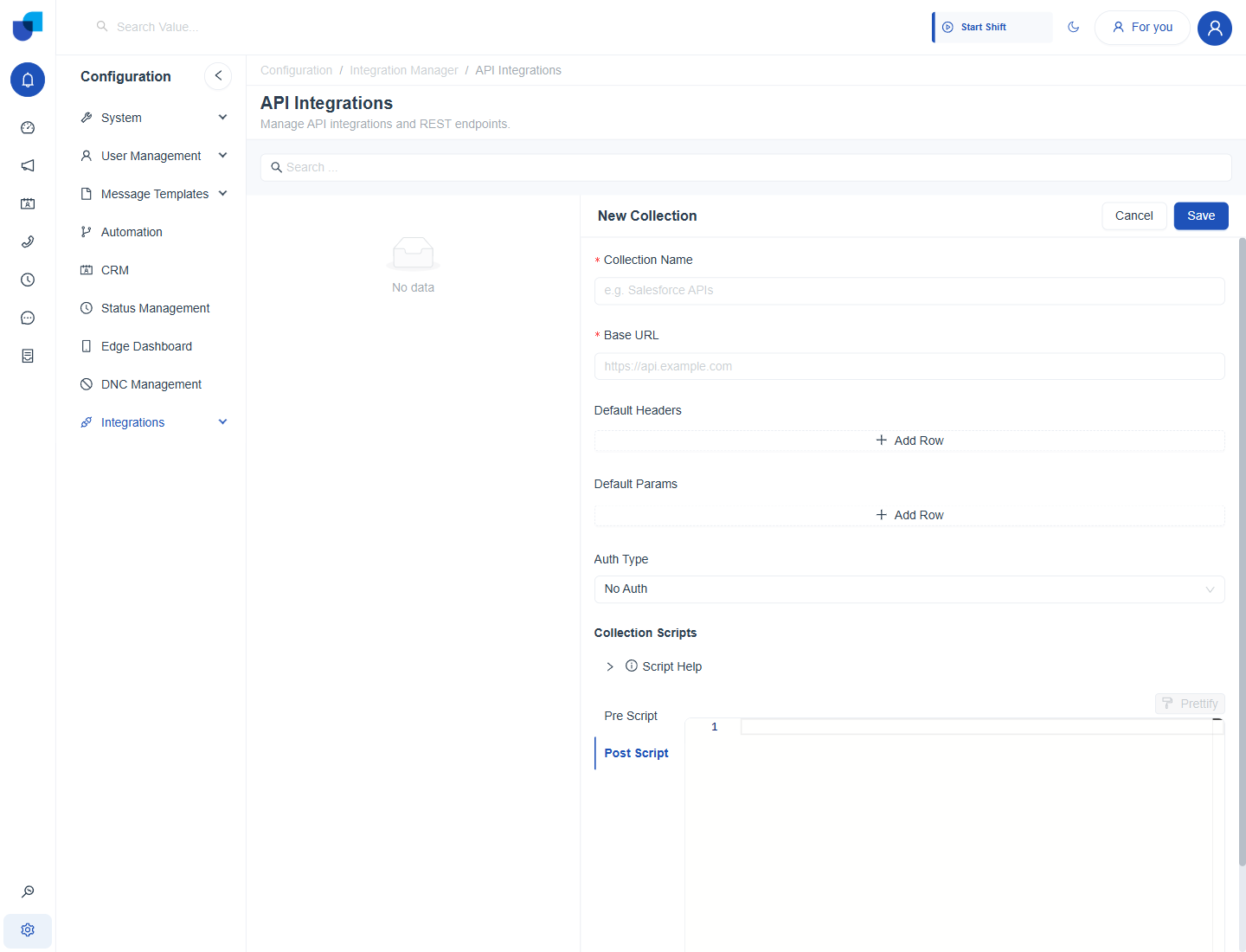
Figure 1. The New Collection form before any values are entered. Collection Name and Base URL are required.
Field Reference
| Field | Purpose |
|---|---|
| Collection Name | A label for the list, for example PolicyHub KYC. |
| Base URL | The root address of the outside API, for example https://api.policyhub.example.com. Each API adds its own path to it. |
| Default Headers | Headers sent on every API in the collection, such as Content-Type: application/json. Each row has an On switch, a key and a value. |
| Default Params | Query parameters sent on every API in the collection. |
| Auth Type | How every API authenticates by default. |
| Collection Scripts | A Pre Script and a Post Script that run around every API in the collection. |
When you type a path in an API, starting it with a slash inserts the base address for you. You only type the path, for example /v2/customers.
Authentication Types
| Type | Fields |
|---|---|
| No Auth | Nothing is sent. |
| API Key | A key name, where to place it (header or query parameter) and the key value. |
| Bearer Token | A token, sent as Authorization: Bearer followed by the token. The Token field is required. |
| Basic Auth | A user name and a password. |
Most outside systems use a Bearer Token. If the token has to be fetched by a login call, leave the token empty here and let a collection script fetch and save it. See Collection Scripts and Authentication.
Managing Collections
Each collection appears in the list with its base address and a badge that shows how many APIs it holds. The edit icon opens the collection for changes, and the delete icon removes it. Click the collection name to open its APIs.
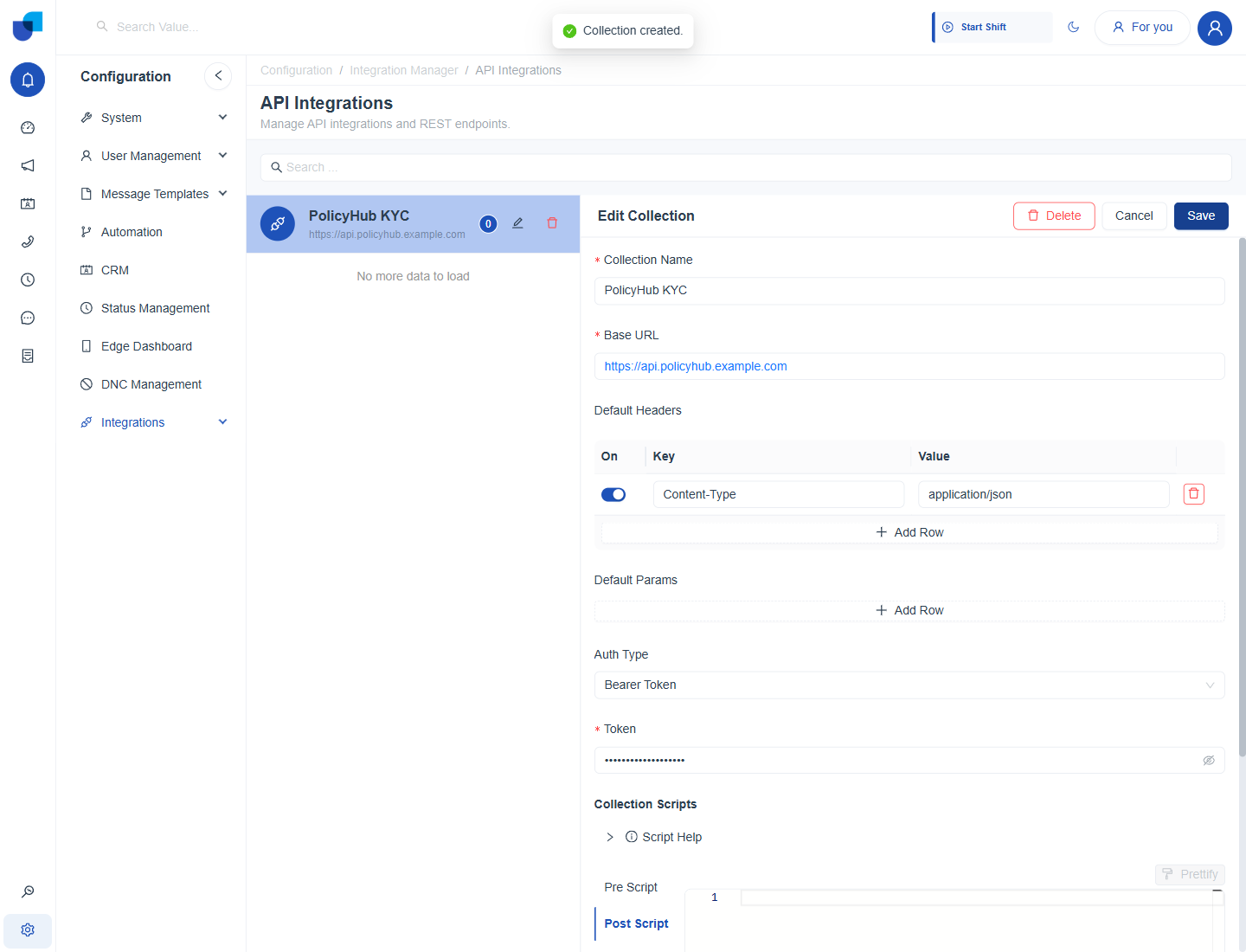
Figure 2. The PolicyHub KYC collection after it is saved. The Edit Collection form shows the saved headers and authentication.
Deleting a collection removes the APIs inside it. Check that no CRM module or workflow uses them first.