Collection Scripts and Authentication
Why Use Collection Scripts
Some outside systems need their own login step before their real endpoints accept a call. PolicyHub KYC is one of them: a login endpoint returns a token, and the customer endpoints need that token. A collection script handles the login automatically, so nobody pastes a token by hand.
The Script Editor
Below the authentication fields, every collection has Collection Scripts with a Pre Script tab and a Post Script tab. A Script Help panel opens above the editor with three tabs.
| Tab | What it shows |
|---|---|
| Available APIs | The saved APIs in this collection. Typing @ in the editor inserts a reference to one of them. |
| Script Utilities | The utils helper methods that are available in scripts. See Script Method Reference. |
| Examples | Ready made script examples. |
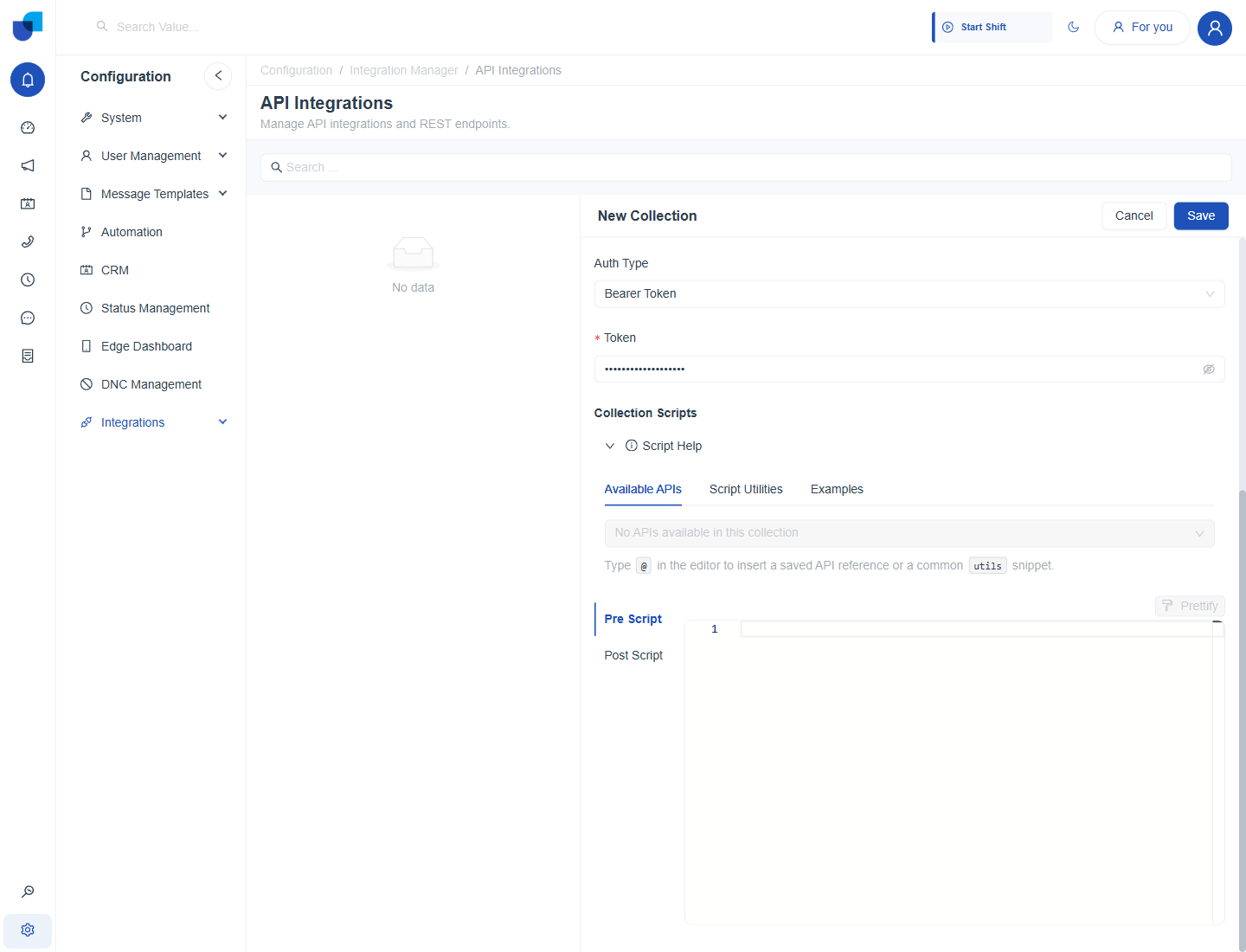
Figure 1. The Collection Scripts section with the Script Help panel open. The Available APIs tab is empty until the collection has saved APIs.
The Token Pattern
The pattern nearly every integration needs is: use the saved token if there is one, otherwise fetch one and save it so it is not fetched again.
- Create an API for the login endpoint. Open the collection, create an API and name it Auth. See Creating an API.
- Open the collection's Pre Script tab.
- Type
@and pick the Auth API from the menu. It is inserted as a readable reference,@Auth. - Write the script. The example below reuses a saved token, or runs Auth and saves the result.
// Runs before every API call in this collection.
const existingToken = utils.collection.authValues?.token;
if (existingToken) {
  utils.applyRequestAuth(request, "BEARER", { token: existingToken });
  return request;
}
const authResult = await utils.executeSavedApi(@Auth, {});
const token = utils.extractToken(authResult, "data.token");
await utils.updateCollectionAuth({ token });
utils.applyRequestAuth(request, "BEARER", { token });
return request;
utils.updateCollectionAuth writes the token onto the collection's saved authentication. Every later call from any API in the collection sees it, so the login step runs only once until the token expires.
When the Token Expires
Add a matching Post Script that checks the response and retries after a fresh login. The full example is in Pre and Post Scripts.
Keep the login API simple and test it on its own with Send before the collection script depends on it.