Response Format the CRM Requires
Why the Format Matters
When a module reads its records from an outside API, it calls the API assigned as its Get All API for the list and the Get API for one record. Whatever those APIs return, after their Post Scripts run, is exactly what the CRM shows. If the shape does not match what is described here, the module cannot load its data. This is the one part of an integration that is not optional.
Get All Response
| Key | Required | Contents |
|---|---|---|
| data | Yes | An array of records. |
| pagination | Yes, with totalRecords | currentPage, pageSize, totalRecords and totalPages. The module form requires a numeric pagination.totalRecords. |
| summary | Optional | Extra counts a module view can show, for example a stage breakdown. |
Get Single Response
| Key | Required | Contents |
|---|---|---|
| success | Recommended | true or false. |
| data | Yes | The record itself, as one object. A bare object without the success and data wrapper is also accepted. |
Reshaping with a Post Script
Outside systems rarely reply in this shape. The Post Script of the API reshapes the reply. Suppose PolicyHub replies to the list call like this.
{
  "resultCode": 0,
  "records": [
    {
      "customerRef": "CUS-88421",
      "fullName": "Amara Whitfield",
      "phoneNumber": "+1 212 555 0123",
      "accountStatus": "ACTIVE"
    }
  ],
  "paging": { "page": 1, "size": 25, "total": 3 }
}
The Post Script of List Customers turns it into the required format.
const raw = response;
return {
  data: raw.records.map((r) => ({
    id:     r.customerRef,
    name:   r.fullName,
    phone:  r.phoneNumber,
    status: r.accountStatus,
  })),
  pagination: {
    currentPage:  raw.paging.page,
    pageSize:     raw.paging.size,
    totalRecords: raw.paging.total,
    totalPages:   Math.ceil(raw.paging.total / raw.paging.size),
  },
};
The single record call is wrapped differently, so its Post Script builds the single record format.
const raw = response;
return {
  success: raw.resultCode === 0,
  data: {
    id:     raw.record.customerRef,
    name:   raw.record.fullName,
    phone:  raw.record.phoneNumber,
    status: raw.record.accountStatus,
  },
};
Reshaping the envelope is only half of the work. The field names inside each record, such as id and name, must also match the field codes of the CRM module, so the CRM knows which column each value belongs in.
The Check in the Module Form
When you assign a Get All API to an external module, the form checks the response format. If the saved response does not match, it shows this message under the field: Response must include a data array and a numeric pagination.totalRecords. Reshape it with a post script, then run the API and save its response schema.
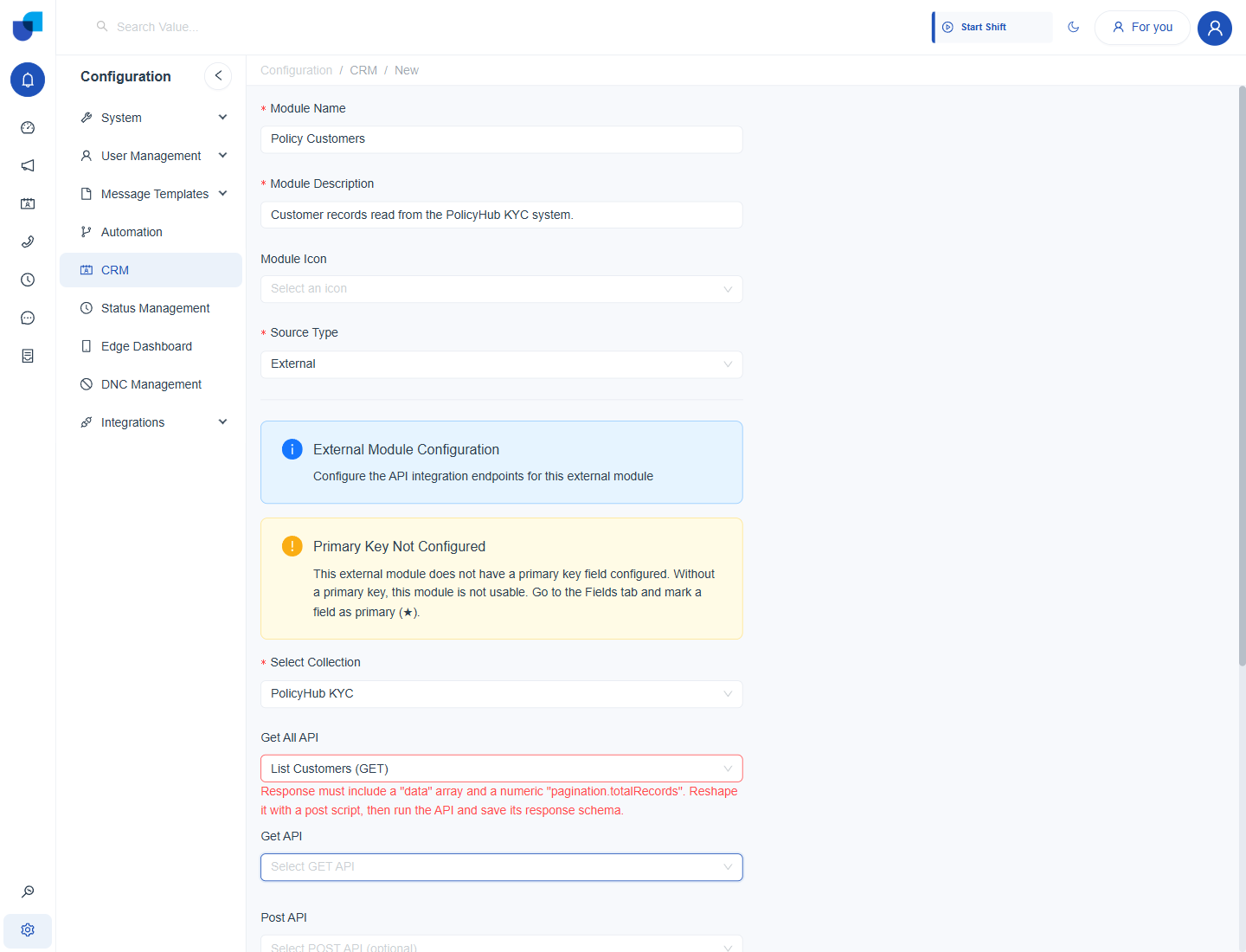
Figure 1. The check on the Get All API field. The message tells you to reshape the response with a Post Script, run the API, and save its response schema.
Once the response is reshaped, Send is run and the API is saved, the Res Schema tab lists the detected fields: a data array and the four pagination fields. The message then disappears and the API is accepted.
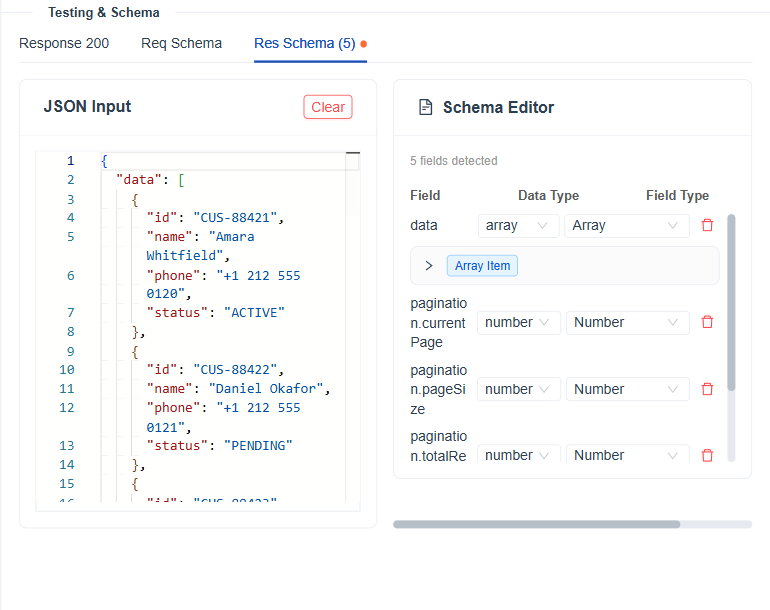
Figure 2. The saved response schema of the reshaped List Customers response, which satisfies the check.
After changing a Post Script, save the API and use Send again, so the saved response schema matches the new shape.