Variables
A variable is a placeholder that is filled in when the API runs. It is written with double braces, for example {{customerId}}. The Get Customer API in the PolicyHub KYC example uses one: the path /v2/customers/{{customerId}} returns the record of whichever customer ID is supplied.
Where a Variable Can Appear
- In the URL. For example
/v2/customers/{{customerId}}. - In a header or parameter value.
- In the request body. For example
{ "nic": "{{nicNumber}}" }.
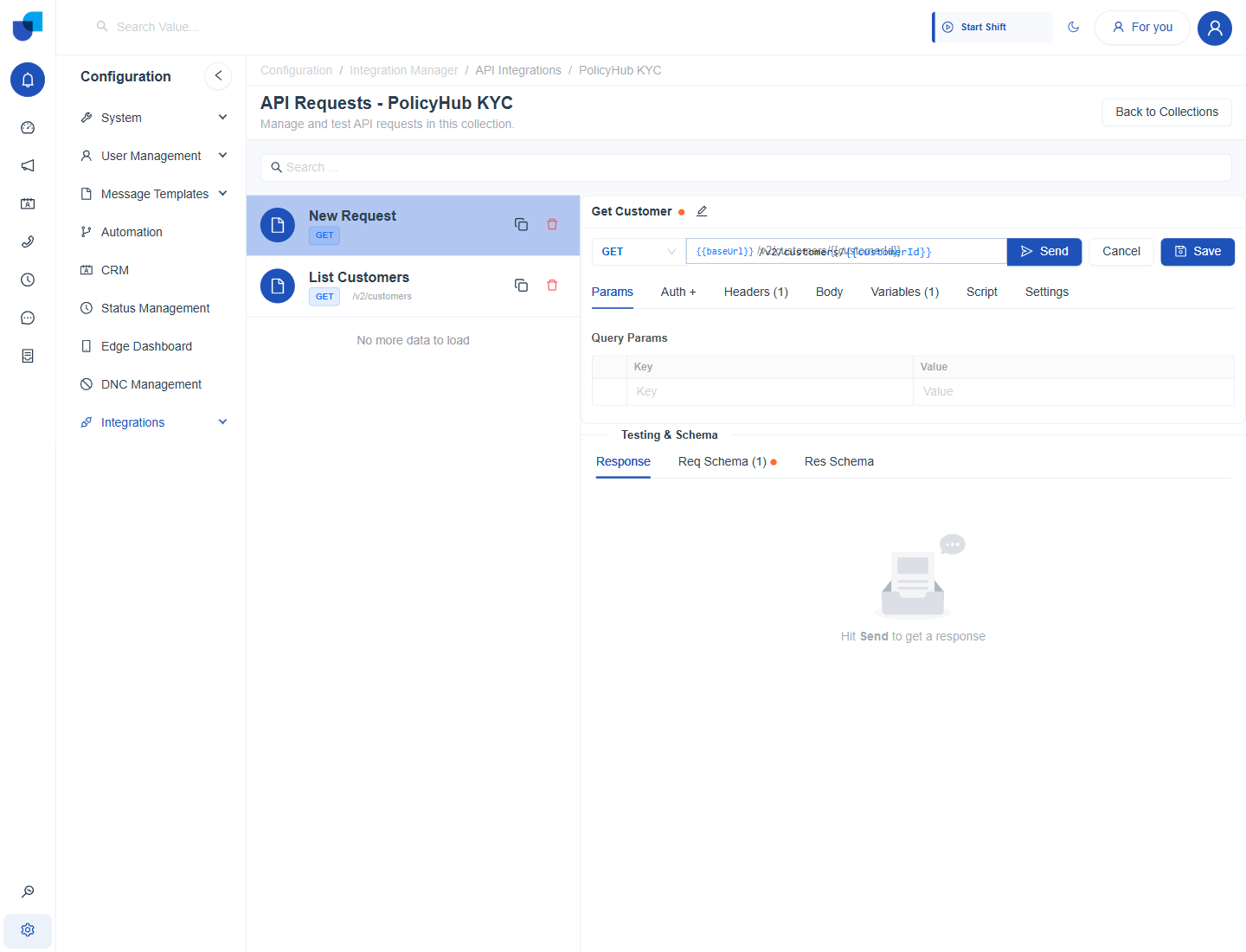
Figure 1. The variable typed into the URL. The Variables tab and the Req Schema tab both show a count of one.
The Variables Tab
A variable typed anywhere in the API is added to the Variables tab automatically, with a name and an optional default value. You can also add a row there first with Add Variable.
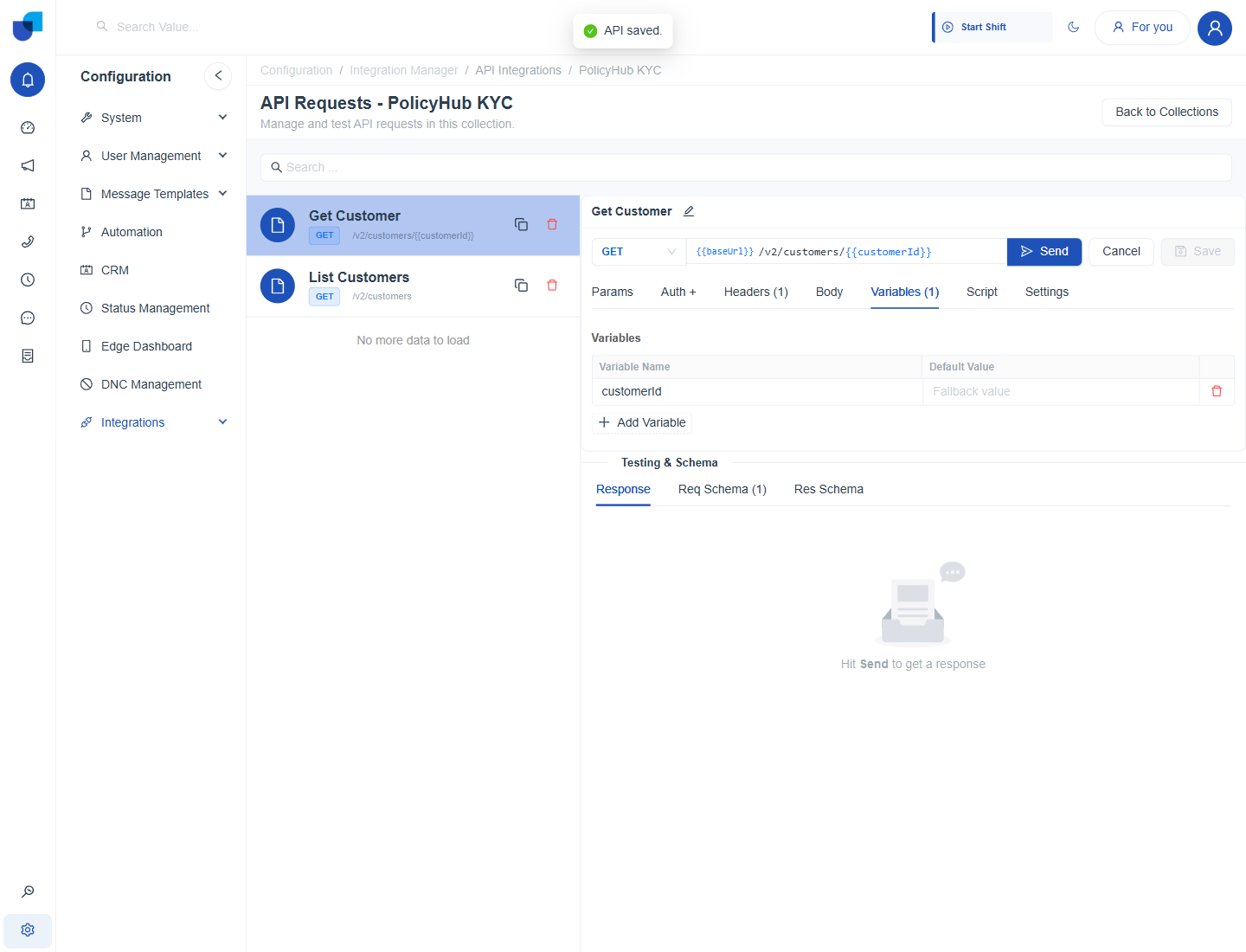
Figure 2. The Variables tab listing customerId. The Default Value column holds an optional fallback.
How a Variable Gets Its Value
- The input passed into the call. For example the customer ID entered in a workflow action.
- The default value in the Variables tab.
- A value set by a Pre Script at run time.
Every variable must resolve. If none of the three sources gives a value, the call fails instead of sending the literal {{name}} text.
Give a variable a default value only when a sensible default exists. A missing customer ID should fail loudly, not look up the wrong record.