User Management Permissions
User Management
The permissions that decide who can see and change users, roles and groups.
The Users Group
The Users group of a role holds seven permissions. Four of them are Yes or No switches. Three have a scope of Own, Group or All.
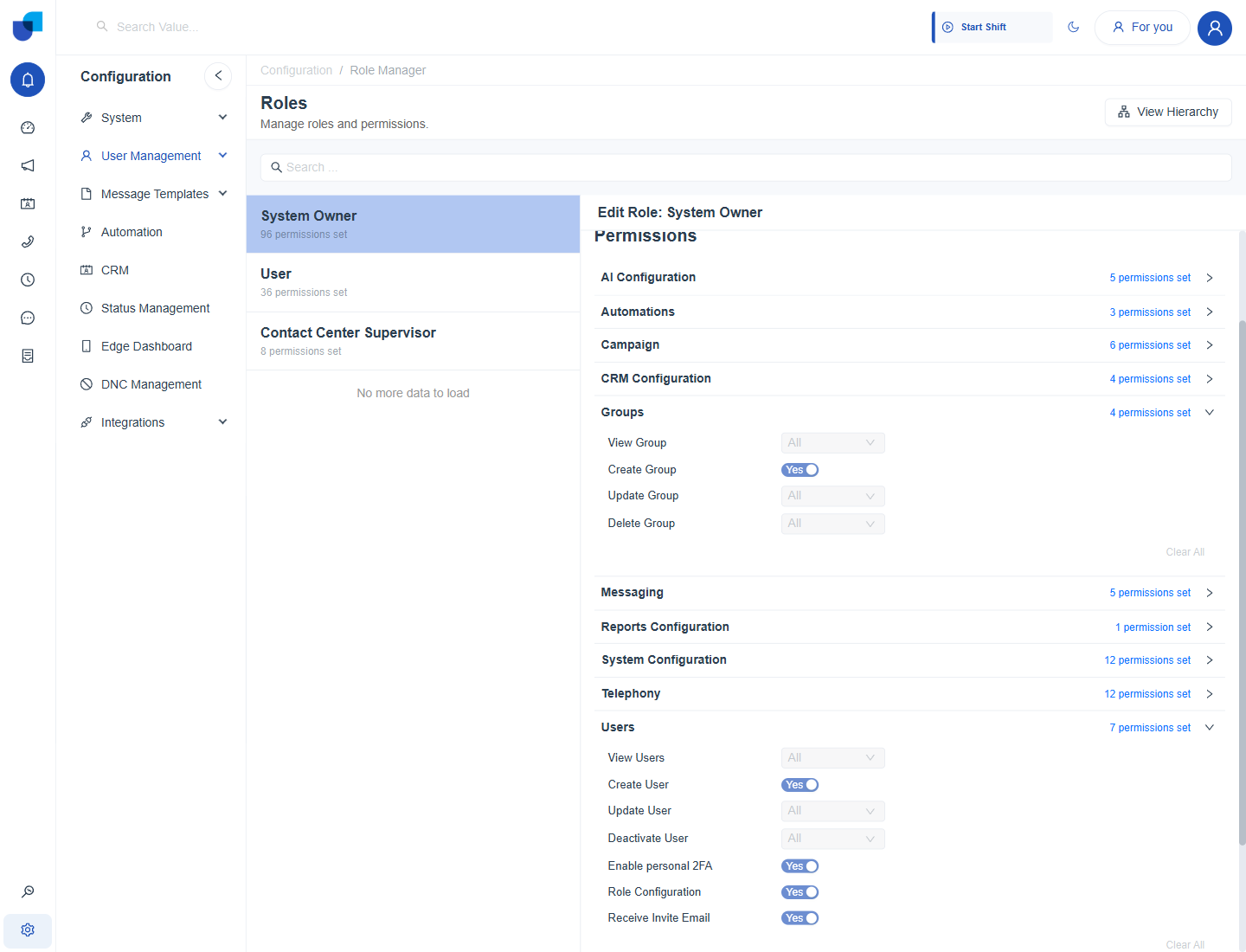
Figure 1. The Groups and Users permission groups of the System Owner role, which has every permission.
| Permission | Type | What it allows |
|---|---|---|
| View Users | Scope | Open the Users page and see the users in scope. |
| Create User | Yes or No | Use the Create button to add a user. |
| Update User | Scope | Edit users in scope, including their role and Two Factor Authentication. |
| Deactivate User | Scope | Deactivate and activate users in scope. |
| Enable personal 2FA | Yes or No | Turn Two Factor Authentication on or off for your own account. |
| Role Configuration | Yes or No | Open Roles and change roles and their permissions. |
| Receive Invite Email | Yes or No | Lets people holding the role be sent an invitation email. |
The Groups Group
| Permission | Type | What it allows |
|---|---|---|
| View Group | Scope | See groups in scope. |
| Create Group | Yes or No | Create a group. |
| Update Group | Scope | Rename a group and change its members. |
| Delete Group | Scope | Delete groups in scope. |
Info: The CRM Modules group, which controls records and fields, is described in Roles. Permissions for monitoring are in Monitoring Permissions.
Grant or Remove Access
- Open Configuration, User Management, Roles.
- Select the role.
- Open the Users group, or the Groups group.
- Switch each permission to Yes or No, and choose a scope where a drop down is shown. Clear All switches every permission of the group off.
- Click Save. If the Confirm permission propagation window opens, choose the higher roles to update and click Save.
Important: Give Role Configuration only to the people who administer access. A person who can edit roles can give themselves more permissions.
Typical Role Setups
| Role | Users group | Groups group |
|---|---|---|
| Administrator | Every permission, scope All. | Every permission, scope All. |
| Supervisor | View Users with scope Group. Update User only if supervisors maintain phone numbers. | View Group with scope Group. |
| Agent | Enable personal 2FA only, if each agent protects their own account. | No permissions. |