User Syncing
User Management
Bring people in from a company directory or a 3CX PBX instead of typing them one by one.
LDAP User Syncing
The LDAP Authentication plugin reads people from Active Directory or OpenLDAP. They appear on the Users page with the status Synced and sign in with Login with AD.
- Open Configuration, System, Plugins and select LDAP Authentication.
- Enter the directory connection. The fields are LDAP Server URL, AD Domain, Base DN, LDAP Account and LDAP Password.
- Click Save Configuration.
- Open Configuration, User Management, Users.
- Find the synced people. Each shows Status Synced and Active No.
- Assign a role and activate the people who should sign in.
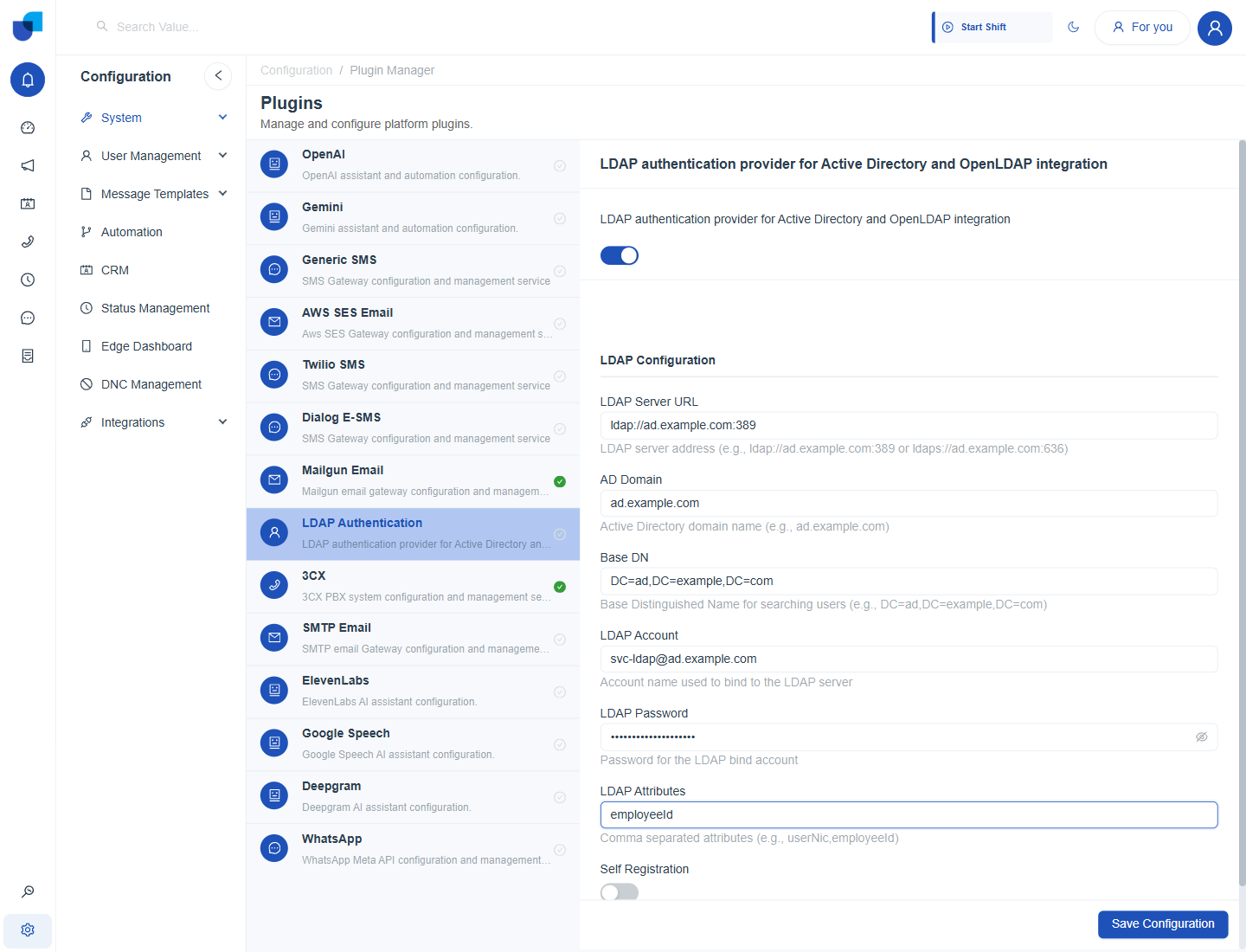
Figure 1. The LDAP Authentication plugin with example connection details.
Info: Every field is explained in LDAP Authentication, and the sign in steps are in LDAP Login.
3CX User Syncing
The 3CX plugin copies extensions from the PBX on a schedule. Each person arrives with an extension and the status Synced.
- Open Configuration, System, Plugins and select 3CX.
- Switch the plugin on and enter the Host, Client Id and Api Key.
- Choose the Data Sync Interval. For example Every 5 minutes.
- Save the configuration.
- Wait for the next sync and open the Users page.
- Review each synced person. Check the extension, assign a role and activate the account.
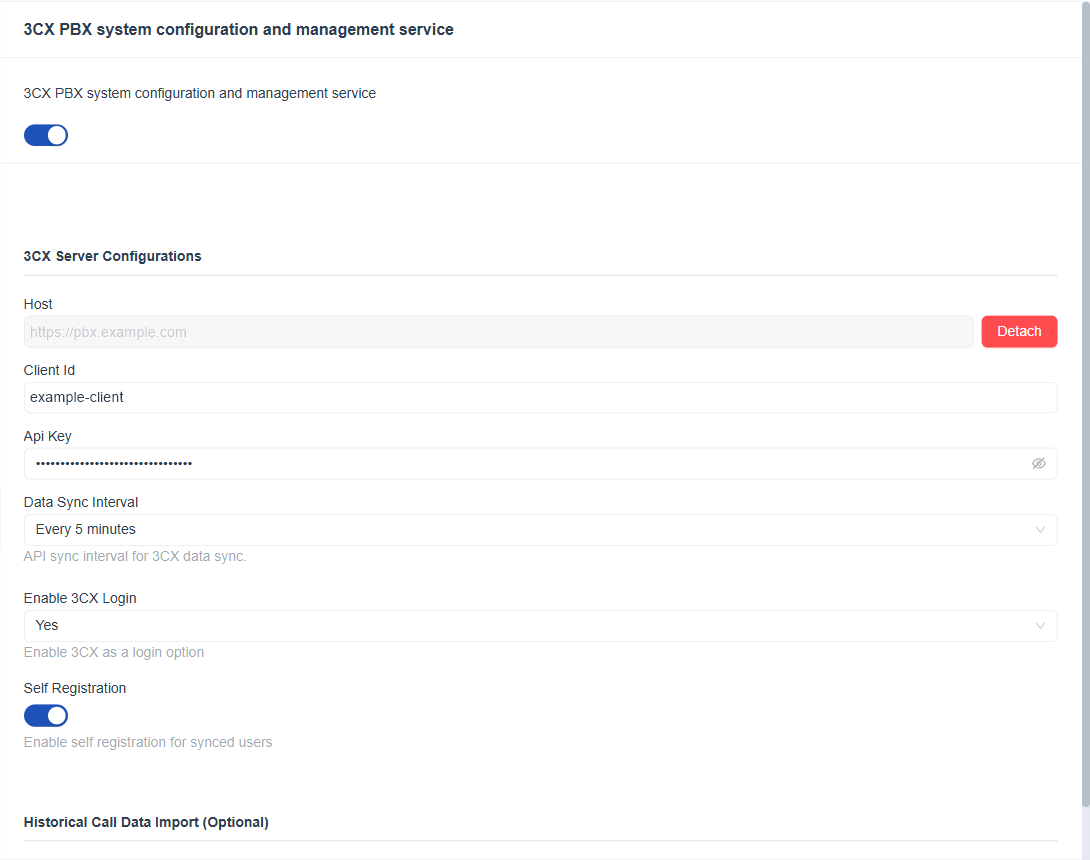
Figure 2. The 3CX plugin with Data Sync Interval set to Every 5 minutes, Enable 3CX Login set to Yes and Self Registration switched on.
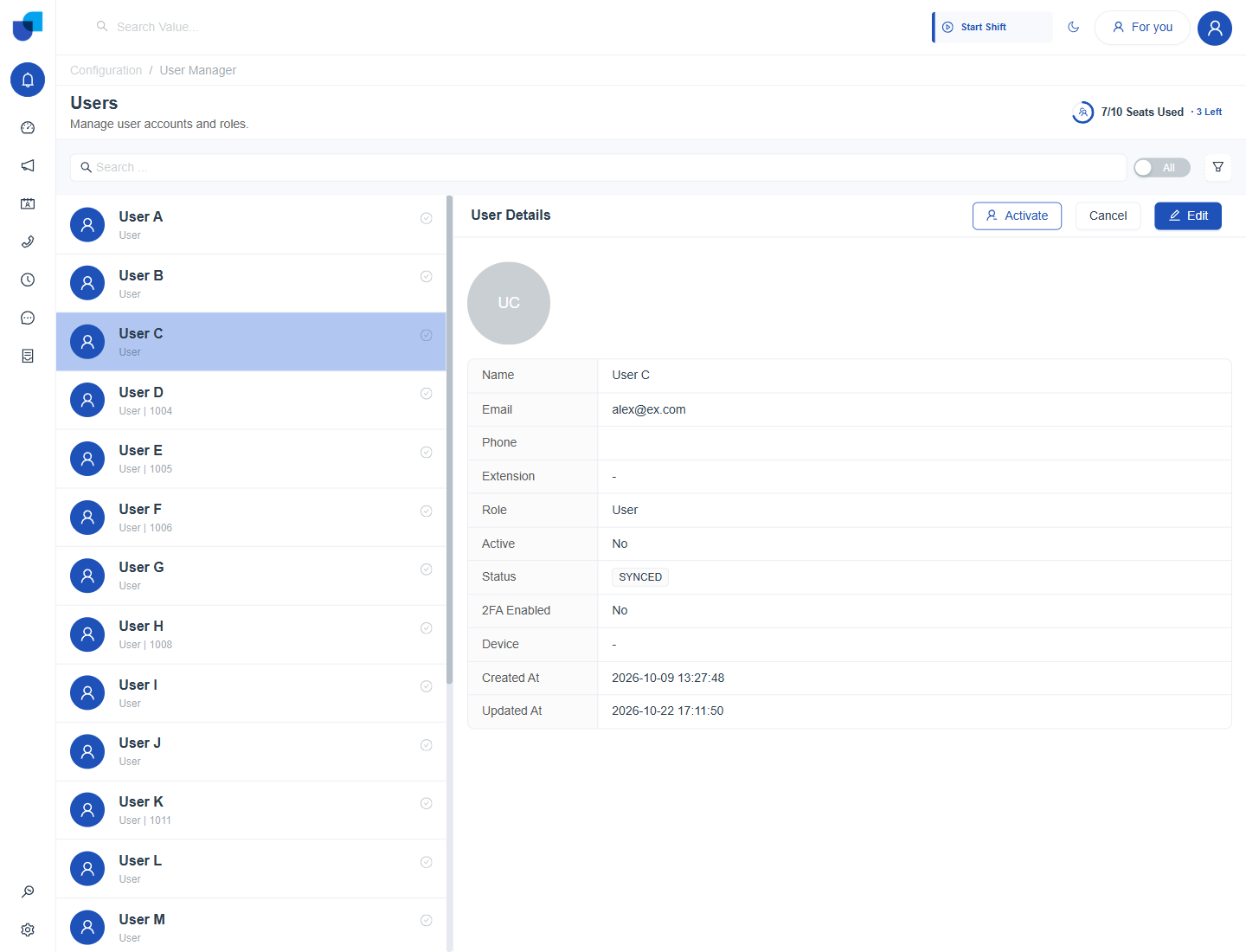
Figure 3. A synced user on the Users page. The status shows Synced and the account is inactive until it is activated.
| Situation | What to do |
|---|---|
| A new extension is missing | Wait for the next sync or shorten the interval. |
| Details changed in the PBX | They update on the next sync. |
| Seats are full | Deactivate someone else before you activate a synced person. |
The plugin reference is 3CX, and the sign in steps are in 3CX Login.
Self Sign Up for LDAP and 3CX
Self registration lets a synced person set up their own account without waiting for an administrator to invite them. It is a switch inside each plugin.
| Plugin | Setting | Hint |
|---|---|---|
| 3CX | Self Registration | Enable self registration for synced users. |
| LDAP Authentication | Self Registration | Lets synced directory people register. |
- Open the plugin and switch Self Registration on.
- Save the configuration.
- Tell the synced people to sign in with their method. They use Login with 3CX or Login with AD.
Important: Self registration lets everyone in the synced list use the platform. Leave it off when only a few of them should have access, and invite those people yourself.