CRM External Module Relationships
An external module can be related to other modules, so a record read from an outside system is connected to the CRM records it belongs to. In the example, a customer in Policy Customers can be related to the matching contact in the Contacts module, so an agent opening the contact can reach the policy customer record. How relationships work for every module is covered in Relationship Field Types. This page covers only what is specific to external modules.
What Is Specific to External Modules
- The primary key identifies the record. The field marked as primary on the external module is the value that identifies a record in the outside system. A related record points to that value.
- Related data is read from the outside system. The external module's own fields come through its Get All API and Get API. They are only as current as the outside system.
- The relationship field is configured on the Fields tab. It is added the same way as any Relationship field. See How to Configure Fields.
Adding a Relationship
The New Field button on the Fields tab offers the same field types for an external module as for any other module, including Relationship. A relationship can be added on the external module, pointing to an internal module, or on an internal module, pointing to the external one.
- Open Configuration → CRM and open the module that will hold the link. For example Policy Customers.
- Open the Fields tab and click New Field. A panel of field types opens. Choose Relationship.
- Enter a Field Name and choose the Related Module. For example Contacts.
- Set the options and click Save.
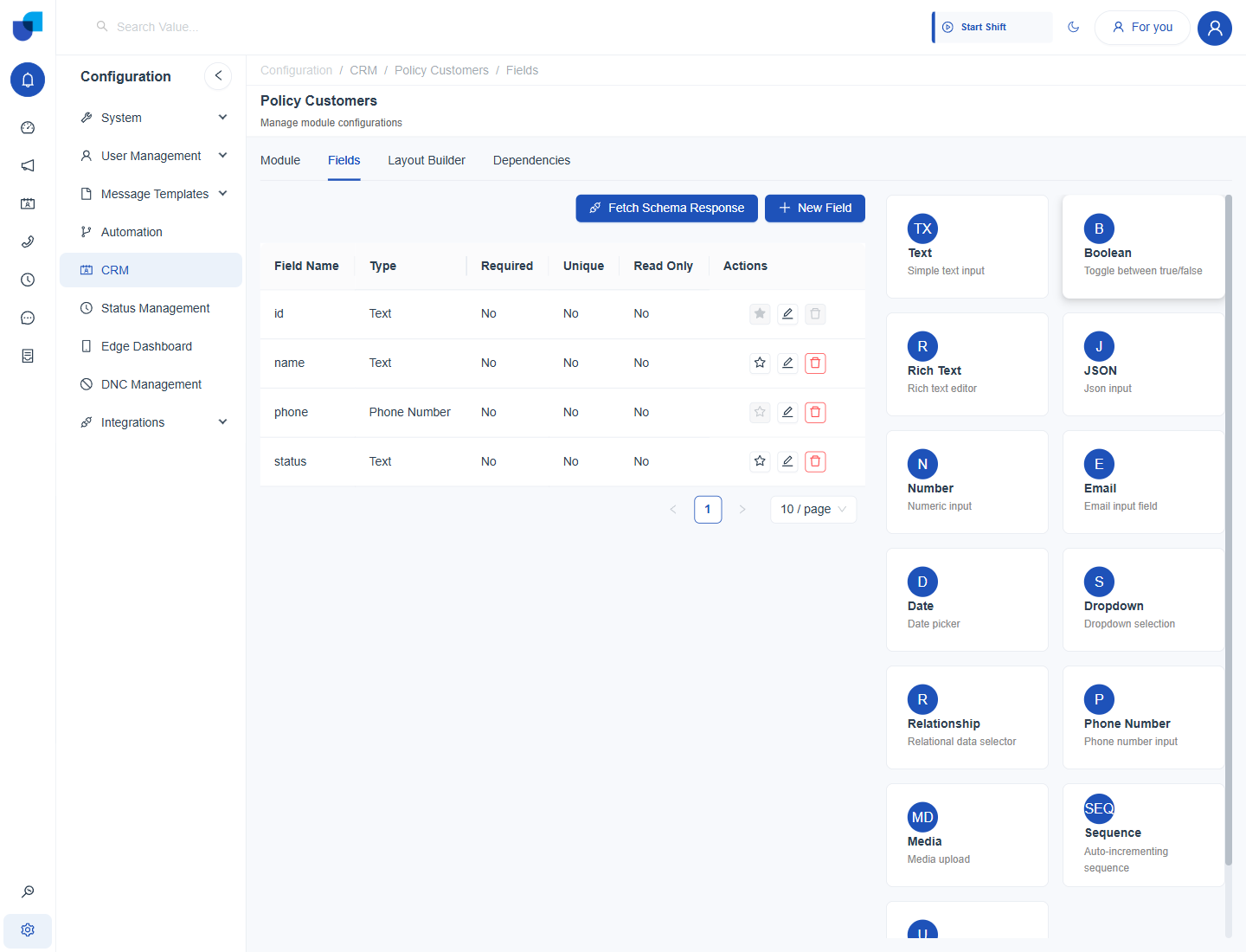
Figure 1. The New Field panel on an external module. Relationship is one of the field types offered.
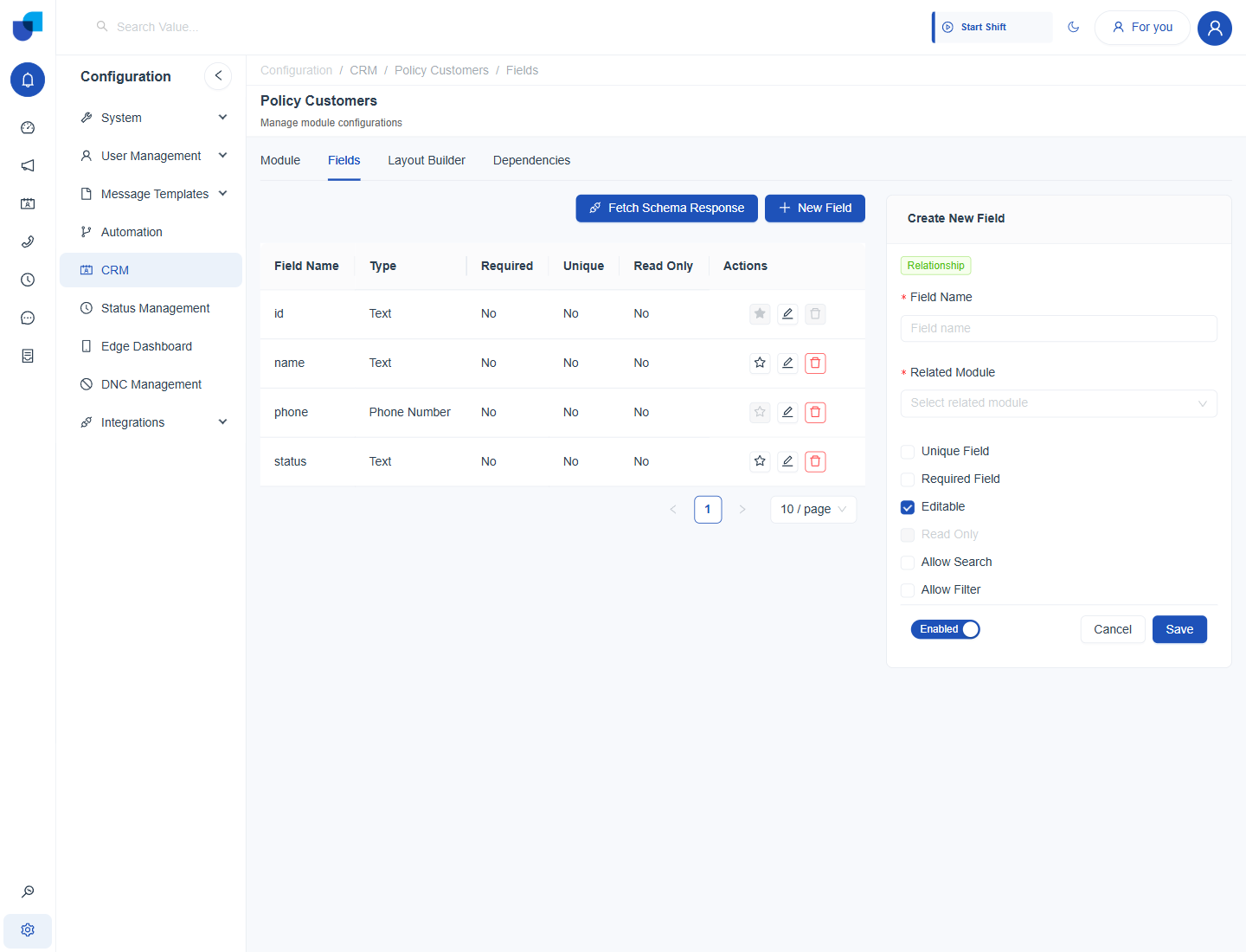
Figure 2. The Relationship field form, with the Related Module dropdown and the field options.
An external module should have a primary key and working Get All and Get APIs before it is used as the target of a relationship. See Assigning APIs to a Module.