Assigning APIs to a Module
After a collection is chosen on an external module, five API slots appear. Each slot takes one API from the same collection. The module calls the matching API whenever an agent lists, opens, creates, changes or deletes a record. In the example, Policy Customers uses List Customers for its list and Get Customer for a single record.
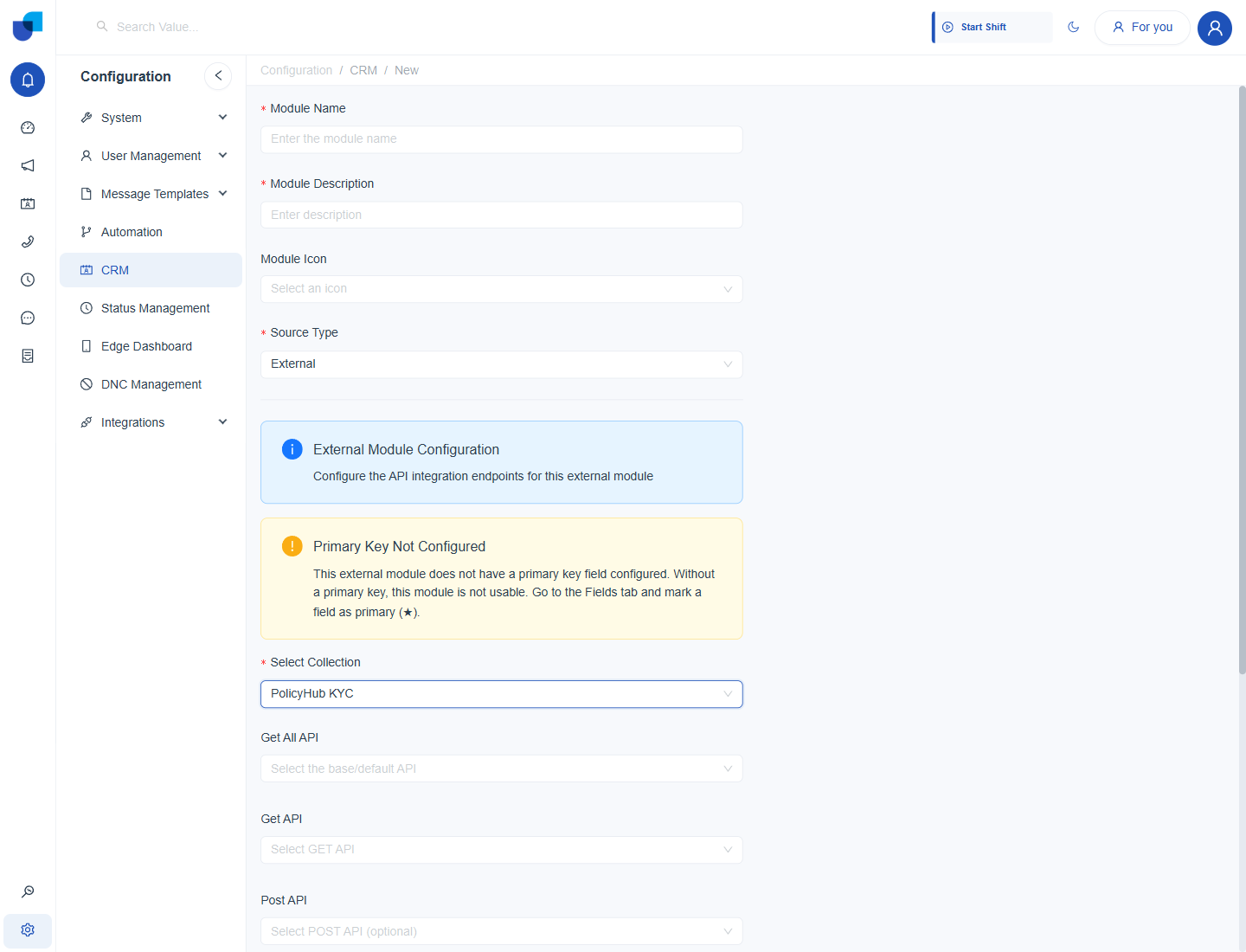
Figure 1. The API slots that appear once a collection is chosen on an external module.
The API Slots
| Slot | Required | Used for |
|---|---|---|
| Get All API | Needed for the list view | The base API. It returns the list of records shown in the module's list view. |
| Get API | Recommended | A GET API that returns one record, used when a record is opened. |
| Post API | Optional | A POST API that creates a record. |
| Update API | Optional | A PUT or PATCH API that changes a record. |
| Delete API | Optional | A DELETE API that removes a record. |
Assigning the APIs
- Open the Get All API dropdown and choose the list API. For example List Customers.
- Open the Get API dropdown and choose the single record API. For example Get Customer.
- Choose the optional APIs only for the actions agents should have. Leave Post, Update and Delete empty for a module that is only for looking up records.
- Click Save.
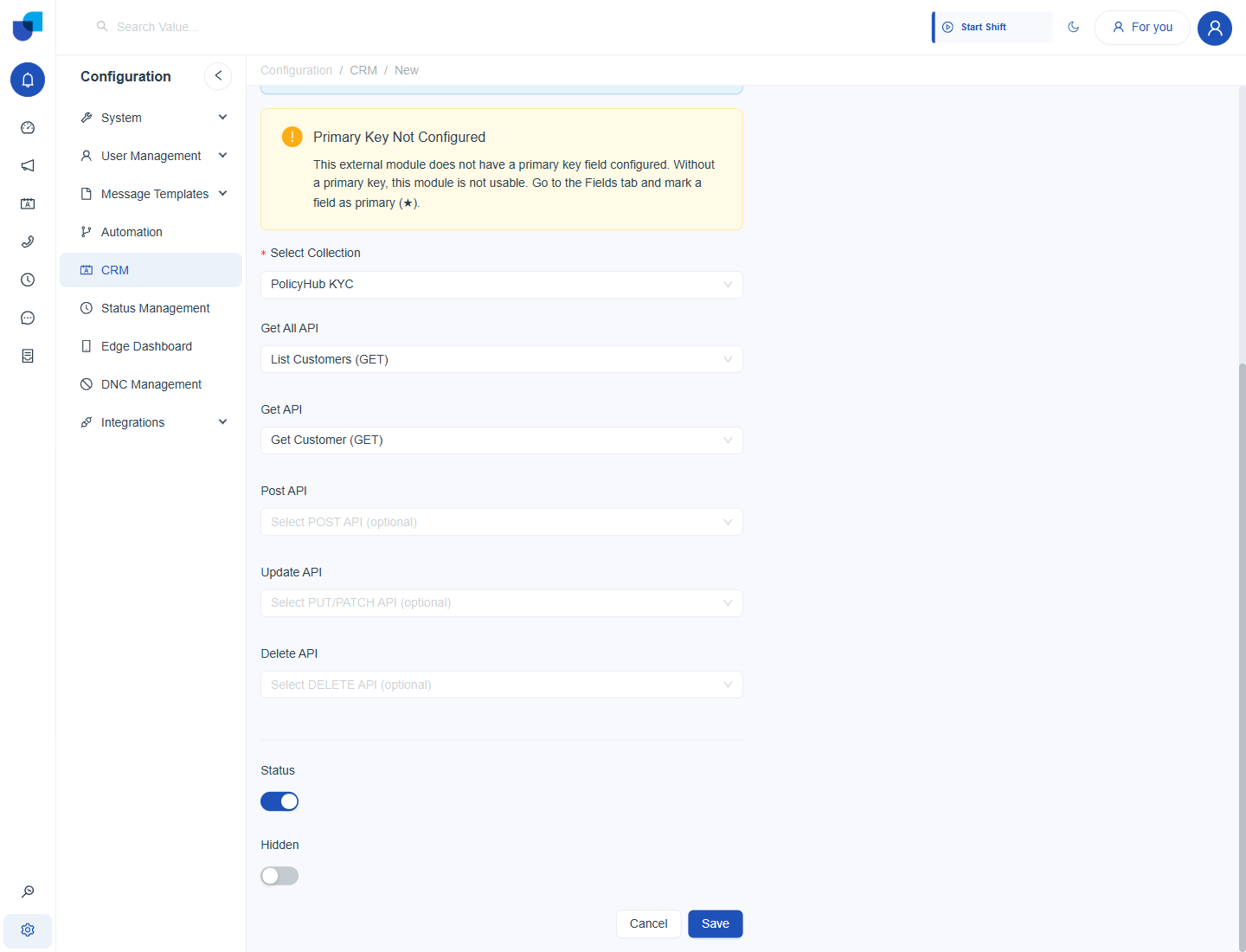
Figure 2. The API slots filled in for Policy Customers. Post API, Update API and Delete API are left empty, so the module is a lookup only.
The Get All API must return the response format the CRM requires, and its response schema must be saved by running the API with Send. Otherwise the form shows an error under the field. See Response Format the CRM Requires.
Leave the Post, Update and Delete slots empty when the module should be a lookup only. Agents then cannot change records in the outside system from the CRM.