Campaign Execution
See how each campaign ran, and how many contacts it reached.
What Campaign Execution Shows
Open Monitoring → Campaign Execution. The page lets you track campaign execution logs and status. There is one row for each campaign. The example is Spring Outreach, a campaign that has run. Refresh at the top right reloads the list.
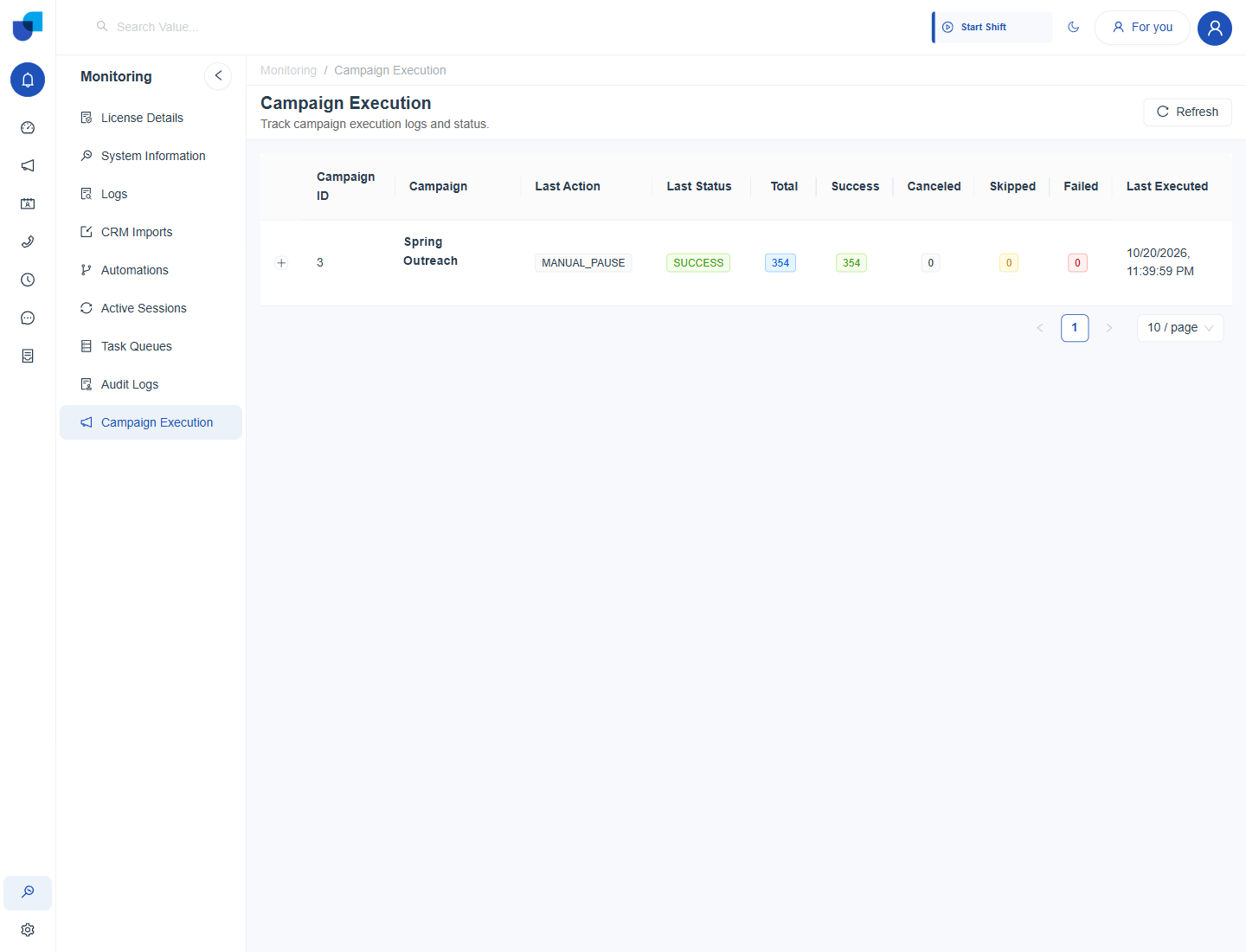
Figure 1. The Campaign Execution page, with the Spring Outreach campaign and its result counts.
The Columns
| Column | What it shows |
|---|---|
| Campaign ID and Campaign | The number and name of the campaign. |
| Last Action | The last thing done to the campaign, such as MANUAL_PAUSE. |
| Last Status | The result of that action, such as SUCCESS. |
| Total | How many contacts the campaign tried. |
| Success | How many contacts were handled successfully. |
| Canceled | How many contacts were canceled before they were tried. |
| Skipped | How many contacts were skipped. |
| Failed | How many contacts could not be handled. |
| Last Executed | The date and time of the latest execution. |
Click the plus sign at the start of a row for the detail of the executions. In the example, all 354 contacts of Spring Outreach were handled successfully, and the last action was a manual pause.
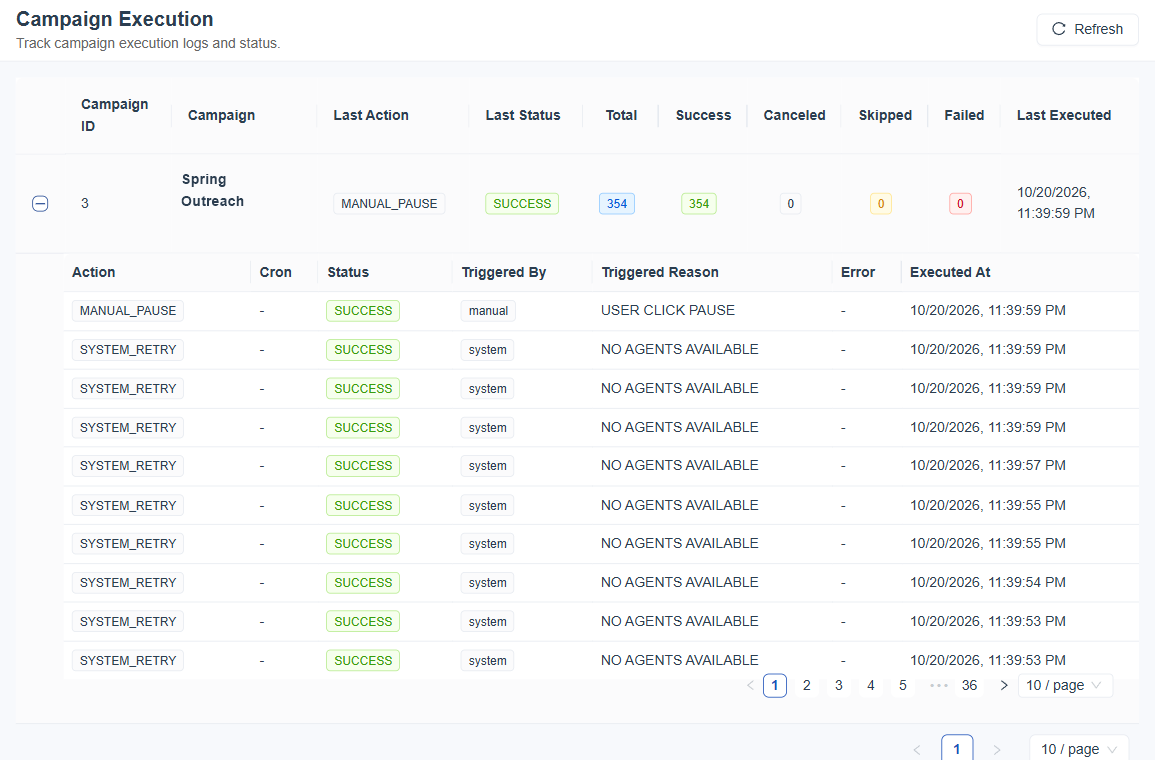
Figure 2. A campaign row expanded, with the list of its executions.
| Column | What it shows |
|---|---|
| Action | What was done, such as MANUAL_PAUSE or SYSTEM_RETRY. |
| Cron | The schedule that started it, when one was used. |
| Status | The result, such as SUCCESS. |
| Triggered By | Whether a person (manual) or the platform (system) started it. |
| Triggered Reason | Why it happened, for example USER CLICK PAUSE or NO AGENTS AVAILABLE. |
| Error and Executed At | The error text, if any, and the date and time. |
The counts add up to the Total. A Skipped contact was not tried, for example because it was on the do not call list, and a Failed contact was tried and did not complete. Reading the two apart tells you whether to fix the list or the setup.
Using It During a Campaign
- Open the page after you start the campaign.
- Find the campaign by name.
- Compare Total with Success. The two should move together while the campaign runs.
- Read Last Action and Last Executed. They show whether the campaign was paused, resumed or is still running.
This page records how the campaign ran. It does not change the campaign. To pause, resume or edit a campaign, use the Campaign area.