License Details
See what the license covers and how much of it is in use.
What the Page Shows
Open Monitoring → License Details. The page is titled License and described as a place to view the platform license details and usage. A green banner reads License Active when the license is valid. Refresh License at the top right reloads the details.
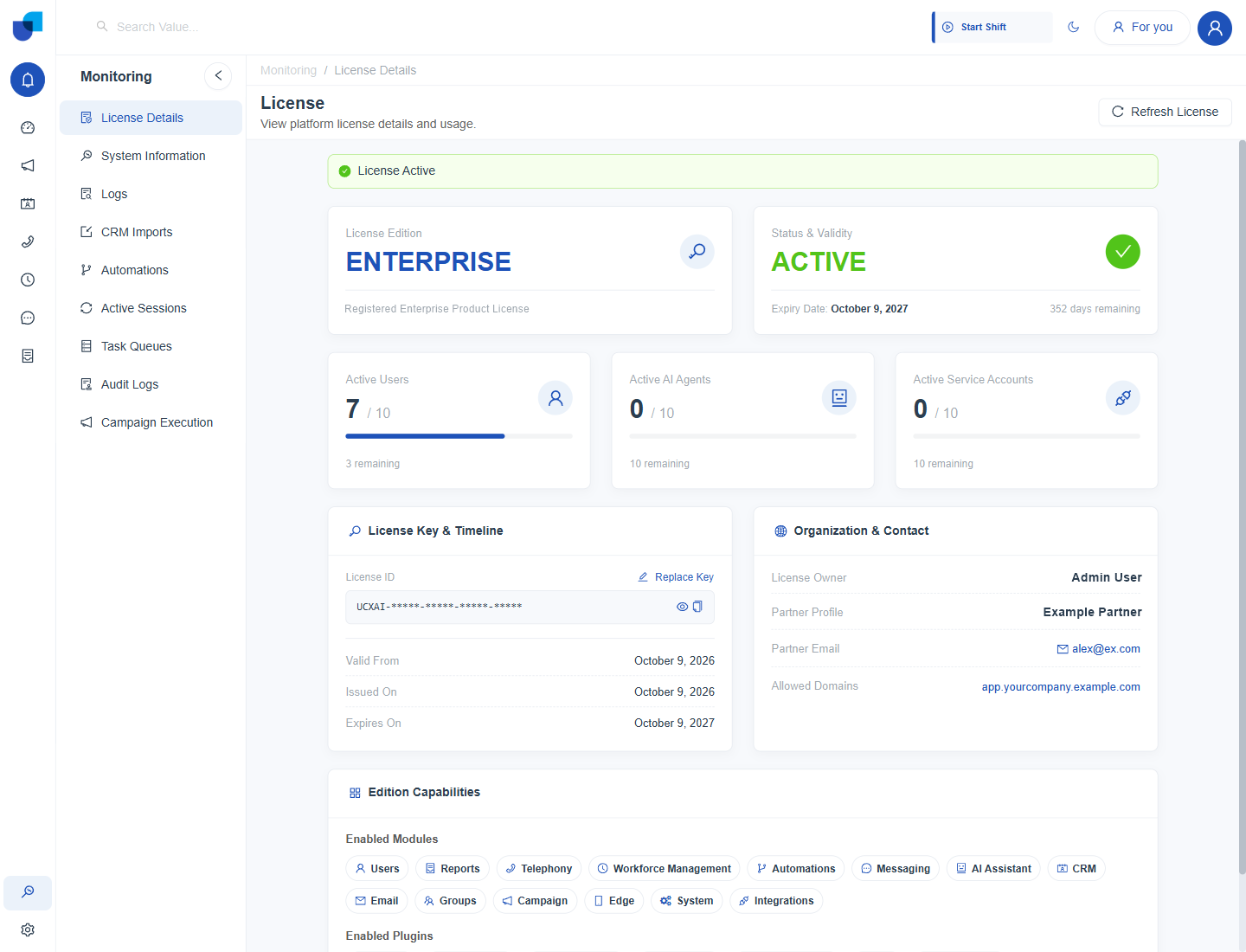
Figure 1. The License Details page for an Enterprise license that is active until October 2027.
Edition, Status and Usage
| Card | What it shows |
|---|---|
| License Edition | The edition, such as ENTERPRISE, with the product license it is registered under. |
| Status & Validity | ACTIVE, the expiry date and the number of days remaining. |
| Active Users | Users in use against the allowance, with the number remaining. For example, 7 of 10. |
| Active AI Agents | AI agents in use against the allowance. |
| Active Service Accounts | Service accounts in use against the allowance. |
These three allowances are the seats that other pages check. When Active Users reaches its limit, a new user cannot be created until a seat is freed, and the AI Agents and Service Accounts screens show the same counters.
License Key and Timeline
The License ID is masked, and the eye icon reveals it. The copy icon copies it. Replace Key lets an administrator install a new key. License Details opens only for roles that have the Manage License permission. The timeline lists Valid From, Issued On and Expires On.
Replacing the key changes the license for the whole platform. Have the new key ready, and confirm its edition and allowances before you replace it.
Organization and Contact
| Field | What it shows |
|---|---|
| License Owner | The person the license is issued to. |
| Partner Profile | The partner that supplied the license. |
| Partner Email | The partner's contact address. |
| Allowed Domains | The domain names the license is valid for. |
Edition Capabilities
Edition Capabilities lists the Enabled Modules and the Enabled Plugins. Modules include Users, Reports, Telephony, Workforce Management, Automations, Messaging, AI Assistant, CRM, Email, Groups, Campaign, Edge, System and Integrations. Plugins include email, SMS, telephone, speech and AI providers. A feature that is not listed here is not available on this license.
Check this section before you plan a rollout. A module or plugin that is not listed is not part of the edition, so ask your partner to add it before you configure it.