Permissions
Decide who can open each Monitoring page, and who can purge what is stored.
Where to Set Them
- Open Configuration → User Management → Roles.
- Select a role.
- Expand the System Configuration group. It lists twelve permissions and shows how many are set.
- Set each permission and click Save.
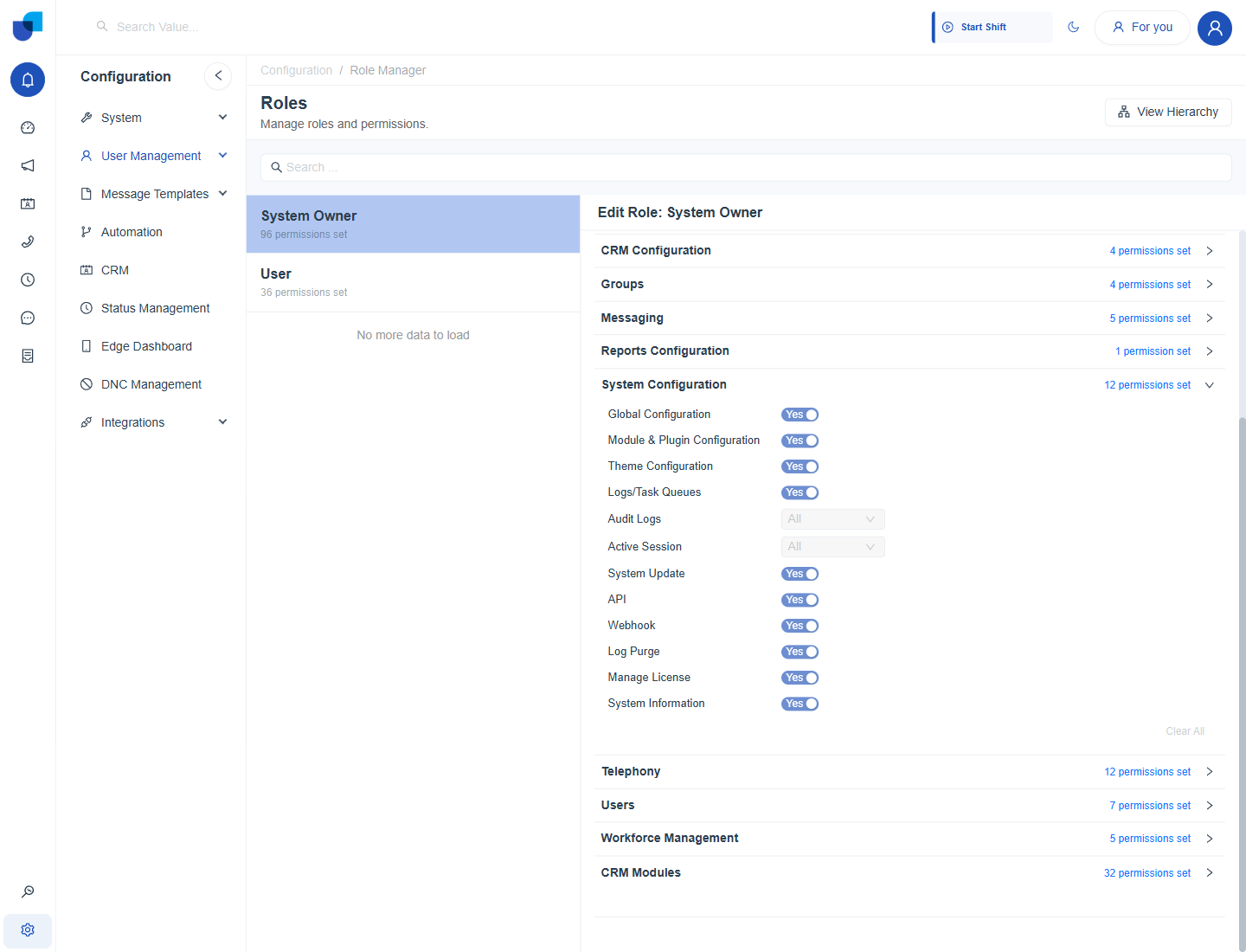
Figure 1. The System Configuration group of the System Owner role, with the twelve permissions.
The Monitoring Permissions
Six of the twelve permissions in the group govern Monitoring. The other six are Global Configuration, Module and Plugin Configuration, Theme Configuration, System Update, API and Webhook.
| Permission | Type | What it allows |
|---|---|---|
| System Information | Yes or No | Opens System Information, the System Health page and its tabs. |
| Manage License | Yes or No | Opens License Details, and allows replacing the key there. Without it the page is not available. |
| Logs/Task Queues | Yes or No | Opens the Logs and Task Queues pages. |
| Audit Logs | Scope | Opens the Audit Logs page for the people in scope. |
| Active Session | Scope | Opens the Active Sessions page for the people in scope. |
| Log Purge | Yes or No | Allows the Purge buttons that remove stored entries. |
CRM Imports, Automations and Campaign Execution belong to other areas of the role. A role needs access to CRM, Automations and Campaign, and the module must be enabled on the license, before those pages appear in the side menu.
Log Purge removes stored history for everyone. Give it to a very small number of administrators, and keep it off the roles that supervisors and agents use.
Scope: Own, Group, All
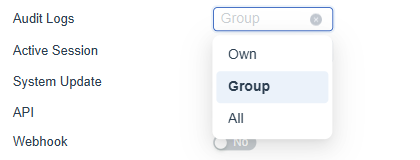
Figure 2. The scope list of the Audit Logs permission, with Own, Group and All.
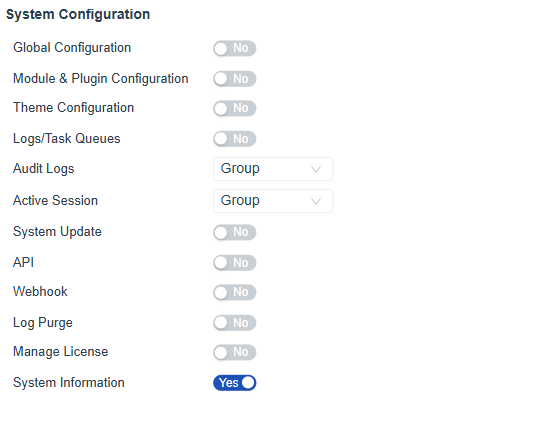
Figure 3. The System Configuration group of the Contact Center Supervisor role: Audit Logs and Active Session set to Group, and System Information on.
| Scope | Meaning |
|---|---|
| No access | The page is not available. |
| Own | The person sees only their own entries. |
| Group | The person sees the entries of people who share a group with them. |
| All | The person sees every entry. |
Audit Logs and Active Session are the two scoped permissions. A supervisor with Group scope sees the changes and sessions of their own groups, which keeps one team's activity away from another.
Example: An Operations Role
| Permission | Platform administrator | Operations supervisor |
|---|---|---|
| System Information | Yes | Yes |
| Manage License | Yes | No |
| Logs/Task Queues | Yes | No |
| Audit Logs | All | Group |
| Active Session | All | Group |
| Log Purge | Yes | No |