Dispositions
Disposition is the fifth step of the Create Campaign wizard, and it appears only for the Voice Call channel. It does not control whether an agent can record a disposition after a call, because that is always possible. It only controls whether the campaign prefills a starting Call Type, Disposition, and Message for every call it places, saving the agent from entering them from scratch each time.
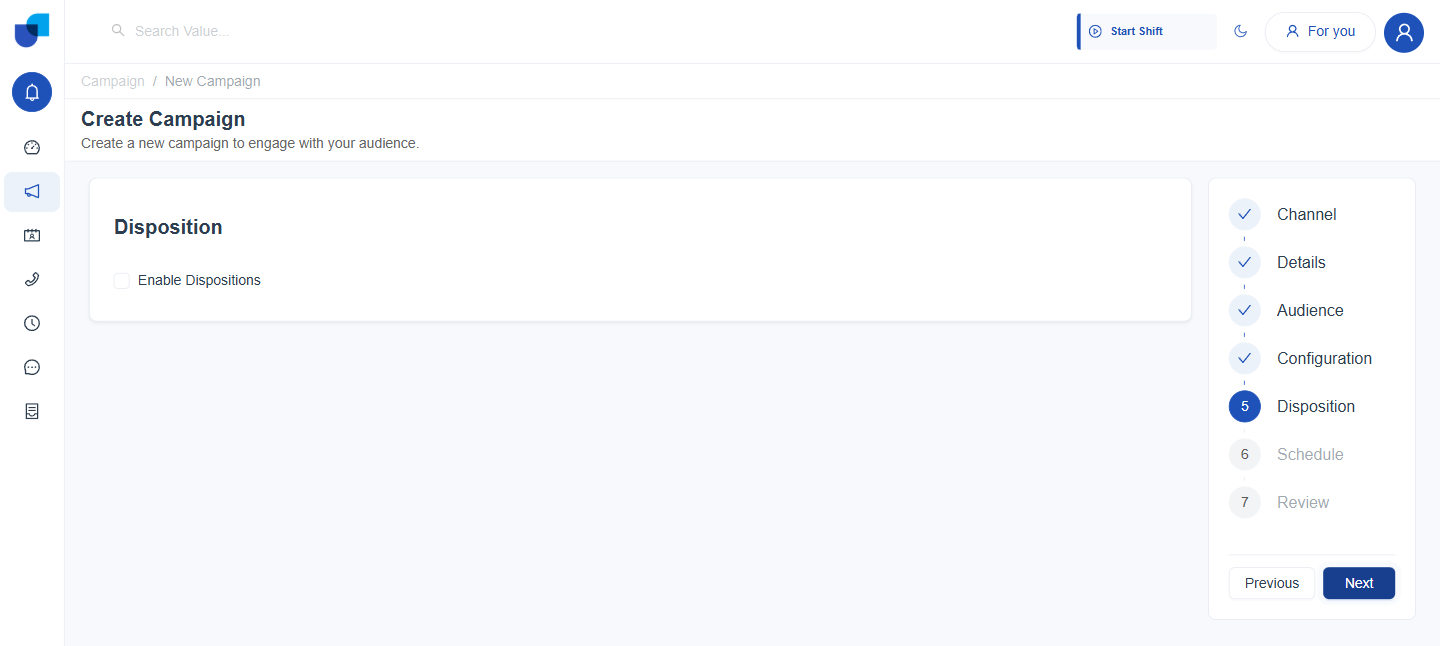
Figure 1. The Disposition step in its default state. Enable Dispositions is off and no other field is shown.
Enabling Dispositions
- Tick Enable Dispositions. Reveals a Set Prefill Values for Disposition panel beneath it. Leaving it off skips this step, and nothing here is required to finish the wizard.
- Choose a Call Type. Support, Sales, Campaign, Collections, or Verification.
- Choose a Disposition. The options depend on the Call Type chosen in the previous step.
- Optionally write a Message. Free text, prefilled as the starting message an agent sees on each call.
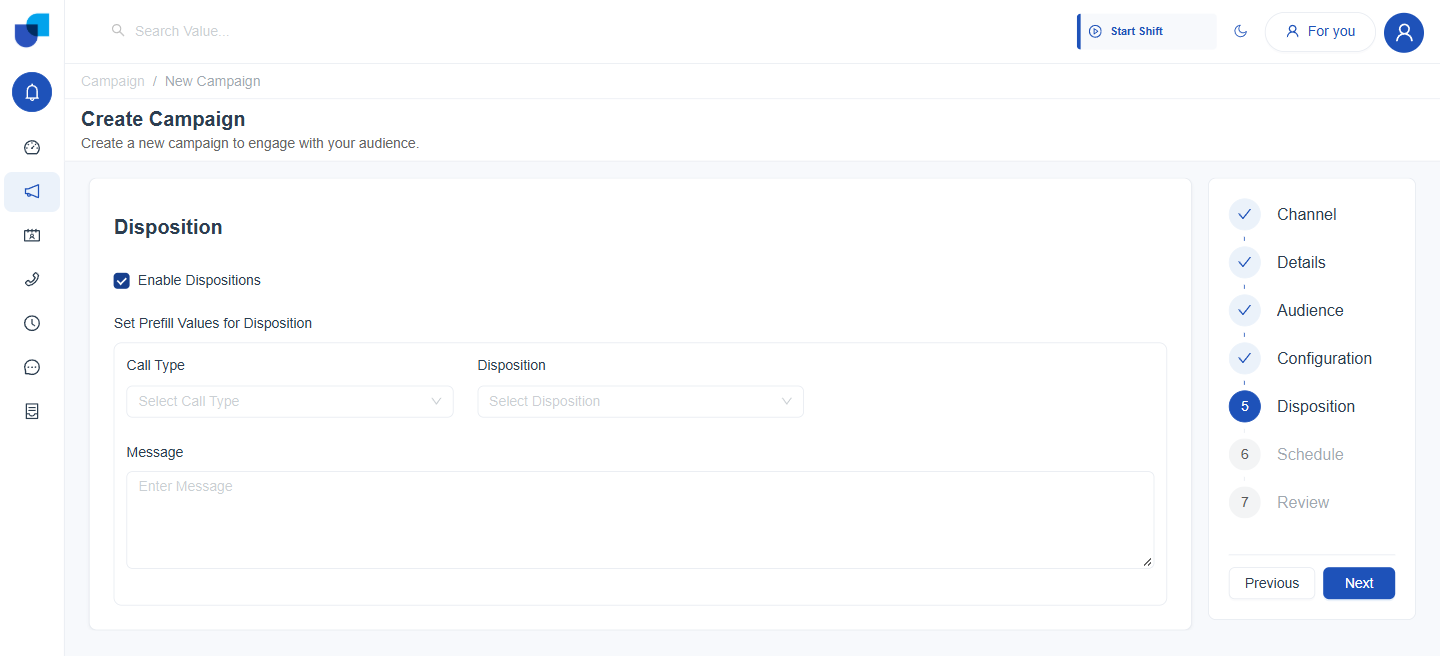
Figure 2. Enable Dispositions ticked, revealing the Call Type, Disposition, and Message fields.
Call Type and Disposition
Disposition is scoped to the Call Type selected, so the two fields are not independent lists. Changing the Call Type changes the Disposition options that follow it.
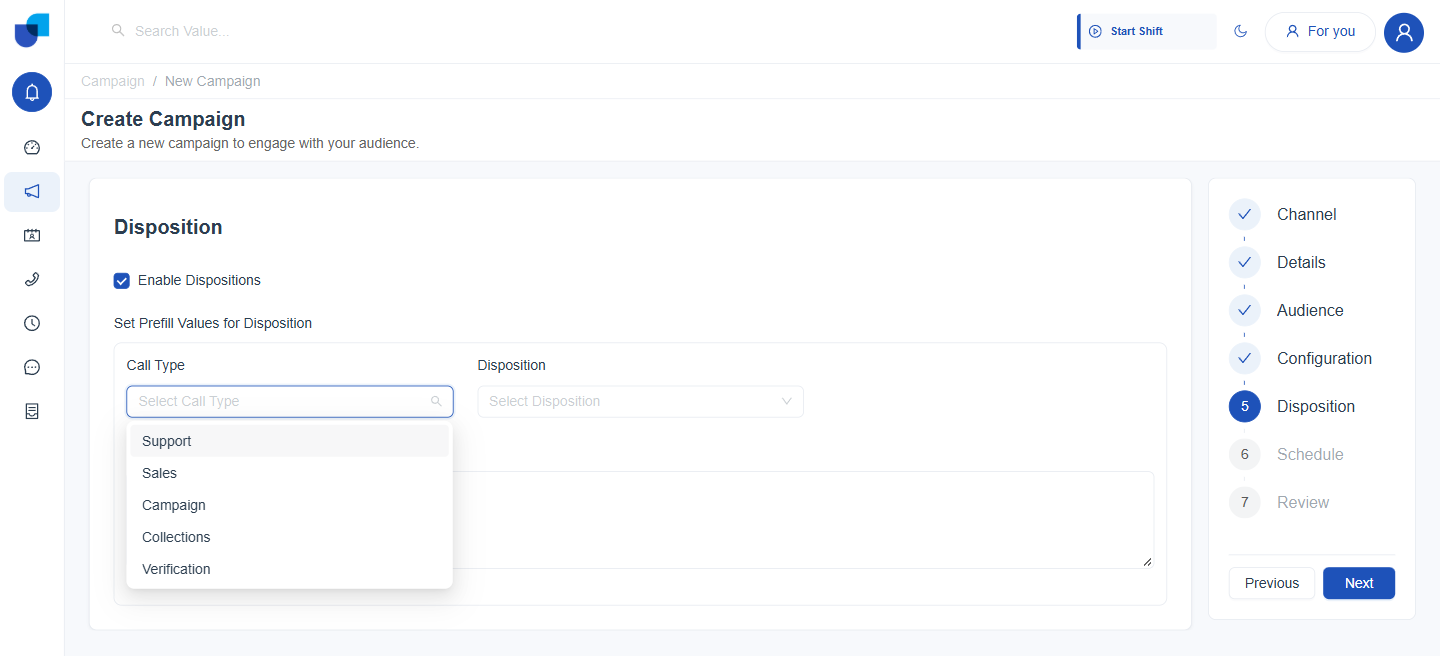
Figure 3. The Call Type dropdown with its five options.
| Call Type | Disposition options |
|---|---|
| Support | Issue Resolved, Issue Escalated, Waiting for Customer Response, Follow-up Required, Bug Reported, Feature Request, Complaint Logged. |
| Sales | Interested, Not Interested, Demo Scheduled, Quote Sent, Negotiation Ongoing, Sale Closed, Lost to Competitor. |
| Campaign | Payment Promised, Payment Completed, Dispute Raised, Unable to Pay. |
| Collections | Payment Promised, Payment Completed, Dispute Raised, Unable to Pay. |
| Verification | Verification Completed, Documents Required, Verification Failed. |
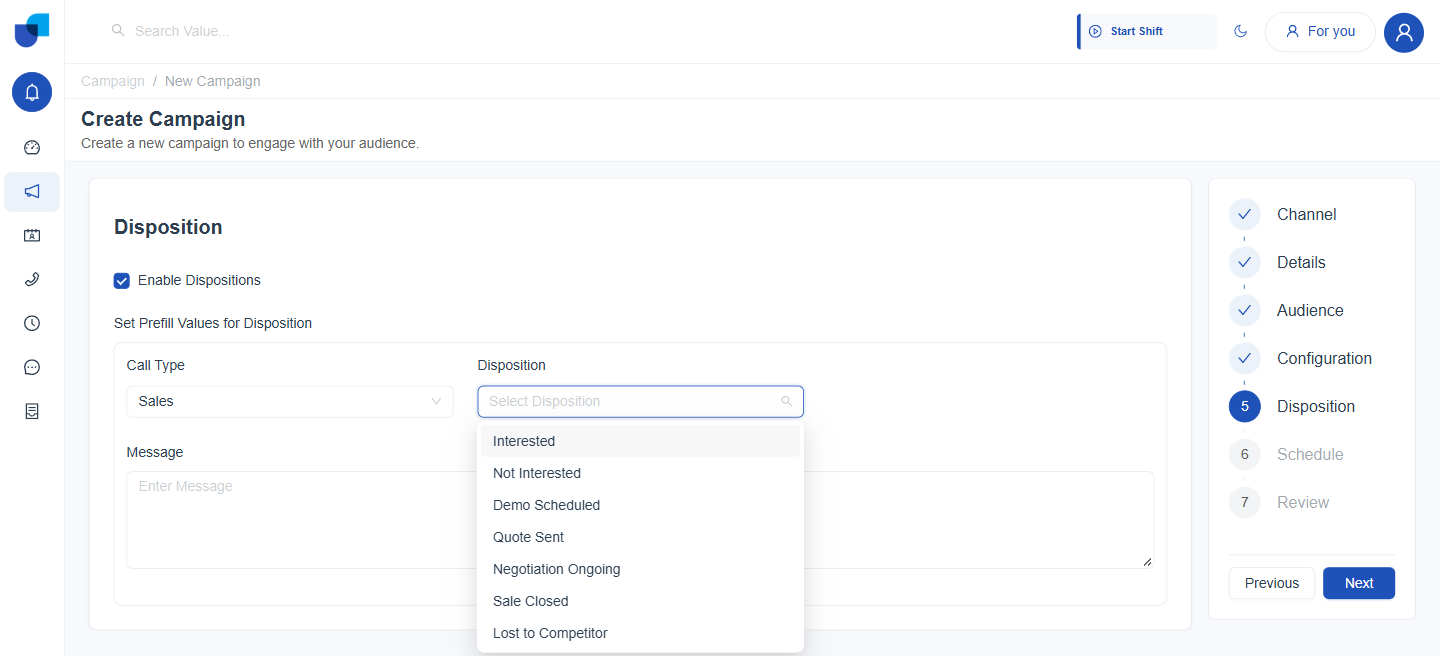
Figure 4. The Disposition dropdown after Sales is chosen as the Call Type, listing the seven Sales dispositions.
A Completed Step
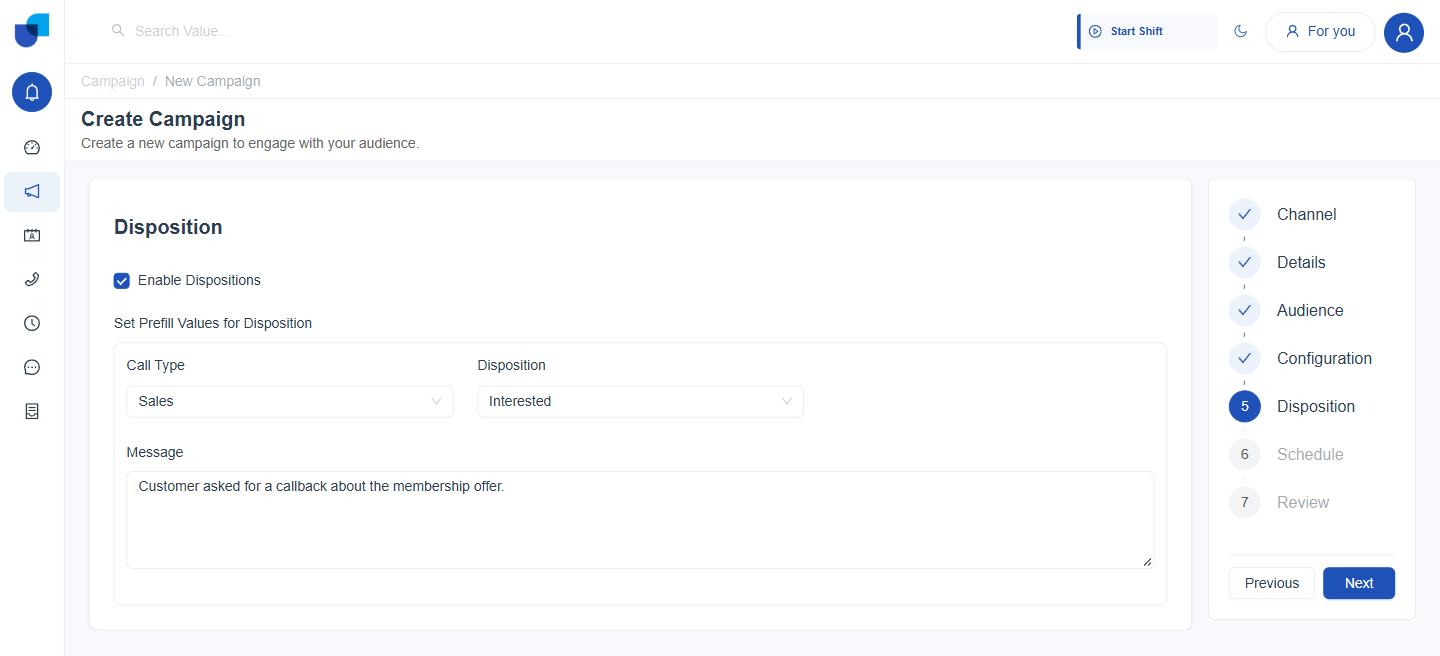
Figure 5. The Disposition step fully filled in: Call Type Sales, Disposition Interested, and a prefilled Message.
Every field in this step is optional, including Enable Dispositions itself. Leaving it off does not remove an agent's ability to record a disposition after a call. It only means the campaign does not prefill one for them.
Dispositions recorded against a campaign feed the Disposition Breakdown and Dispositions by Call Type widgets on the Outbound Campaigns Monitor dashboard. See Campaign Reports and Dashboards.