Permissions
Campaign has its own permission category inside a role's Edit Role panel. Expanding Campaign reveals six individual permissions: five are scoped by access level, and one is a plain switch.
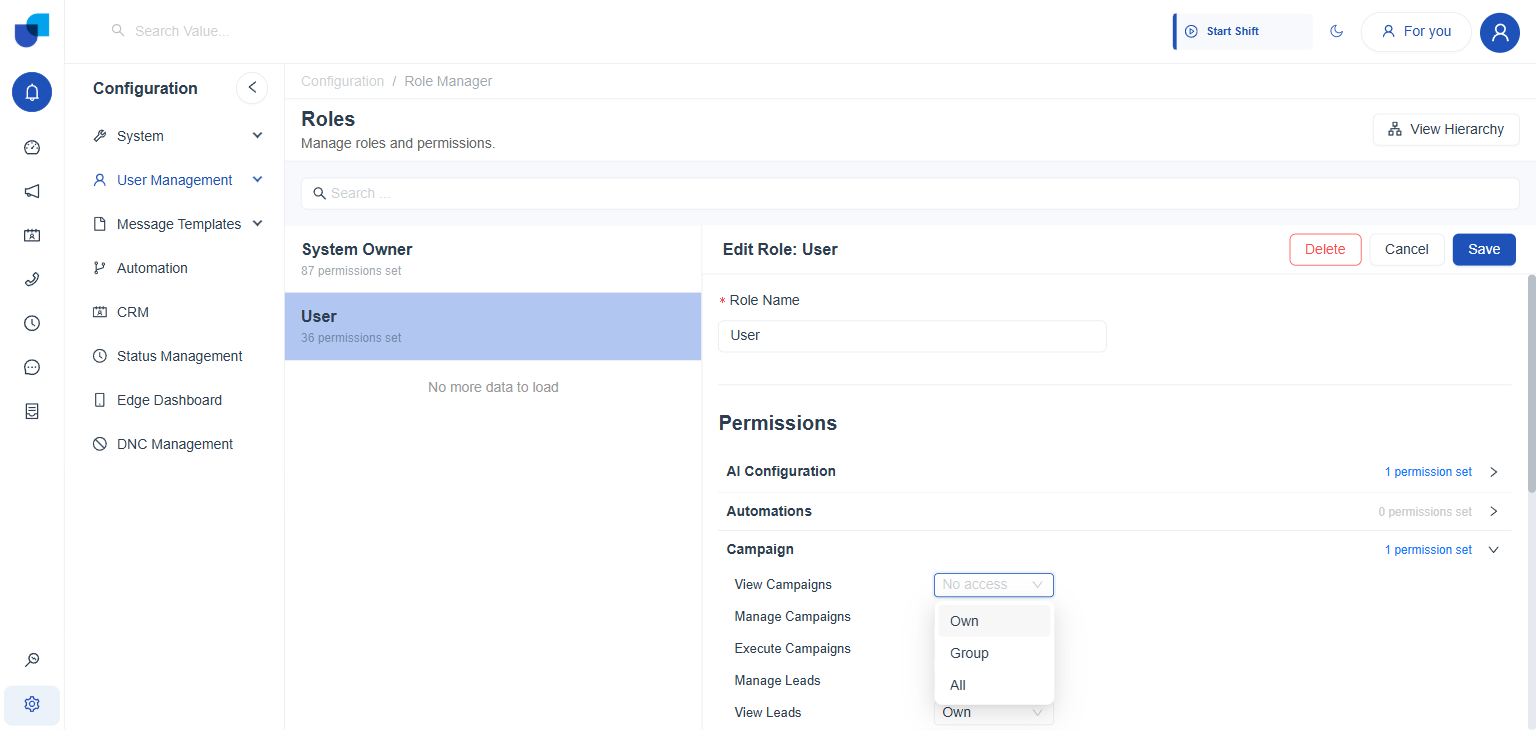
Figure 1. The Campaign permission group expanded on a role, with the View Campaigns dropdown open to show its access levels.
The Six Campaign Permissions
| Permission | Control | Governs |
|---|---|---|
| View Campaigns | No access, Own, Group, All | Seeing campaigns in the Campaigns list and opening their detail panel. |
| Manage Campaigns | No access, Own, Group, All | Creating, editing, pausing, and deleting campaigns through the Create Campaign wizard and the detail panel's actions. |
| Execute Campaigns | No access, Own, Group, All | Starting a campaign and the dialing it then performs. |
| Manage Leads | No access, Own, Group, All | Topup, Reschedule, and the other lead level actions covered in Managing Live Campaigns. |
| View Leads | No access, Own, Group, All | Seeing the Campaign Leads screen and a campaign's Lead Status Breakdown, covered in Campaign Monitoring. |
| Manage DNC List | Yes or No switch | Access to DNC Management. The only one of the six that is a plain switch rather than an access level dropdown. |
Own, Group, and All are the same three access levels used by every scoped permission on the platform, not something specific to Campaign. Own limits a user to records they created or were assigned, Group extends that to their reporting group, and All removes the limit entirely.
A Configured Example
The built in User role leaves most Campaign permissions at No access, with one exception: View Leads is set to Own, so a user sees only the leads assigned to them. Manage DNC List is switched off.
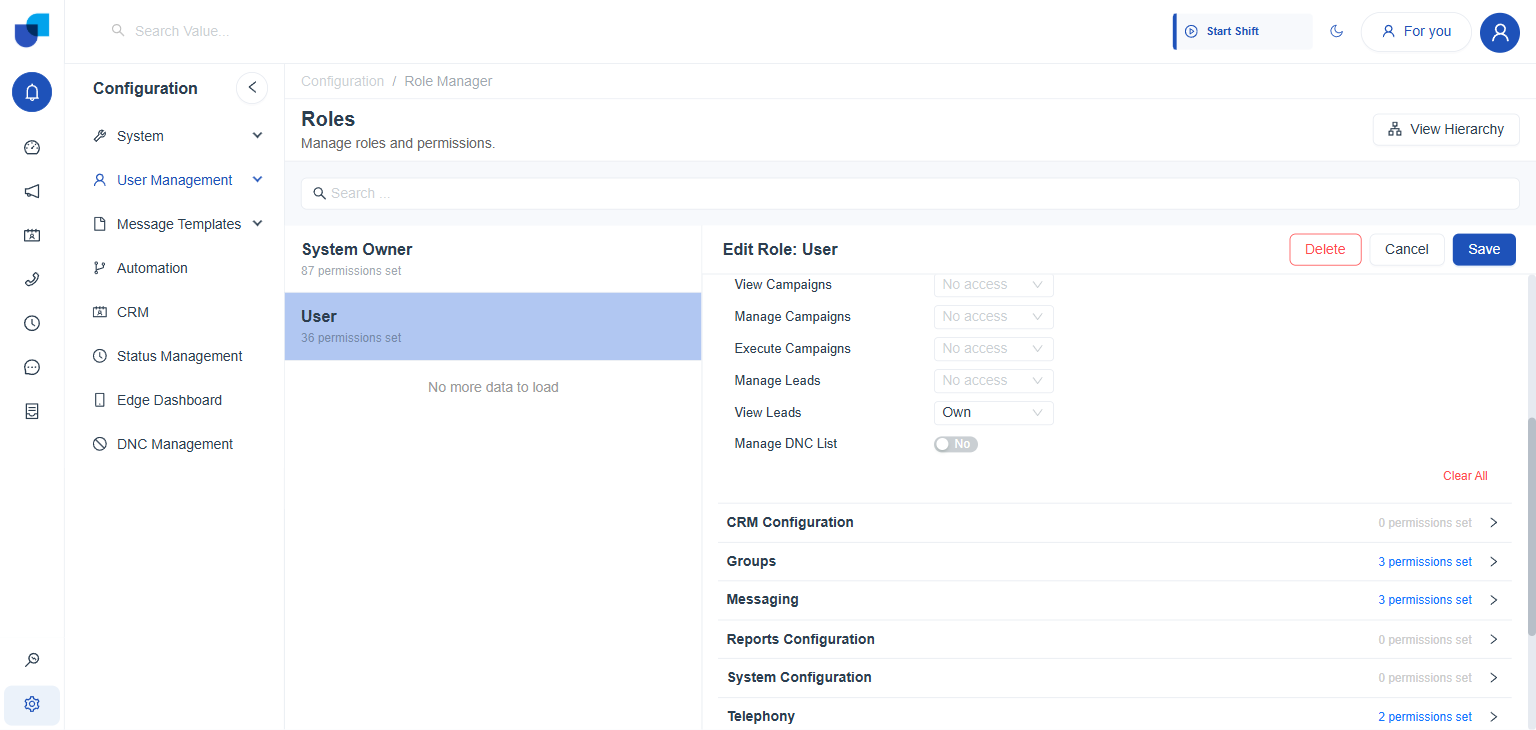
Figure 2. The User role's Campaign permissions: four at No access, View Leads set to Own, and Manage DNC List switched off.
A role's Campaign permissions decide which screens and icons a user can reach. A user without Manage Campaigns, for example, cannot open the Create Campaign wizard. Set each permission deliberately, and give Execute Campaigns only to roles that are trusted to start live dialing.
Where This Fits
Roles, the Own, Group, and All access model, and the Role Manager screen itself are shared platform concepts, not something Campaign introduces. This page covers only the six permissions Campaign contributes to that shared system.