IVR
What IVR Is
IVR, an automated menu that lets a caller serve themselves, is one of three ways a Voice Campaign call can be handled, alongside Agent and AI Agent. The choice is made on the Configuration step of the Create Campaign wizard. A payment reminder campaign that plays a payment menu to each customer is the example used here.
Choosing IVR
- Open Campaign → New Campaign and choose Voice Call. Complete the Details and Audience steps first. See Campaign Builder.
- On the Configuration step, choose IVR under How will this call be handled. The Dialing Mode and Agent Group fields disappear, because no agent is on the call.
- Pick an IVR Template. The field is required.
- Enter the Number of Concurrent Calls and, if needed, a Caller ID.
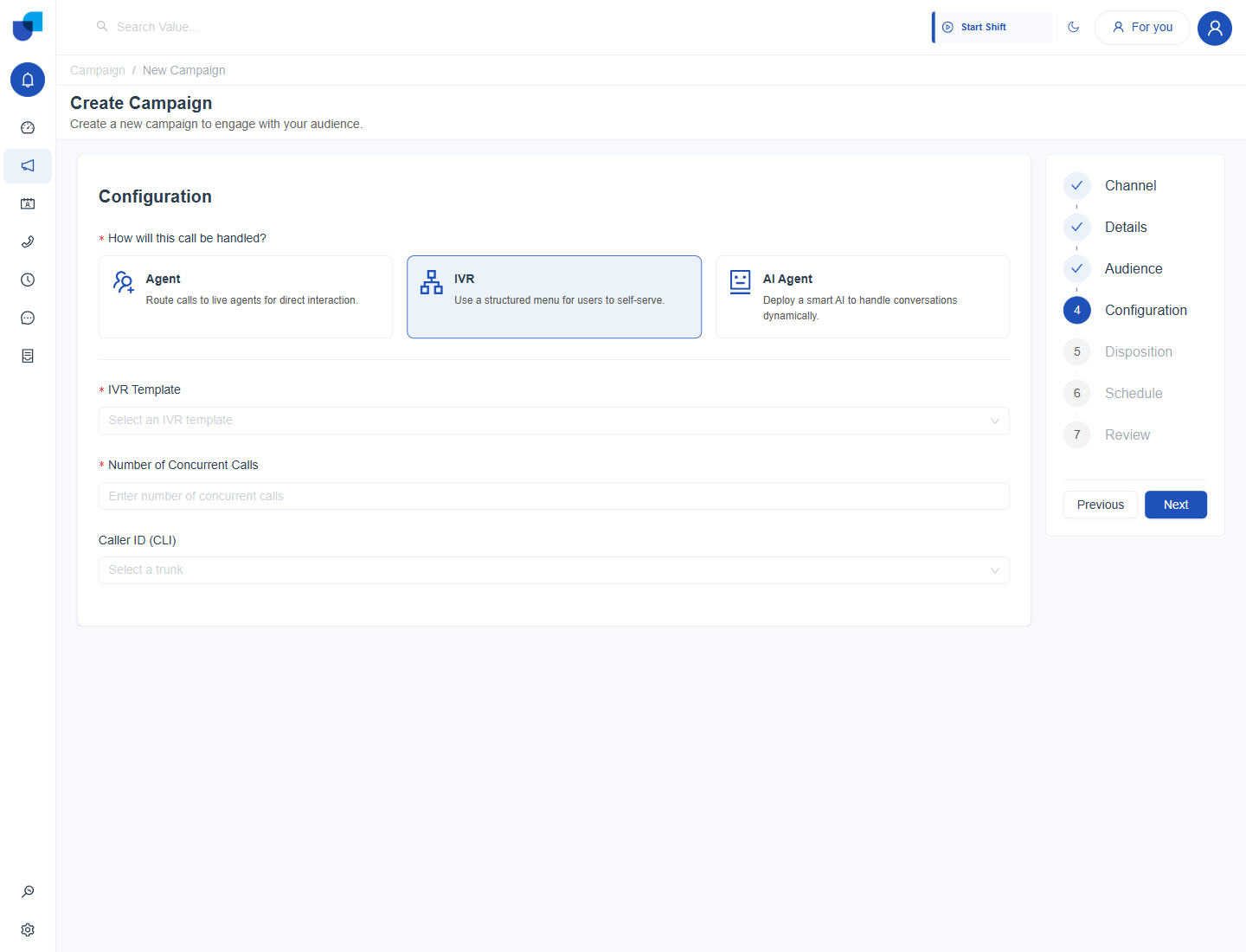
Figure 1. The Configuration step with IVR selected. An IVR Template field replaces the dialing mode and agent group.
The IVR Template Field
IVR Template is a dropdown of named menus that already exist on the connected 3CX server. Each entry carries its type in brackets.
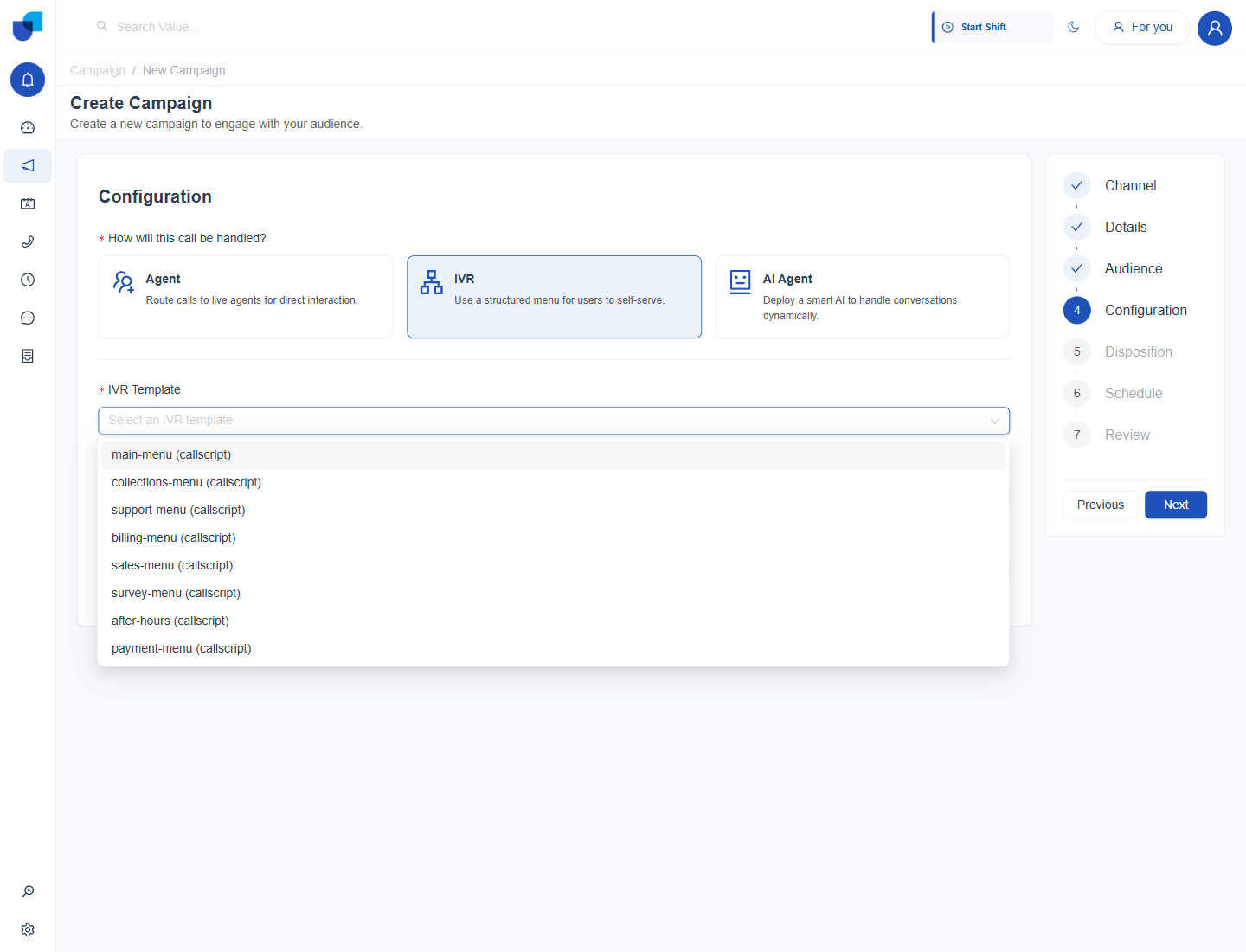
Figure 2. The IVR Template dropdown, listing the menus available from the 3CX server.
UNICONNECT AI does not build or edit an IVR menu's structure, prompts, key presses or routing. The dropdown only lists menus that already exist, so create and maintain them on the 3CX server and then select them here.
Field Reference
| Field | Purpose |
|---|---|
| IVR Template | Required. The 3CX menu this campaign's calls are handled by. |
| Number of Concurrent Calls | Required. Caps how many calls the campaign places at once. |
| Caller ID (CLI) | Optional. The outbound line the calls present as coming from. |
Start with a small Number of Concurrent Calls on a first IVR campaign and raise it once the menu has been tested with a few real calls.
Where This Fits
IVR is covered here because the template field is easy to miss. The rest of the Configuration step, including Agent and AI Agent handling, is documented in Campaign Builder. For the alternative where an AI Agent answers instead of a fixed menu, see Number Handling with AI Agent.